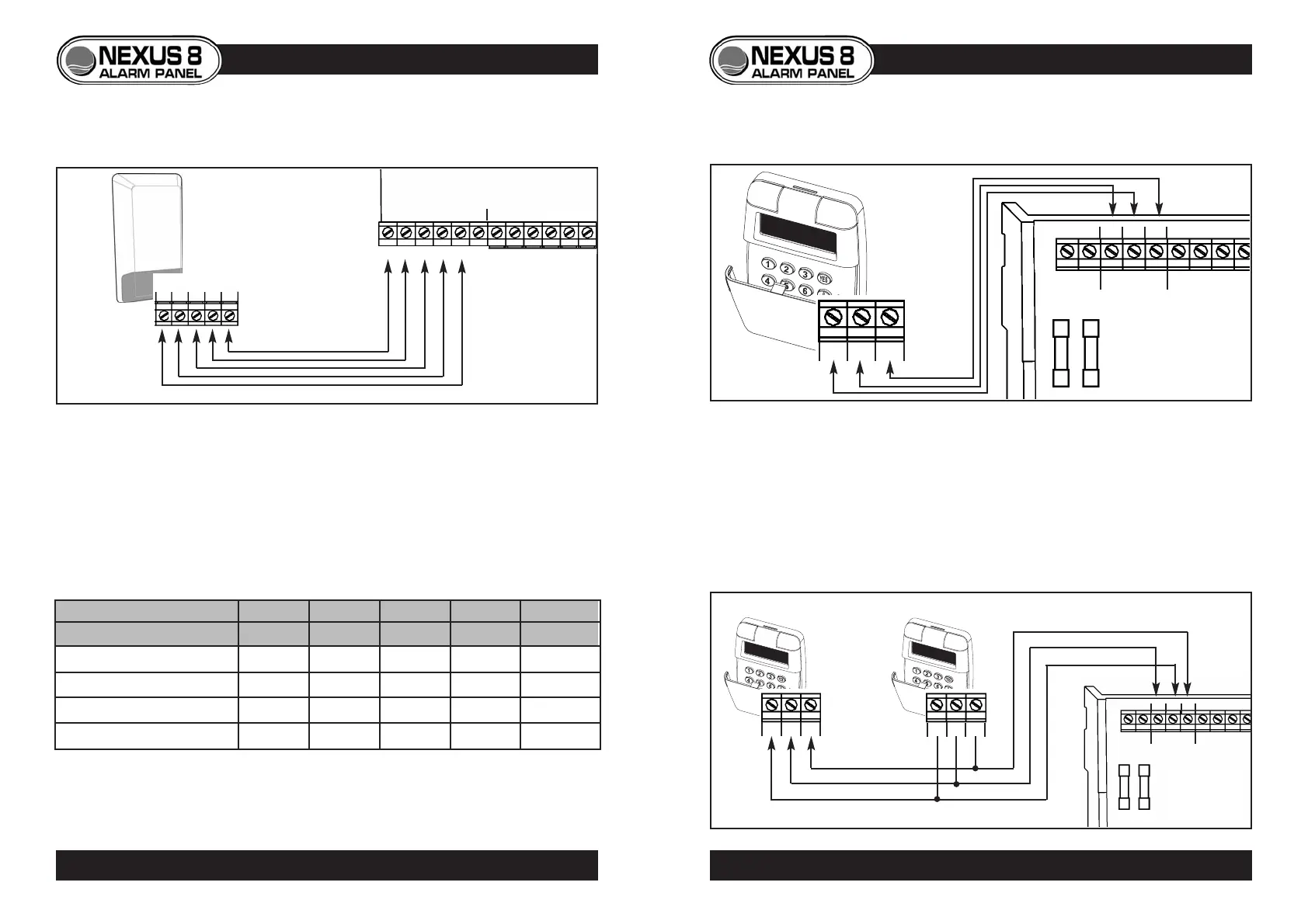
BELL BOXES
• Always consult manufacturers instructions before installation.
• Use 6-core cable (5-cores required).
NEXUS 8 Bell Box Wiring Reference Table
*
NOTE - Connect STROBE+ to D
REMOTE KEYPADS
• The Nexus 8 allows up to 4 remote keypads to be used with the system.
• Wiring is via three terminal blocks located at the bottom of the keypad
PCB Cable entry to the keypad is from either top or bottom knockout.
• Use 4-core cable (3-cores required)
+ D -
9
KEYPAD
ZONE 5SPKR
NEXUS 8
PCB
Keypad
terminals
KEYPAD
+ D -
D + -
ZONE 5
SPKR
D + -
Keypad 1
Keypad 2
Nexus 8
PCB
Nexus 8
PCB
D + -
4-Core Cable (3-cores used)
4-Core Cable (3-cores used)
KEYPAD WIRING
Single keypad
Two or more keypads
8
Nexus 8 Panel connection HOLD+ HOLD- TPR TRG STR
Suggested wiring colour RED Black WHITE BLUE GREEN
Ventcroft Classic/Spirit
H OFF+ H OFF- RTN TRG STB
Texecom Veritas Azura 360 ADCBS
CQR Integra HS +VE 0V RETURN SIREN-TRIG STROBE-TRIG
ADE Sonade* D A T B STROBE -
BELL BOX WIRING
© Lynteck Ltd. 1998 LY68-030-68
BELL/STROBE
ZONE 1
TPR HOLD TRG STR
- +
HOLD +
HOLD -
TAMP R
TRG
STR
Lynteck
Bell Box



 To Next Page