SCC Quick Start Guide 8 ni.com
You can use two labels on single-width I/O panelettes and three or more
labels on wider panelettes.
Figure 5. Installing I/O Panelette Labels
Step 5. Connect the Signals
Caution Always refer to the specifications in your SCC-XX module user guide before
connecting signals. Exceeding specified module ratings can create a shock or fire hazard
and can damage any or all of the devices connected to the module.
Refer to
ni.com/info and enter info code rdtntg to confirm signal
names in the NI-DAQ C to NI-DAQmx Terminal Names Translation Guide.
Complete the following steps:
1. Remove power from the signal lines.
2. Strip 7 mm (0.25 in.) of insulation from the ends of the signal wires.
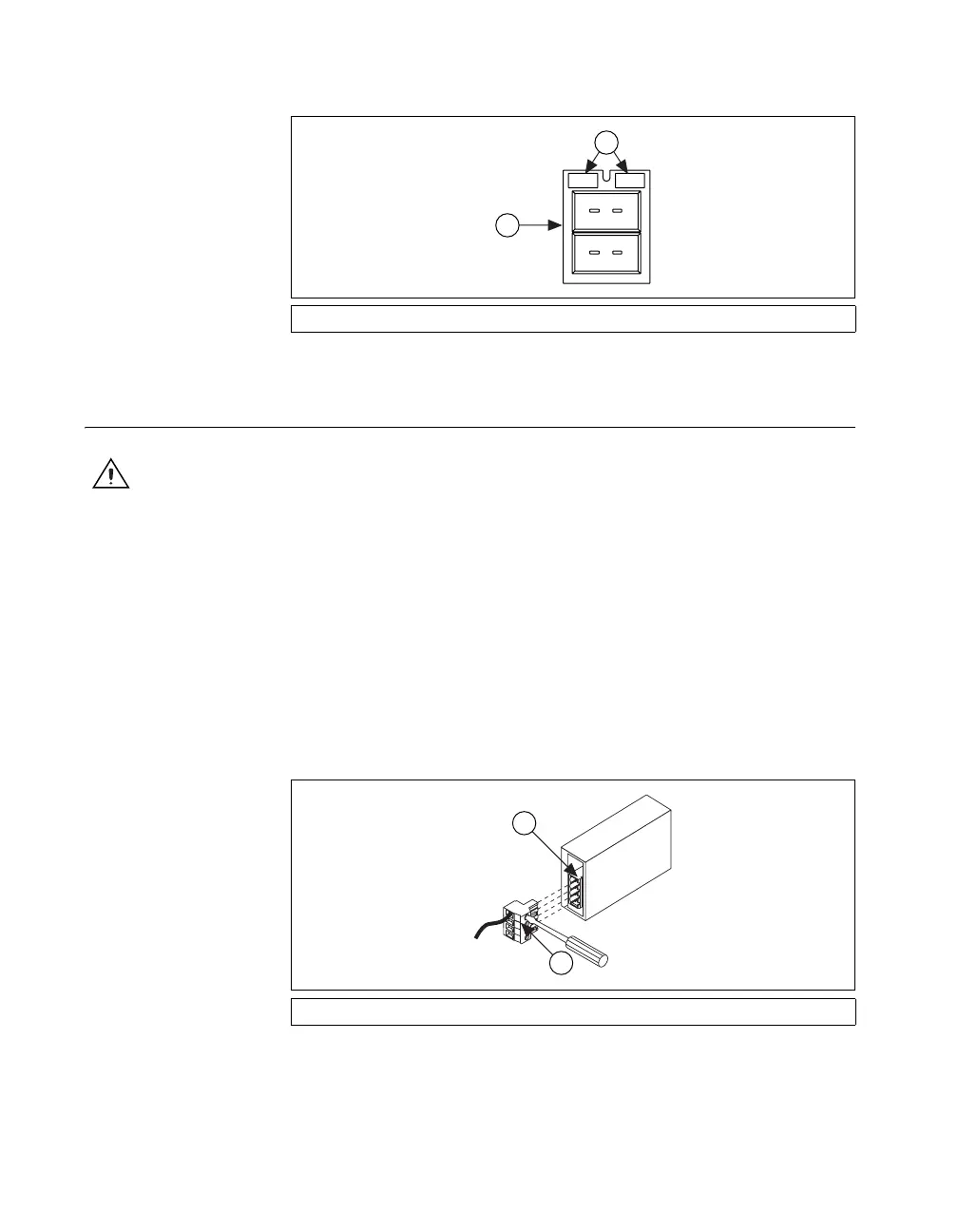
3. Insert the wires into the screw terminals. The SCC-XX module has a
fixed screw-terminal receptacle and a removable screw-terminal block,
as shown in Figure 6.
Figure 6. SCC-XX Two-Part Screw-Terminal System
1 I/O Panelette 2 Labels
1 SCC Screw-Terminal Receptacle 2 Removable Screw-Terminal Block
2
1
3
2
1
4
1
2


 To Next Page
 Loading...