© National Instruments Corporation 9 SCC Quick Start Guide
4. Tighten the screws to 0.5 to 0.6 N · m (4.4 to 5.3 lb – in.) of torque.
5. Check if the strain-relief bar is installed as shown in Figures 3, 4,
and 5. If necessary, reinstall and tighten the strain-relief screws.
6. Close or replace the top cover.
7. Reinsert and tighten the cover screws to ensure proper shielding.
For complete signal-connection information, refer to the SCC-XX module
user guide. For more information about using the SC-2345, refer to the
SC-2345/2350 Carrier User Manual.
SC-2350: Connecting TEDS Sensors
If you are using an IEEE P1451.4 Transducer Electronic Data
Sheet-compatible smart sensor, complete the following steps to connect the
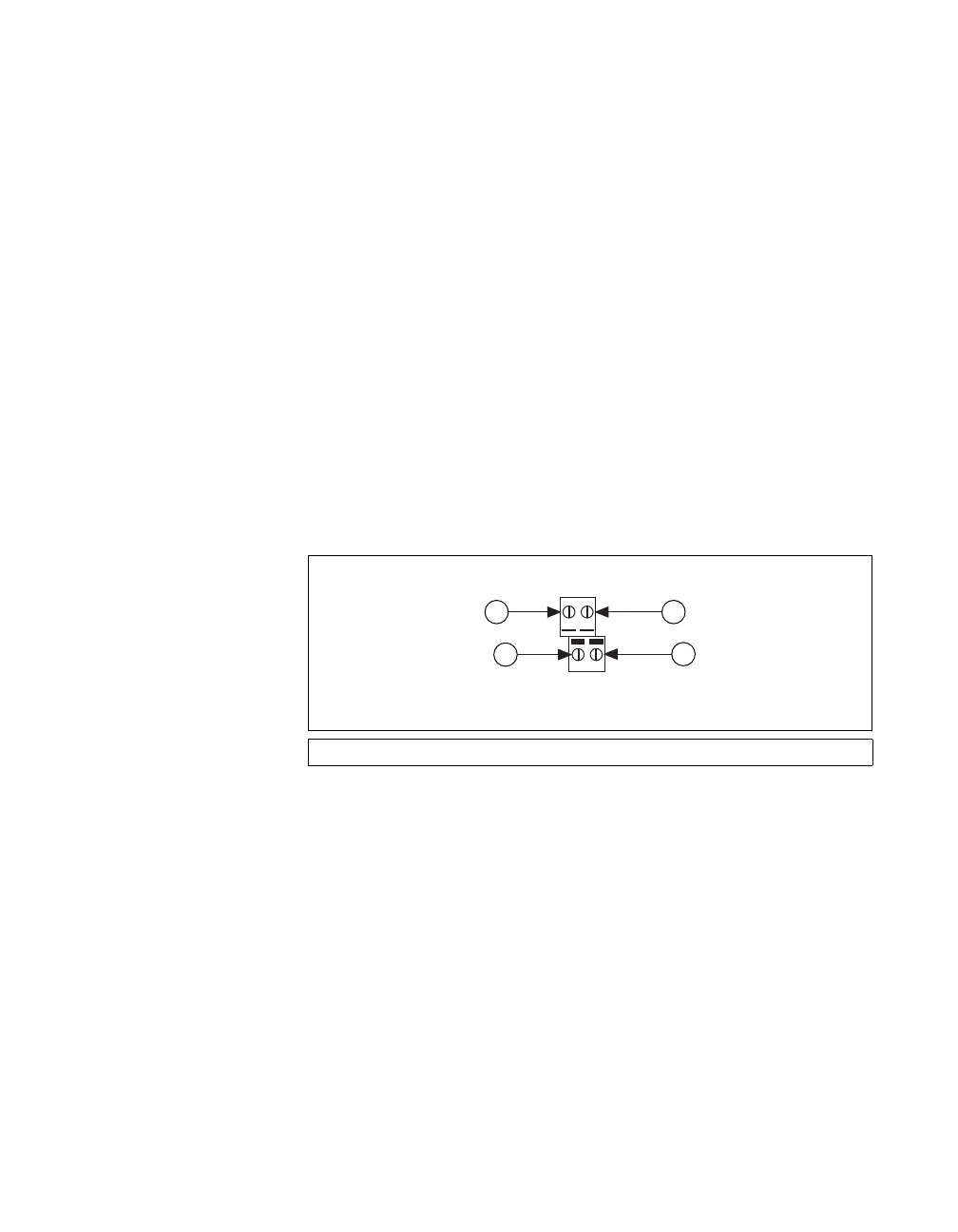
TEDS DATA and RETURN signals. Refer to Figure 7 when completing
the following steps.
1. Connect the DATA signal to the
DATA+ screw terminal on the TEDS
screw terminal.
2. Connect the RETURN signal to the
RETURN screw terminal on the
TEDS screw terminal.
Figure 7. TEDS DATA+ and RETURN Connections
1 DATA+ 2 2 DATA+ 10 3 RETURN 10 4 RETURN 2
DATA+ 2/10
RETURN 2/10
J27
1
4
2
3
01


 To Next Page
 Loading...