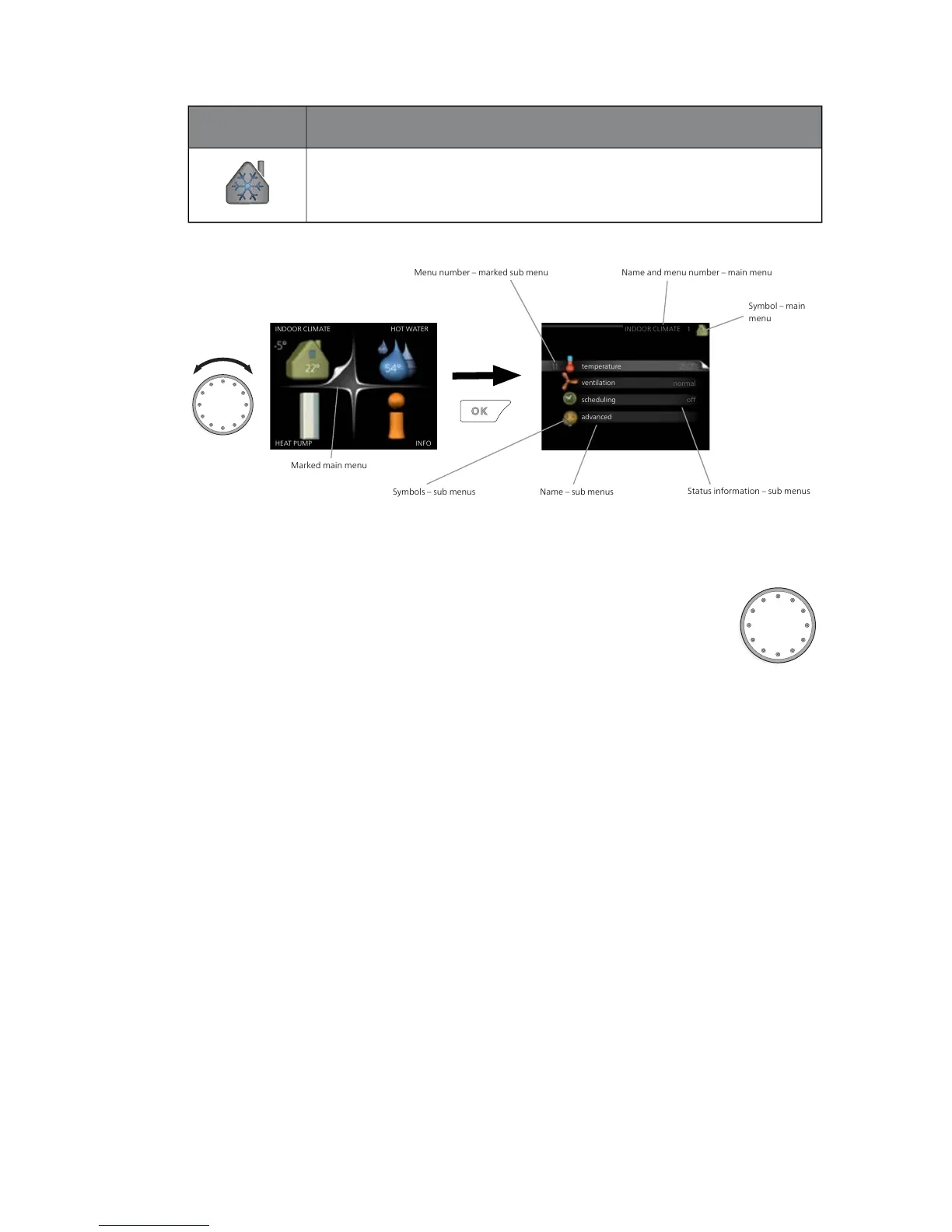
Marked main menu
Menu number – marked sub menu Name and menu number – main menu
Symbol – main
menu
Status information – sub menus
Name – sub menusSymbols – sub menus
Operation
To move the cursor, turn the control knob to the left or the
right. The marked position is white and/or has a turned up tab.
Selecting menu
To advance in the menu system select a main menu by marking
it and then pressing the OK button. A new window then opens with sub
menus.
Select one of the sub menus by marking it and then pressing the OK button.
17NIBE™ F1155Chapter 2 | The heat pump – the heart of the house



 To Next Page