Connecting an external contact, for example, a room thermostat or a timer
allows you to temporarily or periodically raise or lower the room temper-
ature while heating. When the contact is on, the heating curve offset is
changed by the number of steps selected in the menu. If a room sensor is
installed and activated the desired room temperature (°C) is set.
If there is more than one climate system the setting can be made separately
for each system.
min. flow line temp.
min. flow line temp. heating1.9.3.1
climate system 1
climate system 2
climate system 3
climate system 4
°C
°C
°C
°C
20
20
20
20
min. flow line temp. cooling1.9.3.2
climate system 1
climate system 2
climate system 3
climate system 4
°C
°C
°C
°C
18
18
18
18
heating
Setting range: 5-70 °C
Default value: 20 °C
cooling (accessory required)
Depending on which accessory is
used the setting range can vary.
Factory setting: 18 °C
Menu
1.9.3
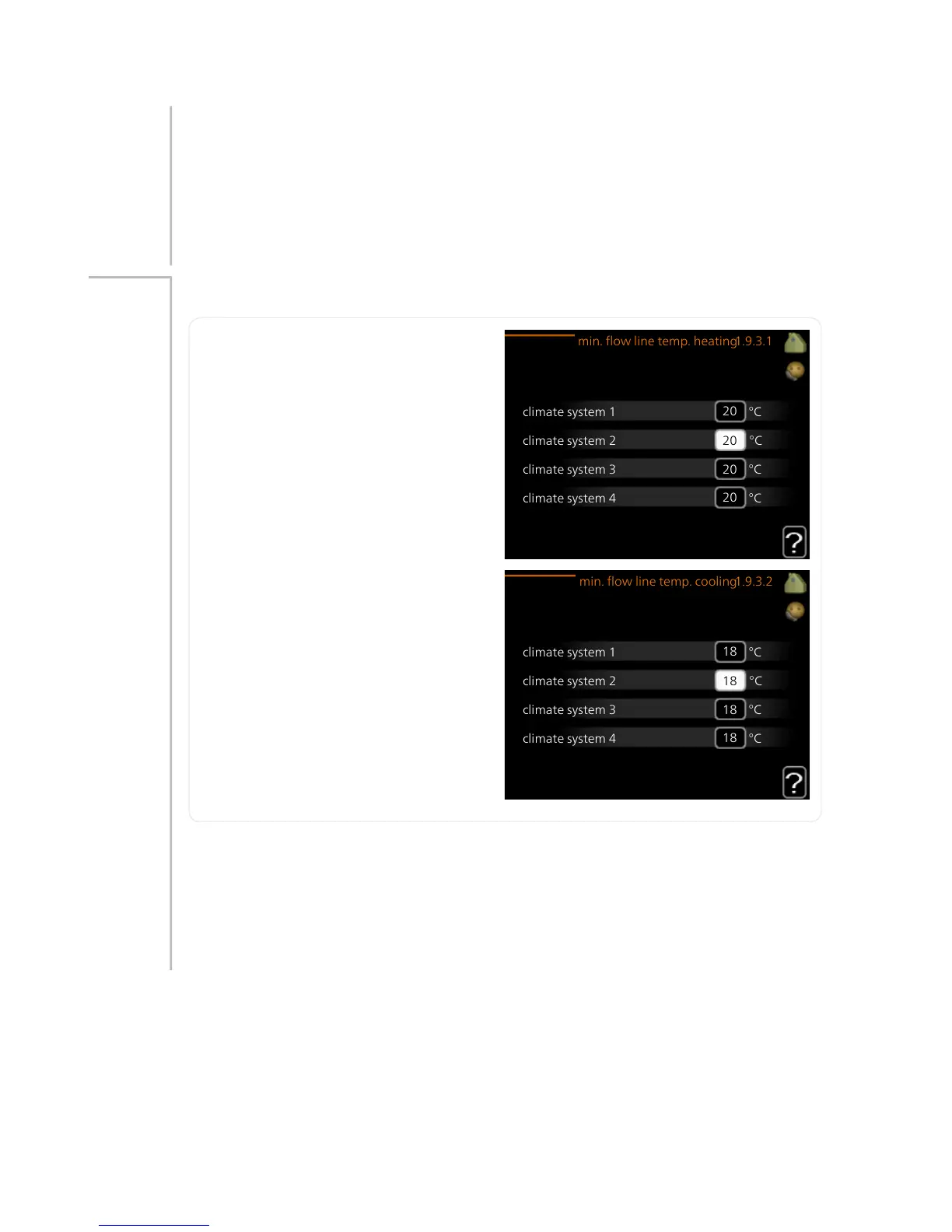
In menu 1.9.3 you select heating or cooling, in the next menu (min. supply
temp.heating/cooling) set the minimum temperature on the supply tem-
perature to the climate system. This means that F1155 never calculates a
temperature lower than that set here.
If there is more than one climate system the setting can be made separately
for each system.
NIBE™ F1155Chapter 3 | F1155 – at your service38



 To Next Page