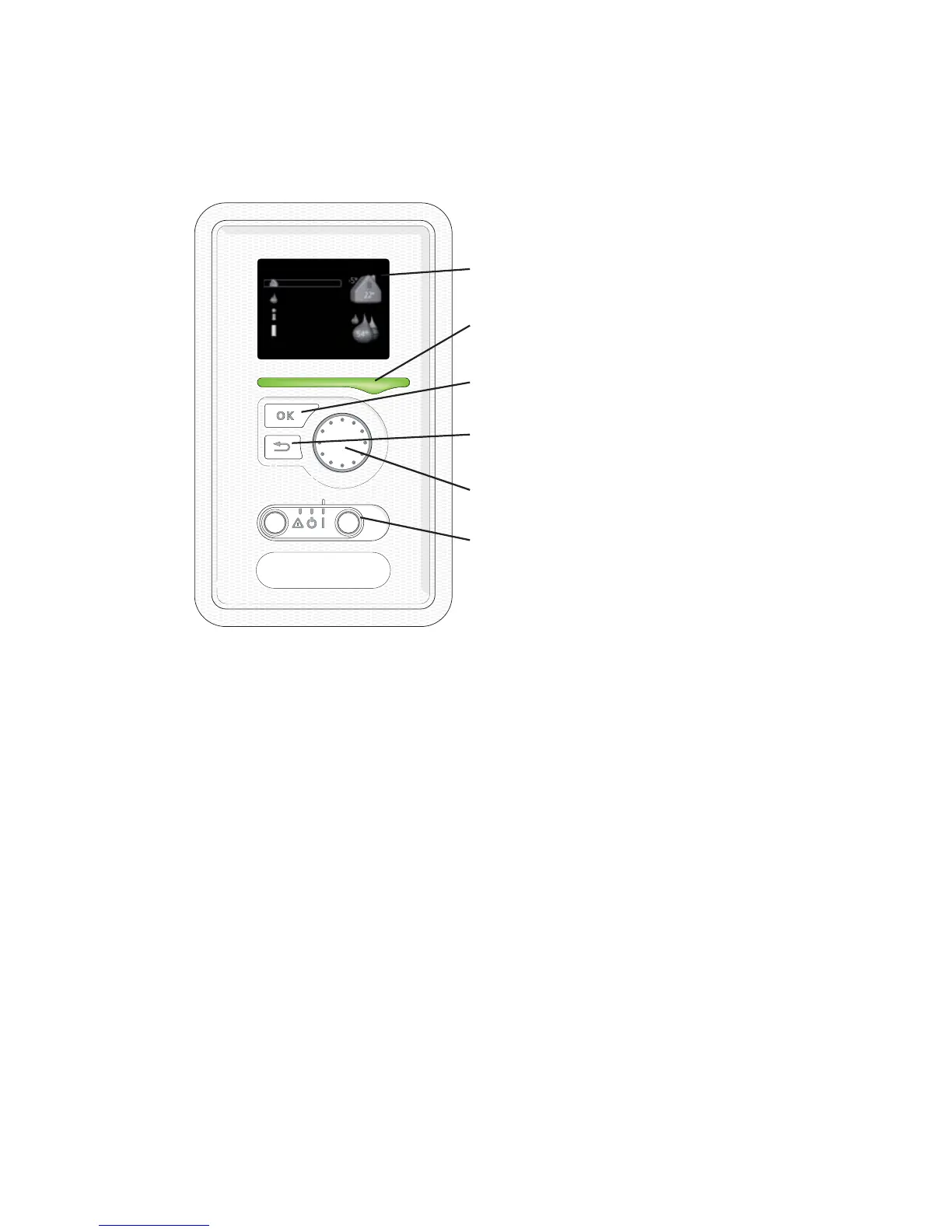
Contact with F1226
Display unit
$
%
&
'
(
)
'LVSOD\
6WDWXV ODPS
2. EXWWRQ
%DFN EXWWRQ
&RQWURO NQRE
6ZLWFK
,1'225 &/,0$7(
+($7 3803
,1)2
+27 :$7(5
)
There is a display unit on the front of the heat pump, which is used to com-
municate with F1226.. Here you:
႑
switch on, switch off or set the heat pump in emergency mode.
႑
sets the indoor climate and hot water as well as adjusts the heat pump
to your needs.
႑
receive information about settings, status and events.
႑
see different types of alarms and receive instructions about how they are
to be rectified.
Display
Instructions, settings and operational information are shown on the
display. The easy-to-read display and menu system, facilitates navigation
between the different menus and options to set the comfort or obtain
the information you require.
A
NIBE™ F1226Chapter 2 | The heat pump – the heart of the house10



 To Next Page