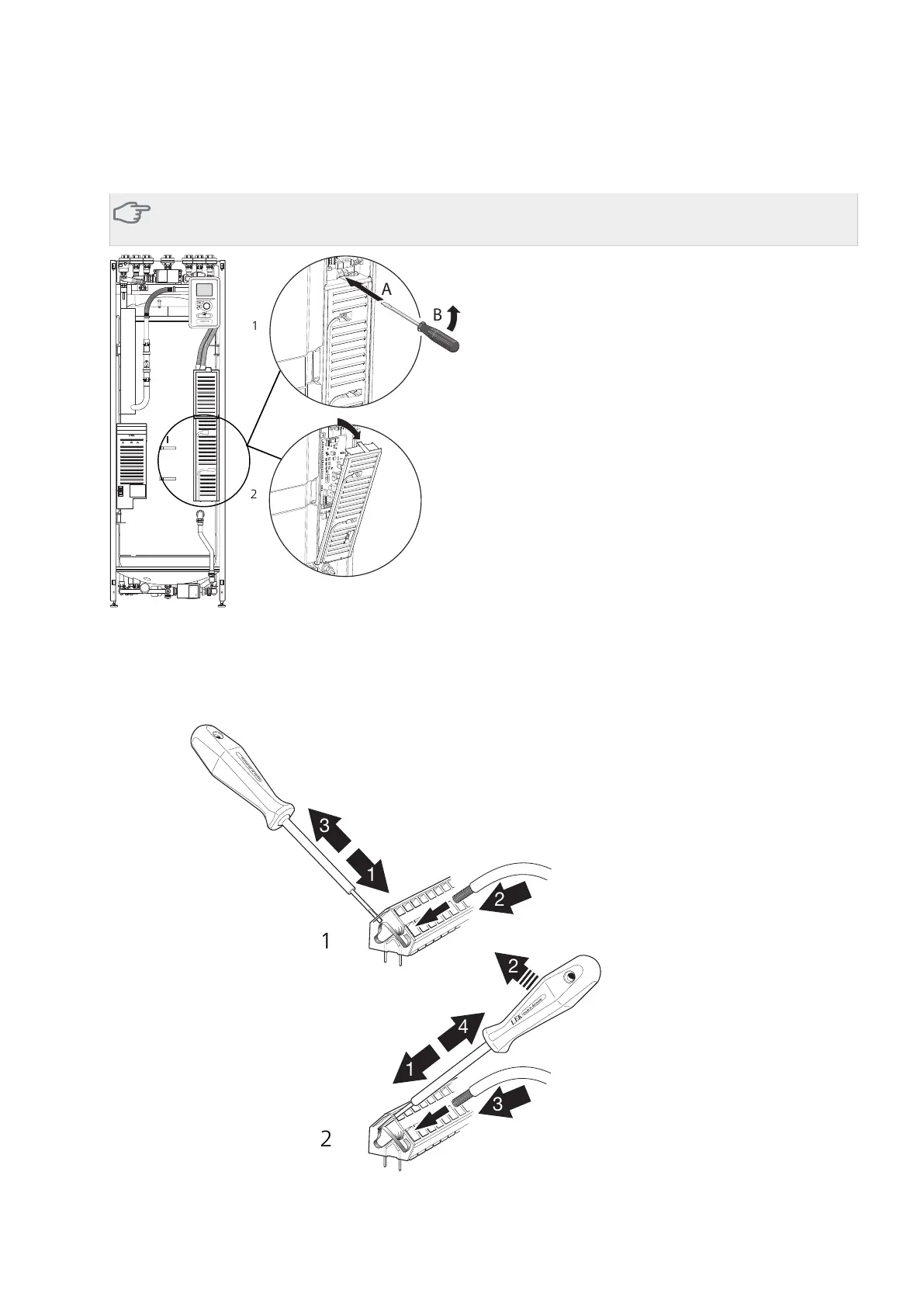
Removing the cover, base board
Caution
To remove the cover for the base board, the cover for the input circuit board must first be removed.
1.
Insert the screwdriver (A) and pry the catch carefully downwards (B).
2.
Angle out the cover and remove it.
Cable lock
Use a suitable tool to release/lock cables in the indoor module terminal blocks.
NIBE™ VVM 310Chapter 7 | Component replacement32



 To Next Page