Need help?
Do you have a question about the Nice Apollo 4500 SW and is the answer not in the manual?
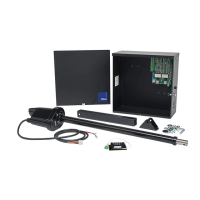
Description of the gate controller unit, including its main components and power source.
Details on the 1050 main control board, its features, connectors, and capabilities.
List of specific features and capabilities of the main control board, including inputs, outputs, and programming options.
Requirements for gate construction and automation according to ASTM F2200 standards.
Guidance on suitable gate building materials and considerations for commercial operations.
Safety warnings regarding the use of manual gate latches with commercial swing gate operators.
Details on intended applications for the swing gate operator, emphasizing vehicular traffic control.
Explanation of swing gate operation and design principles for entry control.
Essential safety and operational requirements for the gate system.
Importance of correctly installed and functional safety devices to prevent damage and injury.
Requirement for safety signs to alert users to the dangers of moving gate equipment.
Ensuring all safety devices, sensors, and warnings are in place for proper gate operation.
Role of infrared beams and warning signs in ensuring safety and preventing entrapment.
Guidelines for selecting the opener's location to prevent binding or improper articulation.
Emphasizes the importance of reading and adhering to all manual instructions for safe operation.
Warning to prevent children from operating or playing with gate controls or the gate.
Instructions on periodically testing the gate system's safety features and reversal mechanisms.
Recommendation for regular maintenance and professional servicing of gate hardware.
General instruction to follow all manual guidelines for safe and long-lasting operator performance.
Specifies that the gate system is intended solely for vehicular swing gates.
Highlights inherent hazards and considerations for designing, installing, and maintaining systems.
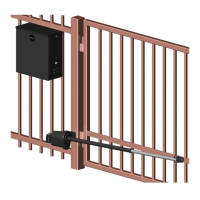
Procedure for selecting the optimal location for the gate opener unit.
Guidelines for fabricating a stable concrete pad for mounting the gate opener.
Instructions for physically mounting the gate opener unit using concrete anchors.
Procedure for engaging the manual release to disengage the drive motor.
Steps for connecting the main arm assembly and testing gate movement before wiring.
Overview of the basic learning and programming features of the gate opener unit.
Steps for initial system setup, including power connections and accessory installation.
Detailed steps for the gate opener's learning sequence to set travel limits and parameters.
Instructions on how to place the control board into LEARNING MODE for initial setup.
Description of available accessory outputs like OUT1, OUT2, Magnetic Lock, Lamp, and Alarm.
Details on accessory inputs including Auxiliary Inputs, Loop, Edge, Exit, Fire, Guard Station, and Radio.
Information on the communication bus and its use with devices like the OVIEW.
Procedures for programming plug-in receivers and wireless remote controls for the gate operator.
Details on the fire input and fail-safe connector for emergency operations.
Explanation of the fail-safe electric motor brake and its connection.
Instructions for connecting a magnetic lock to prevent forced gate opening.
Wiring details for connecting guard station switches for gate operation control.
Diagram and explanation for wiring exit and edge sensors for safety and operation.
Instructions for connecting third-party radio receivers for remote gate operation.
Guidelines for installing non-contact and contact sensors for external entrapment protection.
Configuration of static and dynamic force sensitivity for gate operation.
Adjusting gate speed limits for max, standard, low, and slowdown operations.
Setting gate acceleration limits for normal operation and reversing after obstacles.
Configuration of auto-close, slave gate delay, lamp/strobe, lock, and run time delays.
Programming gate functions including learning, positions, auxiliary inputs, and outputs.
Customizing display options such as language, clock format, and LCD contrast.
Step-by-step guide to programming the gate opener for basic usage and learning limits.
Instructions for reversing the gate's travel direction if programmed incorrectly.
Procedure to place the Apollo 1050 control board into learning mode.
 General
| Brand | Nice Apollo |
|---|---|
| Model | 4500 SW |
| Category | Gate Opener |
| Language | English |


 To Next Page