EasyManua.ls Logo

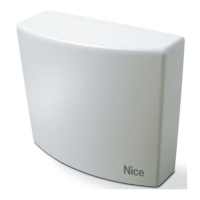
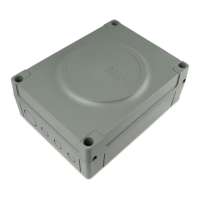
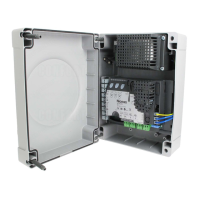
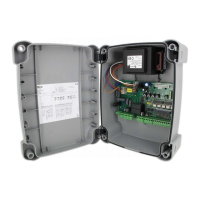
Nice MC424L - User Manual

Nice MC424L
26 pages
Print Icon
To Next Page IconTo Next Page
Loading...
Nice
MC424L
Control unit
EN - Instructions and warnings for installation and use

Table of Contents

Other manuals for Nice MC424L

Questions and Answers

  • J
    Justin KingSep 7, 2025
    What to do if my Nice MC424L Control Unit has an internal parameter error?
    • A
      Ashlee HardySep 7, 2025
      If your Nice Control Unit shows an error in its internal parameters, wait at least 30 seconds before issuing a command. If needed, disconnect the power supply. If the problem persists, it could indicate a severe malfunction, possibly requiring replacement of the electronic board.
  • Y
    ymoralesAug 22, 2025
    What to do if my Nice MC424L Control Unit has no power?
    • T
      Theresa HowardAug 22, 2025
      If your Nice Control Unit isn't receiving power, first verify that power is reaching the unit by measuring approximately 30 V DC (or 24 V DC if battery-powered) at terminals 6-7. Then, inspect the two fuses. If the OK LED is not illuminated or flashing, it indicates a significant failure, potentially requiring replacement of the control unit.
  • D
    David Whitaker IISep 4, 2025
    What to do if the obstacle detection function is activated in my Nice MC424L Control Unit?
    • J
      Joseph WilliamsSep 5, 2025
      If the obstacle detection function is activated due to the motors encountering too much resistance during gate movement, verify the cause. If necessary, increase the motor force.
  • R
    randallcomptonSep 3, 2025
    Why is my Nice MC424L Control Unit not working and showing a serious anomaly?
    • B
      Barbara ChavezSep 3, 2025
      A serious anomaly has been detected. Try turning off the Nice Control Unit for a few seconds. If the problem continues, it indicates a fault, and the circuit board may need to be replaced.
  • R
    Russell HortonSep 2, 2025
    What to do if my Nice Control Unit has fault on the electrical circuits?
    • D
      derek37Sep 2, 2025
      If your Nice Control Unit has a fault on the electrical circuits, wait at least 30 seconds and then try again to give a command and if necessary also turn off the power supply; if the status remains there could be a serious failure and the electronic circuit board may need to be replaced.
  • M
    mhawkinsAug 31, 2025
    What to do if my Nice Control Unit exceeded the maximum number of consecutive maneuvers?
    • M
      Michael WareAug 31, 2025
      If your Nice Control Unit has exceeded the maximum number of consecutive maneuvers or maneuvers per hour, you need to wait a few minutes for the maneuver limiter to reset below the maximum limit.
  • M
    Michelle BrownAug 30, 2025
    Why is my Nice MC424L Control Unit stopping due to STOP input intervention?
    • H
      Haley ThompsonAug 30, 2025
      If your Nice Control Unit is stopping due to the STOP input, it indicates that the devices connected to the STOP input have been activated either at the start of the operation or during movement. You should check the cause of this intervention.
  • G
    Gregory TaylorAug 29, 2025
    Why is my Nice Control Unit stopping due to photocell intervention?
    • L
      linmelissaAug 29, 2025
      If your Nice Control Unit is stopping due to photocell intervention, it means one or more photocells are blocking the movement or have reversed it while in progress. Check for any obstructions that may be triggering the photocells.
  • R
    Rebecca GriffinAug 27, 2025
    What to do if my Nice MC424L has a serious fault?
    • M
      Mitchell RodriguezAug 27, 2025
      If the Nice Control Unit indicates a serious fault, try turning it off for a few seconds and then turning it back on. If the fault persists, the electronic circuit board likely needs to be replaced.
  • A
    Angela KellyAug 26, 2025
    What to do if my Nice MC424L gives an error in internal parameters?
    • R
      Rebecca RileyAug 27, 2025
      If your Nice Control Unit reports an error in its internal parameters, wait for at least 30 seconds before attempting to send another command. If the issue persists, try turning off the main power supply and then turning it back on. If the error continues, it may indicate a serious malfunction, possibly requiring replacement of the electronic circuit board.

Summary

General Safety and Product Overview

Electrical Connections Setup

Preliminary Wiring Checks

Ensures safe disconnection and qualified personnel for wiring.

Wiring Diagram and Connection Details

Provides diagrams and descriptions for all electrical connections.

Electrical Connection Descriptions and Notes

Initial Startup, Testing, and Configuration

Initial Start-Up and Electrical Test

Verifies correct wiring and initial operational status.

Motor Selector and Limit Switch Setup

Configures motor type and automatic limit switch search.

Testing, Commissioning, and Programming Basics

Performing System Tests

Sequence of tests to ensure proper system operation and safety.

System Commissioning Steps

Steps to complete after testing, including documentation.

Programming Functions

Level 2 Parameter Adjustment

Memory Management and Transmitter Setup

Troubleshooting and Status Indicators

Warning Light Signals for Anomalies

Explains signals from the warning light for various anomalies.

Control Unit LED Status Indicators

Details the meaning of LED signals for operational status.

User Instructions and Safety Warnings

Nice MC424L Specifications

General IconGeneral
BrandNice
ModelMC424L
CategoryControl Unit
LanguageEnglish

Related product manuals