EasyManua.ls Logo

Nice MC800 - User Manual

Nice MC800
24 pages
Print Icon
To Next Page IconTo Next Page
Loading...
Nice
EN
MC800
Control unit
EN - Instructions and warnings for installation and use

Table of Contents

Questions and Answers

  • J
    Justin SanchezAug 13, 2025
    How to troubleshoot no power to Nice MC800?
    • A
      Allen YoungAug 13, 2025
      If the Nice Control Unit has no power, start by checking if the unit is properly connected to a power source. Then, inspect the fuse to see if it has blown. If it has, identify the cause of the blown fuse and replace it with a new one that has the same specifications. If the “BlueBus” LED is also unlit or flashing, it could indicate a serious fault, suggesting that the control unit needs replacement.
  • M
    Monica NelsonAug 17, 2025
    What to do if my Nice MC800 Control Unit was stopped by a 'Stop automation' command?
    • B
      bobbyandersonAug 17, 2025
      If the Nice Control Unit automation was stopped by a “Stop automation” command, you need to unlock it by giving the “Unlock automation” command.
  • K
    kelly21Aug 21, 2025
    What to do if Nice MC800 shows electric circuit anomaly?
    • C
      Caitlin BarnesAug 21, 2025
      If the Nice Control Unit has an electric circuit anomaly, wait 30 seconds and try giving a command again, disconnecting the power supply if needed. If the problem persists, check which LED is flashing to understand the issue: L1 (motor protection or disconnection), L2 (limit switch anomaly with learning), L3 (limit switch anomaly without learning), or L4 (generic anomaly). After fixing the anomaly, if the condition continues, the electronic board may need replacement.
  • D
    Dr. Richard ClarkAug 25, 2025
    How to fix BlueBus system error on Nice MC800?
    • M
      Matthew SchwartzAug 26, 2025
      If you are encountering a BlueBus system error with your Nice Control Unit, it means the system isn't detecting the same devices that were memorized during the learning phase. Check for disconnected or faulty devices on the BlueBus system and replace them if necessary. If changes were made to the devices, you will need to rerun the device learning procedure.
  • J
    Jennifer HarrisonAug 28, 2025
    What to do if Nice MC800 indicates intervention of a photocell?
    • T
      Tammy ParkerAug 28, 2025
      If the Nice Control Unit detects intervention of a photocell, check the area for any obstructions.
  • J
    Jamie AndradeSep 1, 2025
    What to do if Nice MC800 indicates serious anomaly?
    • D
      david94Sep 1, 2025
      If the Nice Control Unit has a serious anomaly, try disconnecting the power supply. If the problem continues after doing this, the electronic board should be replaced.
  • D
    Dana RamirezSep 5, 2025
    How to resolve change in the number of devices connected to the “BlueBus” or learning of the device not executed on Nice MC800?
    • A
      Angelica HardySep 5, 2025
      It is necessary to run the device learning procedure (refer to the “Learning of connected devices” paragraph)
  • J
    jon08Sep 9, 2025
    How to resolve 'positions of the mechanical stops were never learned' error on Nice Control Unit?
    • R
      Rachel WestSep 9, 2025
      It is necessary to run the device learning procedure (refer to the “Learning of connected devices” paragraph)

Summary

General Safety Warnings and Precautions

Installation

Electrical Connections

Wiring Diagram and Description of Connections

Details the wiring diagrams and explains the function of each connection terminal.

Description of Connections

Explains the meaning of terminal codes and their corresponding cable types.

Initial Start-up and Electrical Connections Test

Procedures for initial power-up and testing of electrical connections.

Learning of Connected Devices

Process for the control unit to learn connected BlueBus and Stop input devices.

Learning of the Mechanical Stop Positions

Procedure to teach the control unit the mechanical limits for opening and closing.

Learning in Automatic Mode

Automatic process for learning mechanical stop positions.

Learning in Manual Mode

Manual process for learning mechanical stop positions, one by one.

Checking the Gate Movement

Verifying correct gate operation and checking for assembly/adjustment defects.

Testing and Commissioning

Testing

Detailed test procedures for ensuring system safety and functionality.

Commissioning

Final setup and handover process after successful testing.

Programming

Level 1 Programming (ON-OFF)

How to enable or disable basic ON/OFF functions.

Level 2 Programming (Adjustable Parameters)

How to adjust advanced parameters with settings from 1 to 8.

Memory Deletion

Troubleshooting Guide

Product Maintenance

Technical Specifications

Instructions and Warnings for the User

Overview

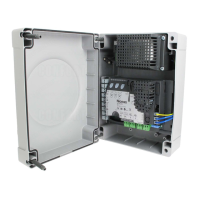
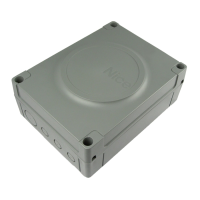
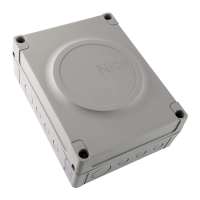
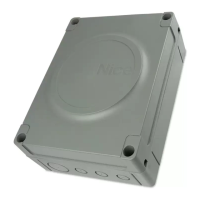
The MC800 is an electronic control unit designed for automating swing gates. It is specifically configured for connection to devices within the Opera System and Bluebus system. Additionally, it supports accessories that utilize an "SM" connector.

Function Description

The control unit manages the operation of two 120/230 V~ 50/60 Hz gearmotors, facilitating both opening and closing movements of swing gates. It incorporates various inputs for command devices (step-by-step, open, close), safety devices (stop, photocells, sensitive edges), and limit switches. The control unit also provides outputs for a warning light, electric lock, and an "Open Gate Indicator."

Key functions include:

  • Automatic Closing: After an opening maneuver, the gate automatically closes after a set pause time (default 30 seconds).
  • Close after Photo: If photocells are triggered during an opening or closing maneuver, the pause time is reduced to 5 seconds.
  • Always Close: In the event of a power outage, the control unit detects an open gate 10 seconds after power is restored and initiates a closing maneuver, preceded by 5 seconds of pre-flashing.
  • Ramming Function: A brief closing maneuver is triggered before opening to facilitate unlocking of an electric lock.
  • Warning/Courtesy Light: The warning light output can be configured to function as a courtesy light.
  • Pre-flashing: The warning light can flash 3 seconds before a maneuver starts to signal a dangerous situation.
  • "Close" becomes "Partial Open 1": The "Close" input can be reconfigured to trigger a partial opening.
  • Pressure Maintenance: For hydraulic motors, a brief closing maneuver is triggered every 4 hours (if the gate has been permanently closed) to reload hydraulic circuit pressure.
  • Move Anyway Function: Allows operation of the automation even if some safety devices are malfunctioning, by holding down the control command.
  • Maintenance Notice Function: Signals to the user when maintenance is due via a lamp connected to the "OGI" output.

Important Technical Specifications

  • Power Supply: 120/230 V~ 50/60 Hz
  • Nominal Power Absorbed by Mains Grid: 900 W
  • Warning Light Output: 1 x 120/230 V, 21 W lamp
  • Electric Lock Output: 1 x 12 V~ max 15 VA electric lock
  • Gate Open Indicator Output: 1 x 24 V maximum 4 W lamp (can also command small relays)
  • Bluebus Output: 1 output with maximum load of 15 Bluebus units (e.g., max 6 pairs of MOFB/MOFOB photocells, max 4 MOMB/MOTB control devices).
  • STOP Input: For normally closed or normally open contacts or 8.2 kΩ fixed resistor contacts with self-learning.
  • SbS, OPEN, CLOSE Inputs: For normally open contacts.
  • Radio Connector: SM connector for receivers.
  • Radio ANTENNA Input: 50 Ω for RG58-type cable.
  • Programmable Functions: 8 ON-OFF and 8 adjustable functions.
  • Self-learning Functions: Includes learning of Bluebus devices, STOP terminal device type (NO, NC, 8.2 kΩ fixed resistor, or 4K1 double edge), gate path, and automatic calculation of slowdown and partial opening points.
  • Operating Temperature: -20°C to +55°C
  • Use in Highly Acid, Saline or Potentially Explosive Atmosphere: NO
  • Protection Rating: IP 54 with container intact
  • Dimensions: 310 x 232 x H 122 mm
  • Weight: 4.1 kg

Usage Features

The MC800 offers flexible programming through two levels:

  • Level 1 (ON-OFF): Allows enabling or disabling of core functions like automatic closing, close after photo, always close, ramming function, warning/courtesy light, pre-flashing, "Close" becomes "Partial Open 1," and pressure maintenance.
  • Level 2 (Adjustable Parameters): Provides fine-tuning for parameters such as pause time (5 to 180 seconds), step-by-step function sequence (Open-Stop-Close-Stop, Open-Stop-Close-Open, Open-Close-Open-Close, Condominium modes, Hold-to-Run), opening delay (0% to 50% of work time), closing delay (0% to 50% of work time), balancing (0% to 100% closing duration adjustment), motor force (25% to 100%), start-up time (0s to 3s), and pedestrian/partial opening levels (1/4, 1/2, 3/4, full opening of M2 leaf, or 1/4, 1/2, 3/4 of minimum opening level for both leaves).

Learning procedures for mechanical stop positions can be automatic, manual, or mixed. The control unit automatically recognizes connected Bluebus devices and devices on the "Stop" input.

Maintenance Features

As an electronic part, the control unit itself does not require special maintenance. However, the overall automation system should be regularly checked (at least every 6 months) to ensure efficient operation. This includes verifying the proper functioning of safety devices (photocells, sensitive edges) and checking for any installation or adjustment defects. The "Maintenance notice" function can alert users when service is due. Only qualified personnel are authorized to perform checks, maintenance, and repairs. Before any maintenance, the motor must be manually unlocked to prevent accidental gate movement.

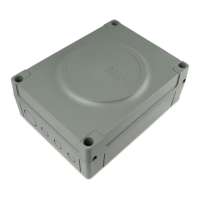
Nice MC800 Specifications

General IconGeneral
BrandNice
ModelMC800
CategoryControl Unit
LanguageEnglish

Related product manuals