10
The Control Panel
Interface Description
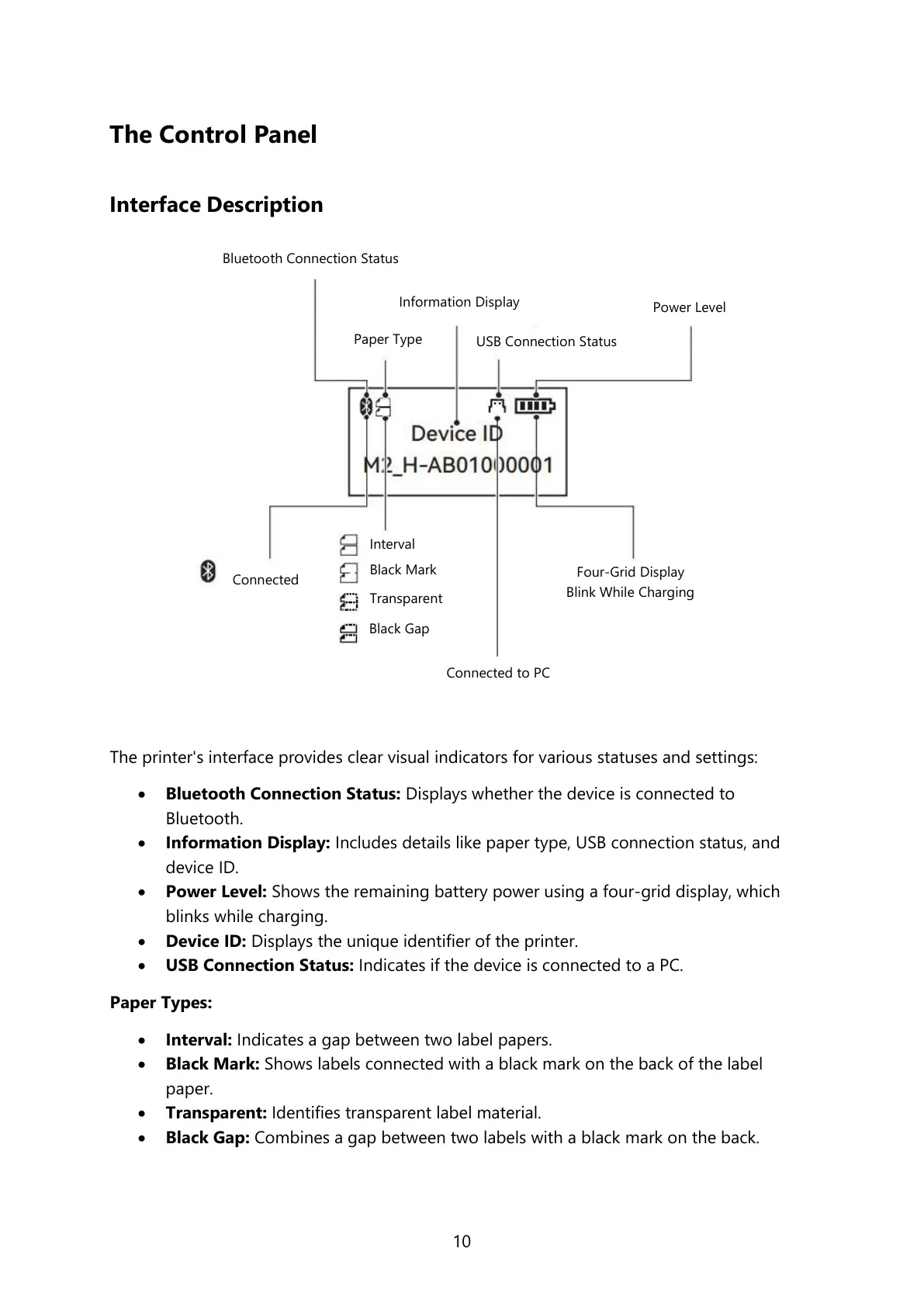
The printer's interface provides clear visual indicators for various statuses and settings:
• Bluetooth Connection Status: Displays whether the device is connected to
Bluetooth.
• Information Display: Includes details like paper type, USB connection status, and
device ID.
• Power Level: Shows the remaining battery power using a four-grid display, which
blinks while charging.
• Device ID: Displays the unique identifier of the printer.
• USB Connection Status: Indicates if the device is connected to a PC.
Paper Types:
• Interval: Indicates a gap between two label papers.
• Black Mark: Shows labels connected with a black mark on the back of the label
paper.
• Transparent: Identifies transparent label material.
• Black Gap: Combines a gap between two labels with a black mark on the back.
Bluetooth Connection Status
Four-Grid Display
Blink While Charging



 To Next Page