9
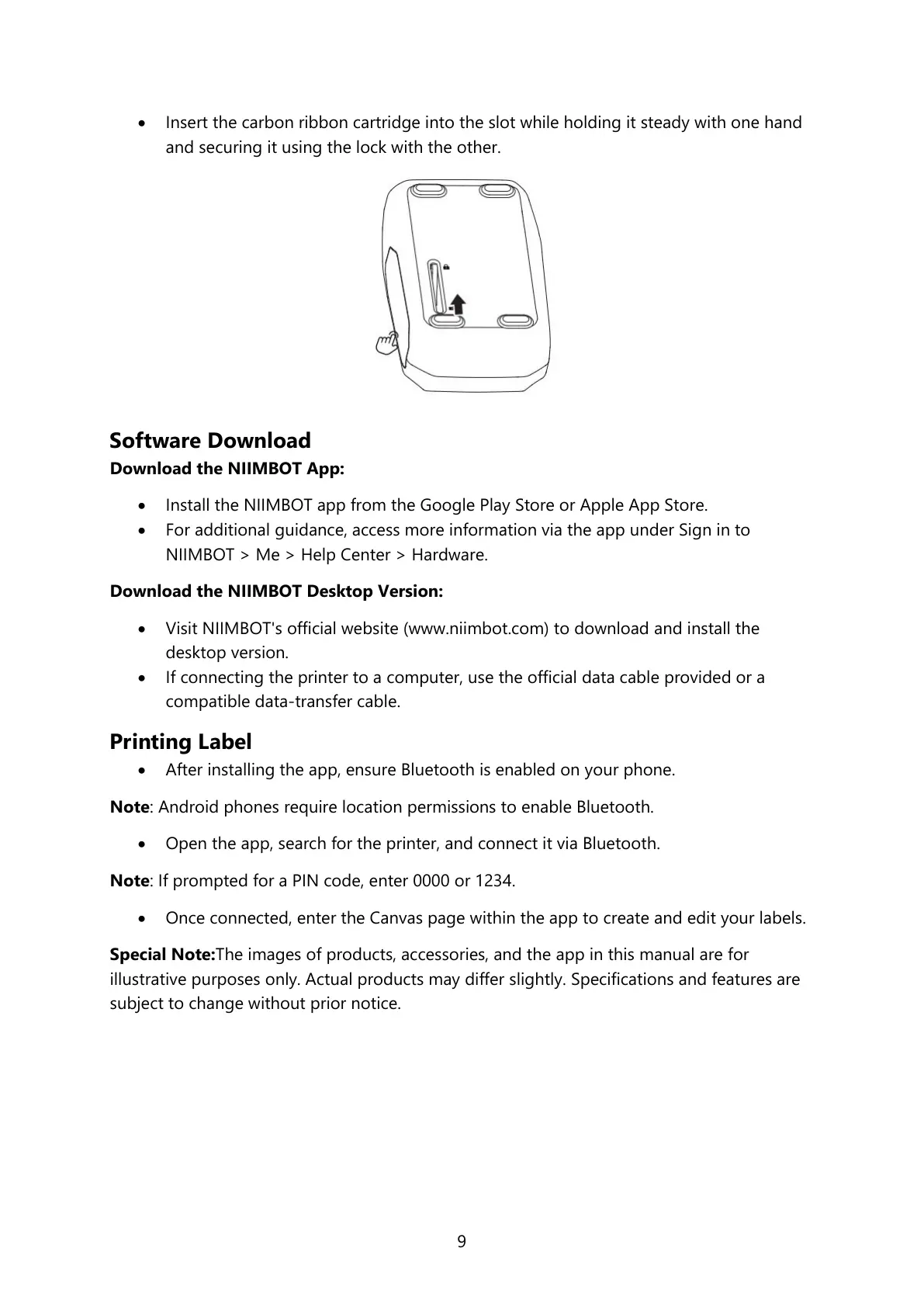
• Insert the carbon ribbon cartridge into the slot while holding it steady with one hand
and securing it using the lock with the other.
Software Download
Download the NIIMBOT App:
• Install the NIIMBOT app from the Google Play Store or Apple App Store.
• For additional guidance, access more information via the app under Sign in to
NIIMBOT > Me > Help Center > Hardware.
Download the NIIMBOT Desktop Version:
• Visit NIIMBOT's official website (www.niimbot.com) to download and install the
desktop version.
• If connecting the printer to a computer, use the official data cable provided or a
compatible data-transfer cable.
Printing Label
• After installing the app, ensure Bluetooth is enabled on your phone.
Note: Android phones require location permissions to enable Bluetooth.
• Open the app, search for the printer, and connect it via Bluetooth.
Note: If prompted for a PIN code, enter 0000 or 1234.
• Once connected, enter the Canvas page within the app to create and edit your labels.
Special Note:The images of products, accessories, and the app in this manual are for
illustrative purposes only. Actual products may differ slightly. Specifications and features are
subject to change without prior notice.



 To Next Page