215
g
2
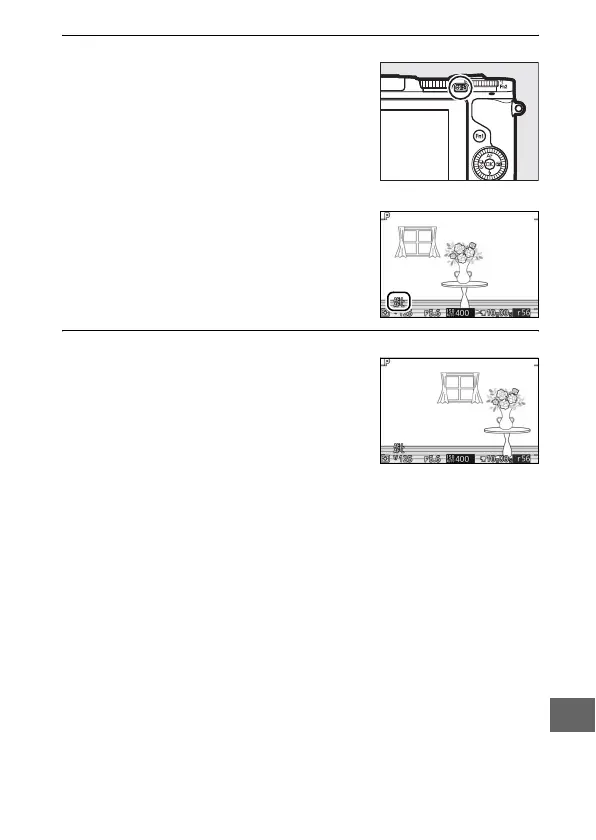
Lock exposure.
With the shutter-release button
pressed halfway and the subject posi-
tioned in the focus area, press the A
button to lock exposure. While expo-
sure lock is in effect, an AE-L/AF-L indica-
tor will be displayed. Exposure will
remain locked while the button is
pressed.
3
Recompose the photograph.
Recompose the photograph and
shoot.
A button



 To Next Page
 Loading...









