218
g
When a photograph is taken or a movie is recorded, the camera
names the file by adding one to the number of the previous file
(0 173). If the current folder is numbered 999 and contains
either 999 photographs or a photograph numbered 9999, the
shutter-release button will be disabled and no further photo-
graphs can be taken. To reset file numbering to 0001, select Ye s
for Reset file numbering and then either format the current
memory card or insert a new memory card.
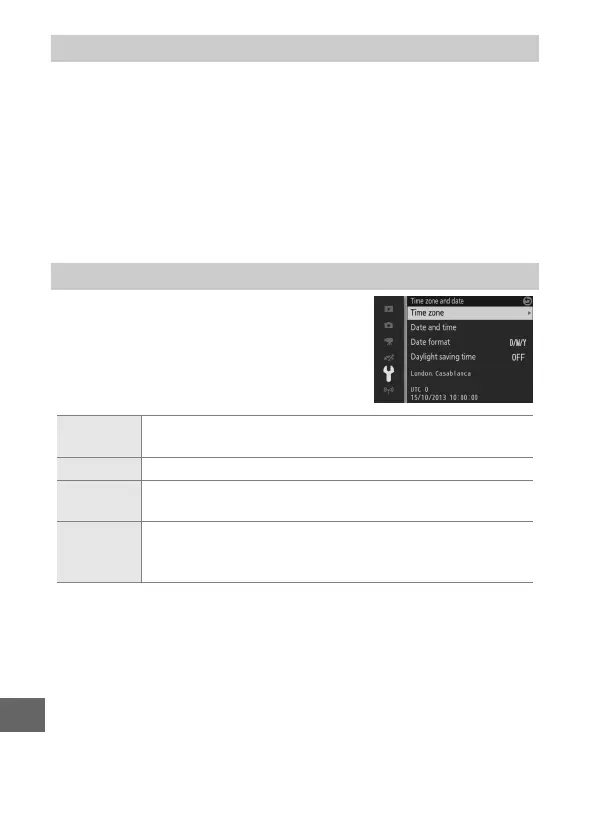
Change time zones, set the camera clock,
choose the date display order, or turn
daylight saving time on or off (0 31).
Reset File Numbering
Time Zone and Date
Time zone
Choose a time zone. The camera clock is automatically set
to the time in the new time zone.
Date and time Set the camera clock.
Date format
Choose the order in which the day, month, and year are
displayed.
Daylight
saving time
Turn daylight saving time on or off. The camera clock will
automatically be advanced or set back one hour. The
default setting is Off.



 To Next Page
 Loading...









