EasyManua.ls Logo

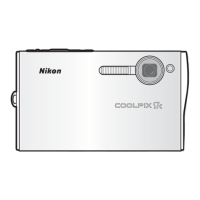
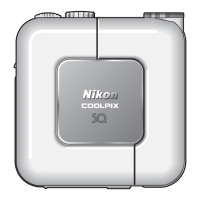
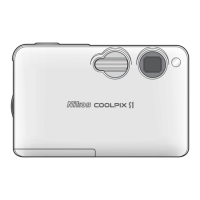
Nikon COOL PIX S1 - User Manual

Nikon COOL PIX S1
110 pages
Print Icon
To Next Page IconTo Next Page
Loading...
En
Printed in Japan
SB5D03500501(11)
6MA08311--
No reproduction in any form of this manual, in
whole or in part (except for brief quotation in critical
articles or reviews), may be made without written
authorization from NIKON CORPORATION.
The Nikon Guide to Digital Photography
with the
DIGITAL CAMERA
(En)

Table of Contents

Questions and Answers

  • A
    Adam JamesJul 26, 2025
    What to do if my Nikon Digital Camera won't take a picture?
    • G
      Gregory PerezJul 26, 2025
      If your Nikon Digital Camera isn't taking pictures, there might be several reasons: * The camera might be off, so ensure it is turned on. * The battery could be incorrectly inserted or exhausted; correct its insertion or replace it. * The AC adapter might not be properly connected; ensure it is properly connected. * The camera could be in standby mode; press the shutter-release button halfway. * The camera may be connected to COOL-STATION; disconnect it from the computer or audio/video cable. * Voice recording or time-lapse shooting could be in progress; stop them. * Interval-timer shooting may be active; stop the interval-timer shooting.
  • J
    James KennedyJul 31, 2025
    What to do if pictures are not transferred when I press the multi selector on my Nikon COOL PIX S1?
    • M
      Michael MorganJul 31, 2025
      If pictures aren't transferring when you press the multi selector, it could be due to several reasons: * Ensure the camera is turned on. * Check that the AC adapter is properly connected or replace exhausted batteries. * Verify the USB cable connection or ensure the card is correctly inserted. * The USB item in the setup menu might be set to PTP; change the USB item setting.
  • C
    Carolyn SimpsonAug 4, 2025
    Why is the monitor hard to read on my Nikon COOL PIX S1?
    • C
      Cody WatkinsAug 4, 2025
      If the monitor on your Nikon Digital Camera is hard to read, it might be because the monitor brightness needs adjustment, so adjust the monitor brightness. The monitor may have dimmed to save power, so press the shutter-release button halfway. Also, the monitor could be dirty, so clean it.
  • E
    Evan DavisAug 10, 2025
    Why does the flash not fire on my Nikon COOL PIX S1 Digital Camera?
    • D
      David HumphreyAug 10, 2025
      If the flash on your Nikon Digital Camera isn't firing, it could be due to several reasons: * The flash might be off, so turn it on. * The flash window might be blocked, so remove any obstruction. * The subject may be outside the flash range, so recompose the picture or use D-lighting. * The exposure compensation might be too low, so increase it. * The subject could be backlit, so select the Back light scene mode, use fill flash, or use D-lighting.
  • G
    Glenda RileyAug 15, 2025
    Why can't I zoom in on a picture on my Nikon Digital Camera?
    • T
      Tammy MillerAug 15, 2025
      If you cannot zoom in on a picture on your Nikon Digital Camera, it might be because the picture is a movie, so review the movie. It could also be because the picture was created with a small picture option, so use a different picture option. Another reason might be that the picture has been cropped to below 320 × 240, so use a picture that meets the size requirement.
  • K
    Kevin ClarkAug 19, 2025
    What to do if the USB option is set to Mass Storage and no memory card is inserted in my Nikon Digital Camera?
    • M
      Michael GonzalezAug 19, 2025
      Insert memory card.

Summary

For Your Safety

First Steps

Inserting the Battery

Step-by-step guide to correctly insert the camera battery.

Basic Setup

Initial camera configuration including language, date, and time settings.

Basic Photography

Step 1 - Select Mode

How to choose the shooting mode for taking pictures.

Step 3 - Focus and Shoot

Instructions on how to focus on a subject and capture an image.

Scene Mode

Portrait Assist

Guide for using portrait assist scene mode to capture portraits.

Movies

Recording Movies

Instructions on how to record movies using the camera.

More on Playback

Transferring Pictures

Steps to transfer images from the camera to a computer.

The Setup Menu

Format Memory; Format Card

Procedure for formatting memory cards or internal memory.

Technical Notes

Caring for the Camera

Precautions for maintaining and storing the camera properly.

Batteries

Detailed information on handling and charging the camera battery.

Error Messages

Specifications

Nikon COOL PIX S1 Specifications

General IconGeneral
Image Sensor1/2.5-inch CCD
Effective Pixels5.1 million
Optical Zoom3x
Digital Zoom4x
LensNikkor
Focal Length5.8-17.4mm
Display2.5-inch TFT LCD
Storage MediaSD card
TypeCompact digital camera
Video Recording640x480 at 30fps
Weight118g (without battery and card)
ISO SensitivityAuto, ISO 50, 100, 200, 400
BatteryRechargeable Li-ion Battery EN-EL8

Related product manuals