33
Transferring Your Images (Windows 95)
Plug-in Driver for Adobe® PhotoDeluxe™ 2.0 Installation
• The Plug-in Driver, when installed, allows your camera to communicate directly with
PhotoDeluxe 2.0.
Note:
• Please install Adobe PhotoDeluxe 2.0 before installing this driver.
• For information on Adobe PhotoDeluxe, please call 206-628-5724
Web Site : http://www.adobe.com.supportservice/custsupport/main.html
1
Turn on the PC (Personal Computer) and start up Windows.
2
Insert this disk into the CD-ROM drive.
3
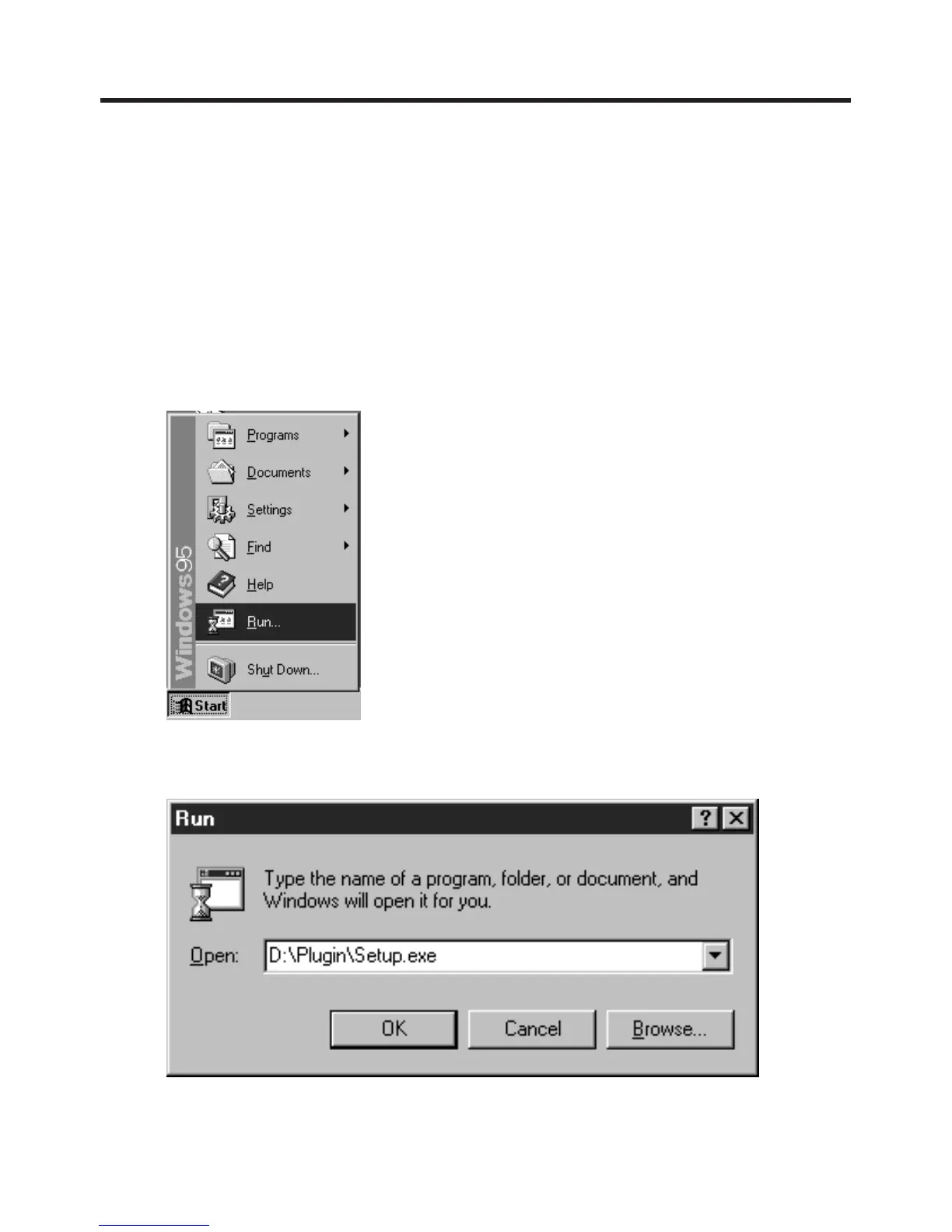
Click the "Start" button and then click "Run".
4
Type in "D:\Plugin\Setup.exe" and click "OK".
Note: "D" Denotes the CD-ROM drive designation.
5
When installation is completed, start up PhotoDeluxe2.0 and follow the instructions on
how to transmit images.
Adobe and PhotoDeluxe are trademarks of Adobe Systems Incorporated.



 To Next Page