35
Transferring Your Images (Macintosh)
System Requirements:
• System 7.1 or later.
• 68030 CPU or higher, or Power
Macintosh.
• 16 MB of RAM.
• 10MB available hard disk space.
• 256 Color monitor or full color recom-
mended (24bit per pixel or 16.7M color).
• CD-ROM drive (for installation).
• Modem port or printer port (RS-422).
• Mouse or other pointing device.
NikonView 600 Driver
Installation
1
Turn on the Macintosh.
2
Insert this disk into the CD-ROM drive.
3
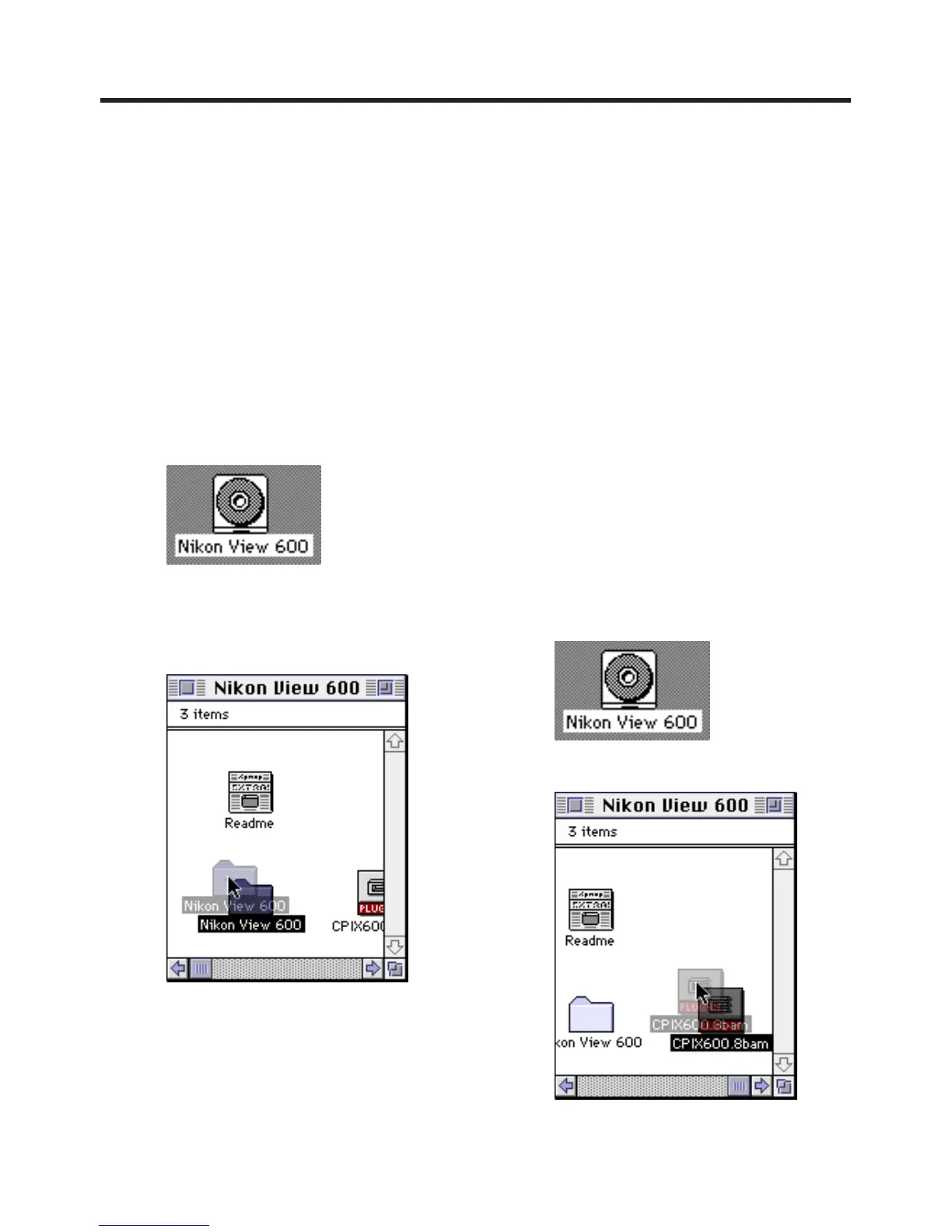
Double click the CD-ROM icon.
4
Read the "Read Me" file.
5
Drag the "Nikon View 600" Folder
where you want to copy.
Plug-in Driver for Adobe®
PhotoDeluxe™ 2.0 Installation
• The Plug-in Driver, when installed, allows
your camera to communicate directly with
PhotoDeluxe 2.0.
Note:
• Please install Adobe PhotoDeluxe 2.0
before installing this driver.
• For information on Adobe PhotoDeluxe,
please call 206-628-5724
Web Site : http://www.adobe.com.
supportservice/ custsupport/main.html
1
Turn on the Macintosh.
2
Insert this disk into the CD-ROM drive.
3
Double click the CD-ROM icon.
4
Drag the "CPIX600.8bam" file to the
"Plug-ins" folder of PhotoDeluxe.
5
When installation is completed, start up
PhotoDeluxe 2.0 and follow the
instructions on how to transmit images.
Adobe and PhotoDeluxe are trademarks of Adobe Systems Incorporated.



 To Next Page