32
Transferring Your Images (Windows 95)
System Requirements:
• IBM PC/AT or compatible.
• Windows 95.
• 386SX CPU or higher. (486 recom-
mended.)
• RAM: 16 MB on-board memory.
• 10 MB available hard disk space.
• 256 Color monitor or full color recom-
mended (24bit per pixel or 16.7M color).
• CD-ROM drive (for installation).
• RS-232C serial port (D-Sub 9-pin). An
adaptor is required for a D-Sub 25-pin.
• Mouse or other pointing device.
NikonView 600 Driver Installation
1
Turn on the PC (Personal Computer) and start up Windows.
2
Insert this disk into the CD-ROM drive.
3
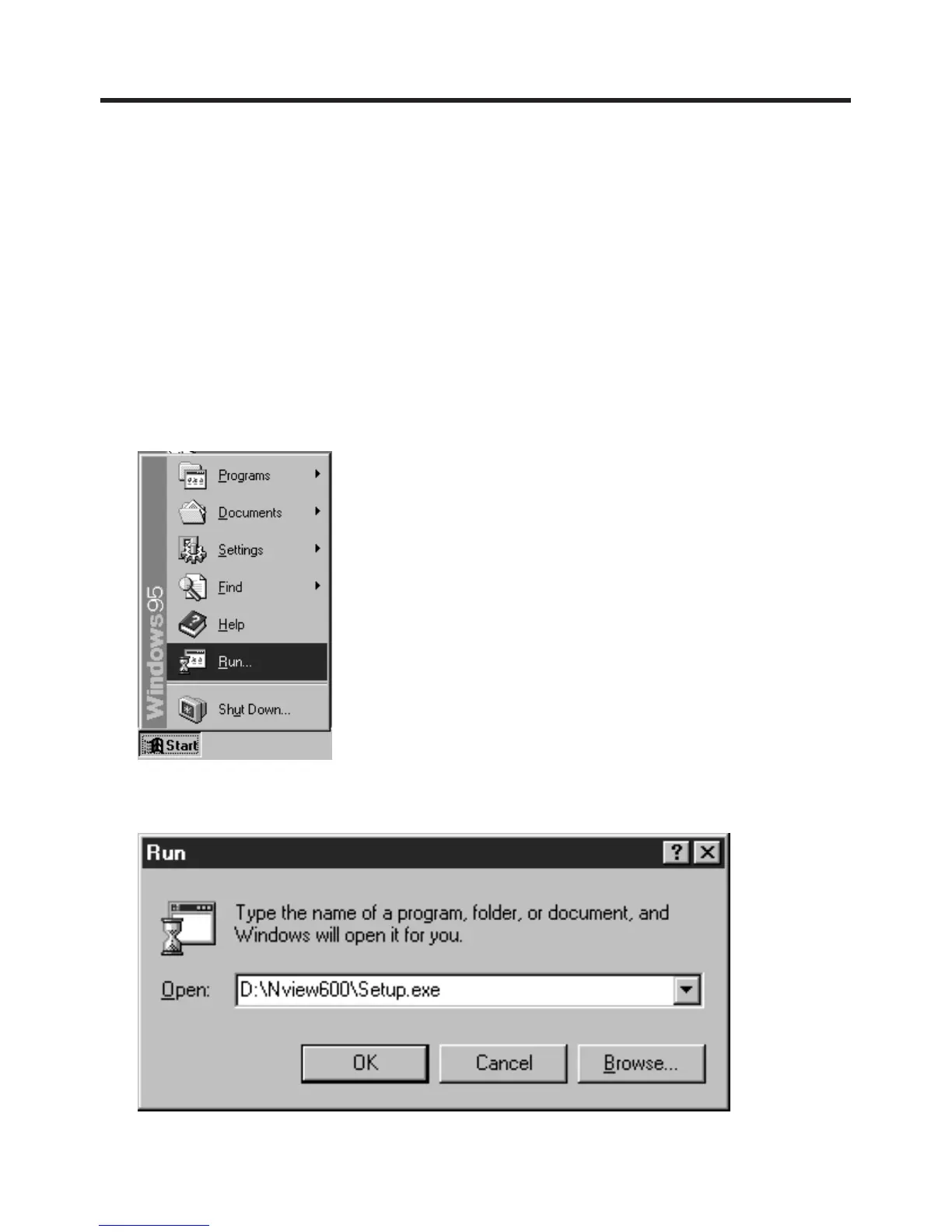
Click the "Start" button and then click "Run"..
4
Type in "D:\Nview600\Setup.exe" and then click OK.
Note: "D" Denotes the CD-ROM drive designation.
5
Follow the instructions as they appear on your PC screen.



 To Next Page