3
Take Pictures
Take Pictures
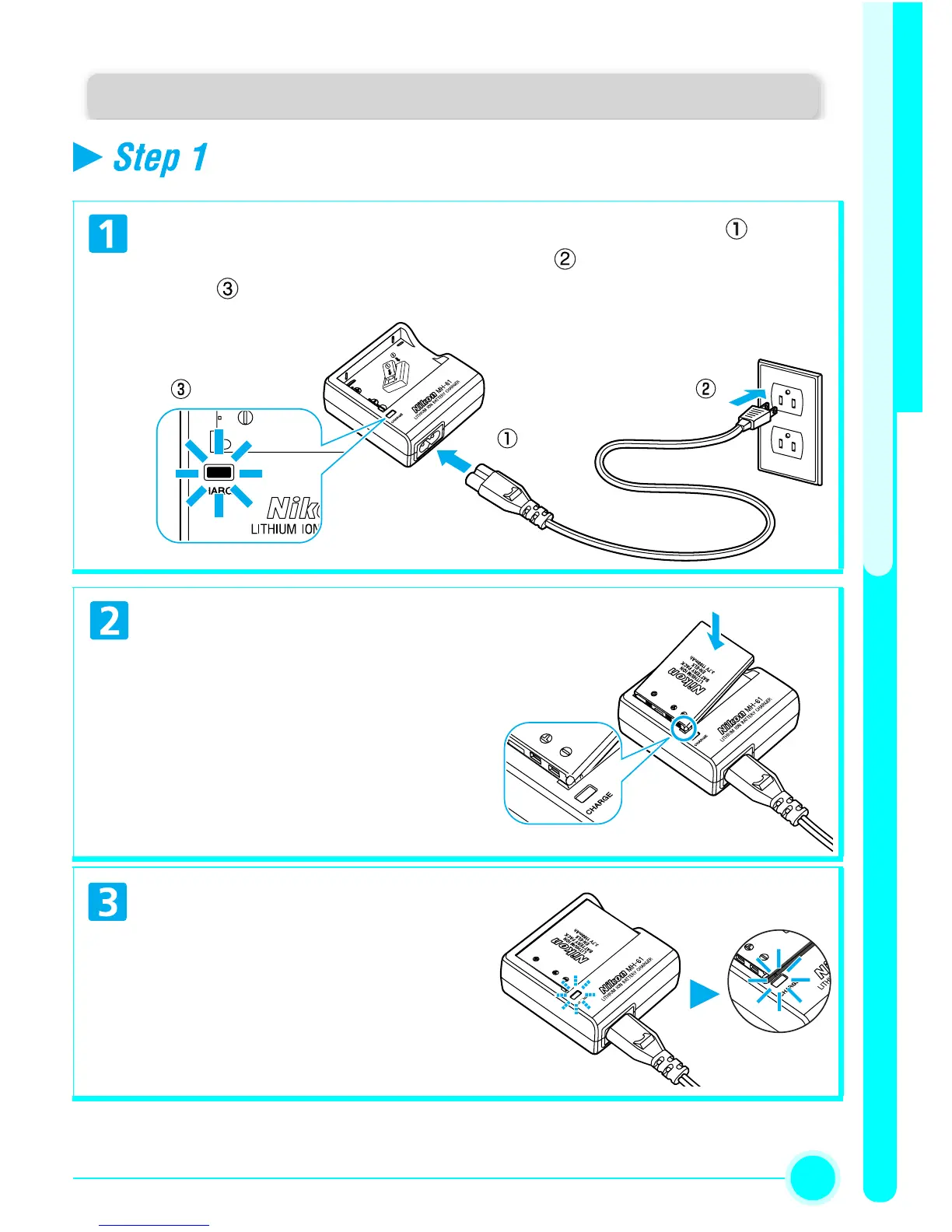
Charge the battery
Connect the power cable to the MH-61 battery charger ( ) and in-
sert the wall plug into a power outlet ( ). The CHARGE lamp will
light ( ).
Remove the terminal cover from
EN-EL5 and insert the battery
into the MH-61, making sure
that the small projection on the
battery is inserted into the
matching pit on the charger.
Charging will begin immediate-
ly.
The CHARGE lamp will start to
blink.
Charging is complete when the
CHARGE lamp stops blinking.
About two hours are required
to charge a fully depleted
battery.


 To Next Page