5
Take Pictures
Turn the camera on
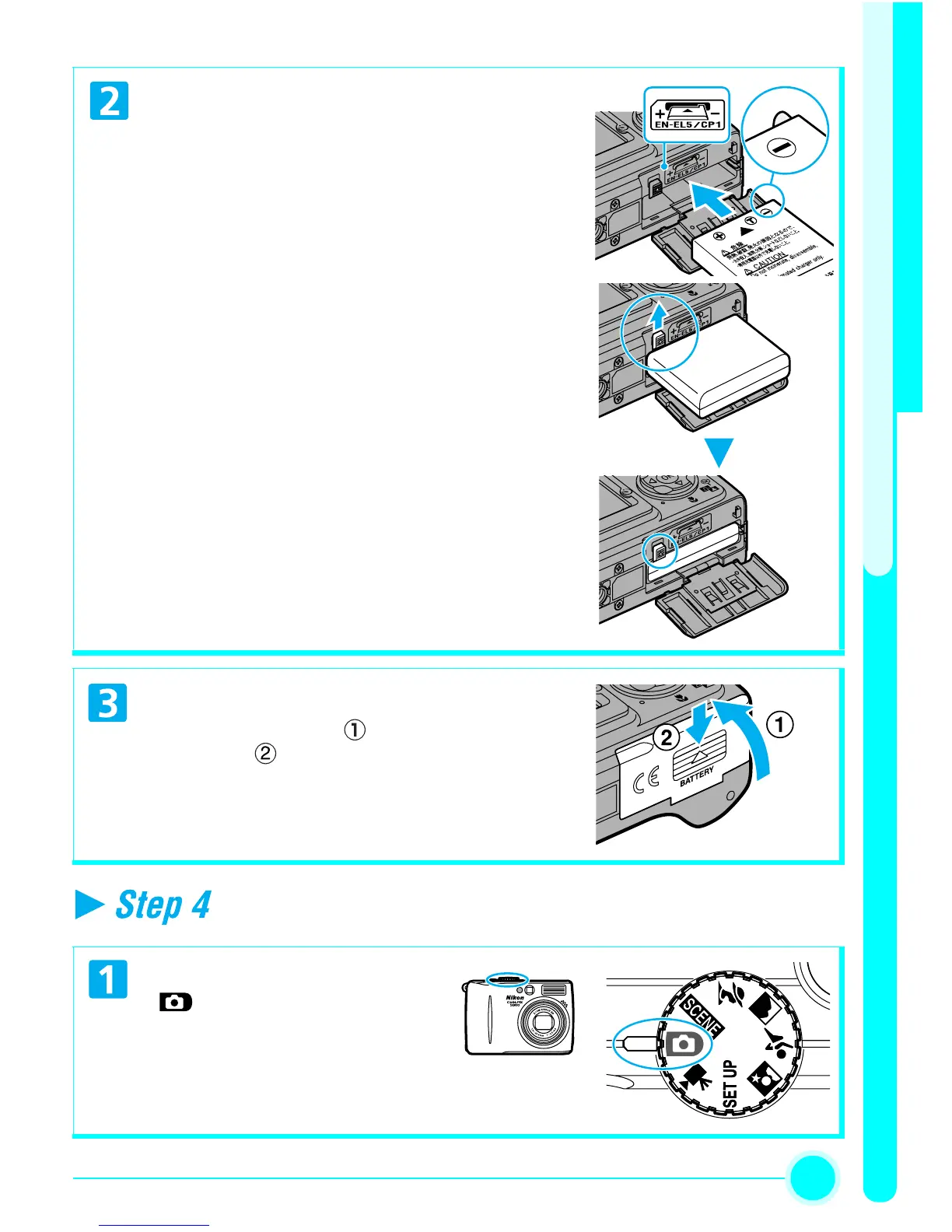
Insert the battery
• Insert the battery as shown in the label at the
entrance to the battery chamber, making sure
the positive “+” and negative “–” terminals
are in the correct orientation. The small pro-
jection on the EN-EL5 battery is on the same
side as the negative terminal.
Inserting the battery upside down or
backwards could damage the camera.
Check to be sure the battery is in the correct
orientation.
• The orange battery latch is pushed aside as the
battery is inserted. The latch will close when
the battery is fully inserted.
Close the Battery-chamber Cover
• Close the cover ( ) and slide it in until it
latches ( ).
• Ensure the cover is closed firmly.
Rotate the Mode Dial to


 To Next Page