6
Take Pictures
Choose a language and set the
clock
The first time the camera is turned on, a language-selection dialog will be dis-
played in the monitor. Follow the steps below to choose a language and set
the time and date.
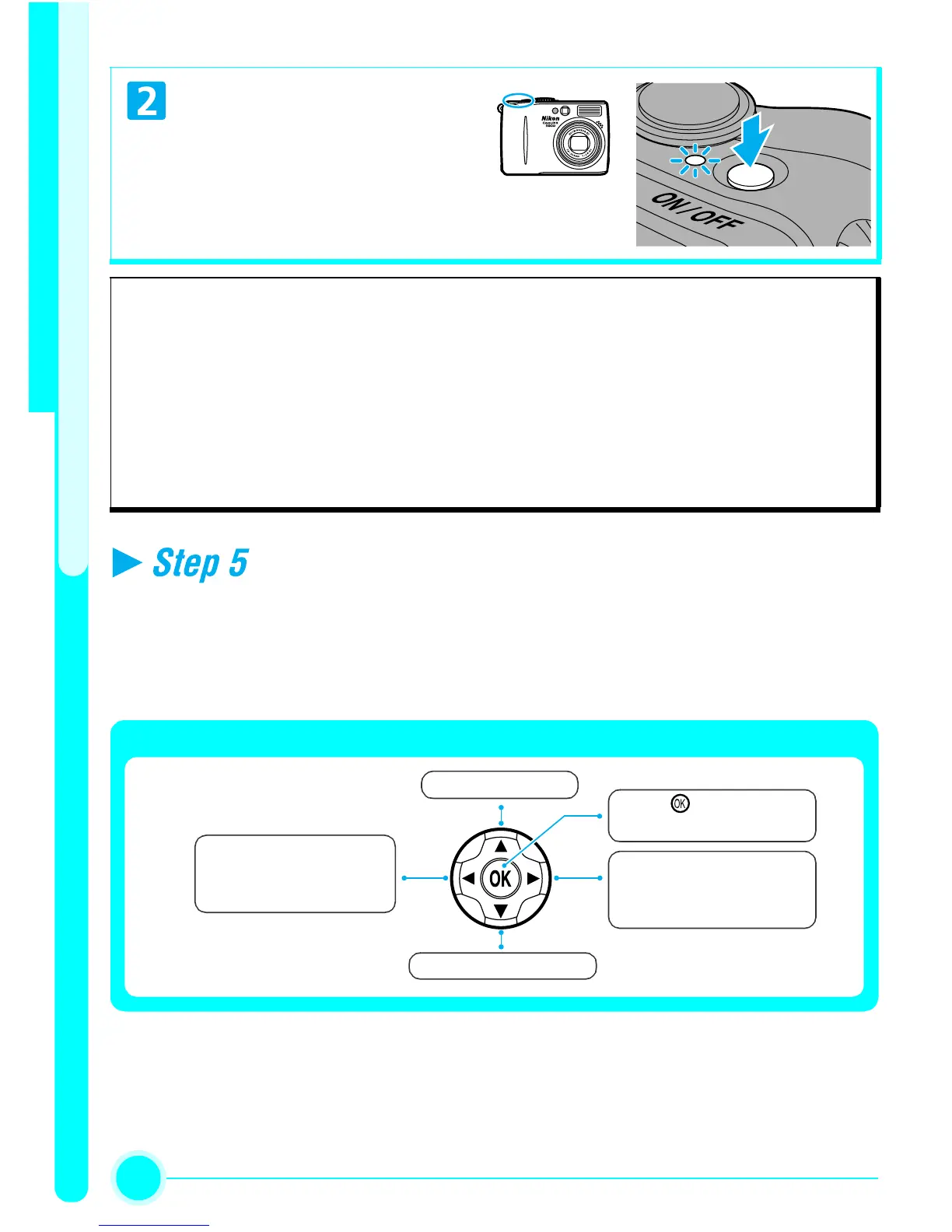
Turn the camera on
Auto Power Off (Standby Mode)
If no operations are performed for one minute (default setting), the monitor will
turn off automatically and the camera will enter standby mode to reduce the drain
on the battery. The camera will be reactivated from standby mode when you:
• Press the Power Switch
• Press the Shutter-release Button halfway
For more information on Auto power off, see page 15 in the
Nikon Guide to Digital
Photography
.
Move cursor up.
Move cursor down.
Return to previous
menu, or move cursor
left.
Display sub-menu,
move cursor right, or
make selection.
Press
to make selection.
The Multi Selector is used to navigate through the camera menus.


 To Next Page