4
Take Pictures
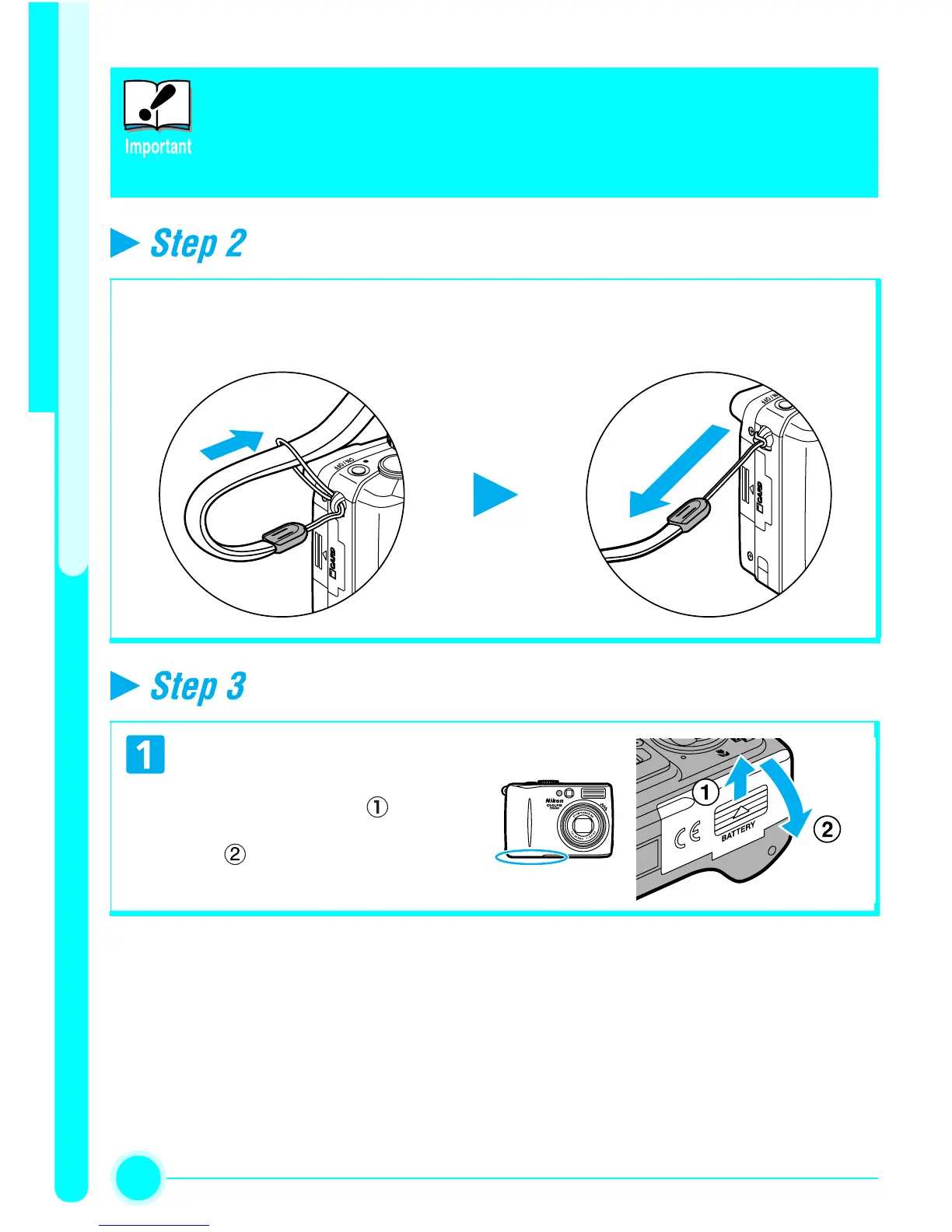
Attach the camera strap
Insert the battery
Read Battery Warnings
Read and follow the battery warnings and notices on pages i - v and
140 in the Nikon Guide to Digital Photography, together with any
warnings and instructions supplied by the battery manufacturer.
Attach the camera strap securely to the eyelet on the camera body as shown
below.
Open the Battery-chamber Cover
• Slide the cover in the direc-
tion shown in ( ) until it
stops and open the cover
().


 To Next Page