87
Menu Guide — The Shooting Menu
Using the shooting menu: 74
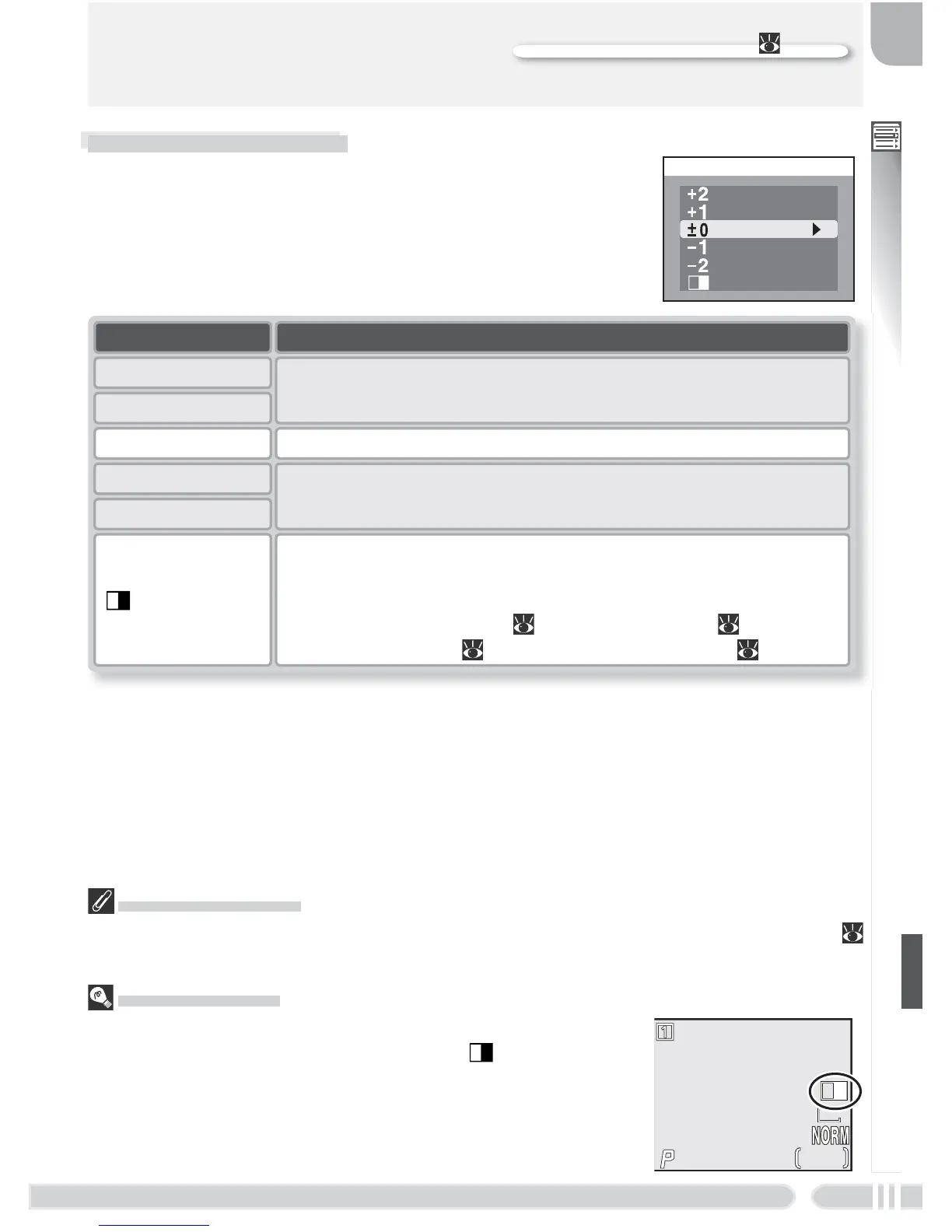
Saturation Control
If Black&white is in effect when Sepia movie 320 is selected in the movie menu (
49), Saturation control will be reset to Normal.
Black-and-White
When Black&white is selected, monitor shows the view
through the lens in black-and-white and a icon is appears
in the shooting display.
Saturation Control
Saturation control is used to heighten or reduce the
vividness of colors.
SATURATION CONTROL
Normal
Black&white
Enhanced
Moderate
Minimum
Maximum
Option Description
±0 Normal Recommended for most situations.
+2 Maximum
Use for vivid, photoprint effect when taking pictures that will
be printed “as is,” without further modifi cation.
+1 Enhanced
Use when taking pictures that will later be retouched on a
computer.
–1 Moderate
–2 Minimum
Black&white
Pictures recorded in black-and-white. Black-and-white images
require same amount of memory as color images, but show a
higher level of detail. Black&white can not be used in combi-
nation with digital zoom ( 16), white balance ( 76), white-
balance bracketing ( 99), or RAW image quality ( 30).
F5.6






 To Next Page