EasyManua.ls Logo

Nikon Coolpix P90 - Troubleshooting Playback and Transfer Issues

Nikon Coolpix P90
224 pages
Print Icon
To Next Page IconTo Next Page
To Previous Page IconTo Previous Page
Loading...
z
o
.-+
ro
VI
178
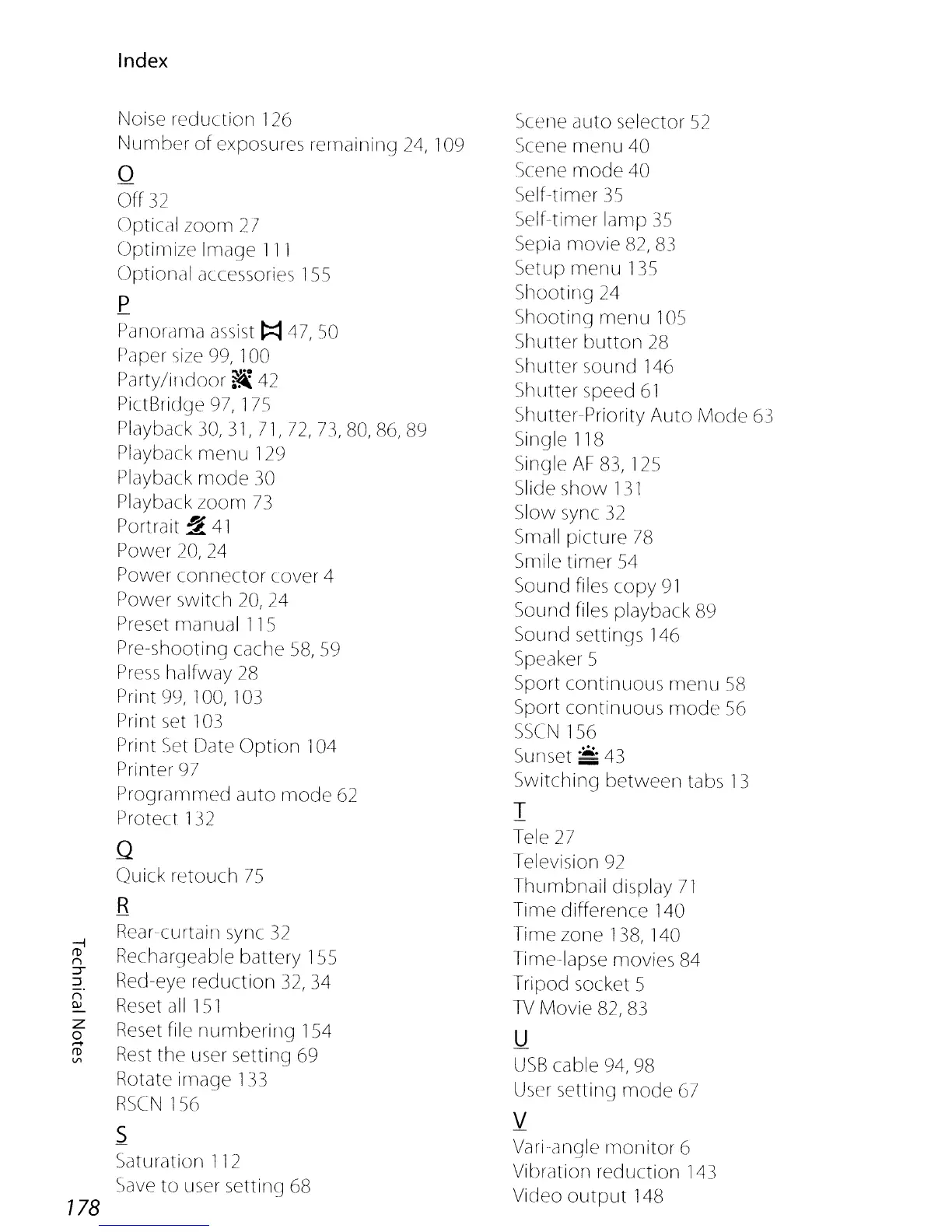
Index
Noise reduction
126
Number
of
exposures remaining
24,
109
o
Off
32
Optical zoom
27
Optimize Image
111
Optional accessories
155
p
Panordma
assist
~
47,50
Paper
size
99,
100
Party/ir1door
~
42
PictBridge
97,
175
Playback
30,
31,
71, 72, 73,
80,
86,
89
Playback merlU
129
Playback
mode
30
Playback zoom
73
Portrait
~
41
Power
20,
24
Power connector cover 4
Power switch 20,24
Preset manual
115
Pre-shooting cache
58,
59
Press
halfway
28
Print
99,
100,
103
Print
set
103
f)rirn
Set
Date Option
104
Printer
97
PrograrYlmed auto
rYlOde
62
Protect
132
Q
Quick retouch
75
R
Rear-curtain
sync
32
Rechargeable battery
155
Red-eye reduction
32,
34
Reset
all
151
Reset
file numbering
154
Rest
the user setting
69
Rotate image
133
RSCN
156
.s
Saturation
112
Save
to user
settin~]
68
Scene
auto selector
52
Scene menu
40
Scene
mode
40
Self-timer
35
Self-timer lamp
35
Sepia
movie
82,
83
Setup menu
135
Shooting
24
Shooting menu
105
Shutter button
28
Shutter sound
146
Shutter speed
61
Shutter-Priority Auto Mode
63
Single
118
Single
AF
83,
125
Slide show
131
Slow sync
32
Small
picture
78
Smile timer
54
Sound files copy
91
Sound files playback
89
Sound settings
146
SpeakerS
Sport continuous menu
58
Sport continuous mode
56
SSCN
156
Su
met :::
43
Switching between tabs
13
I
Tele
27
Television
92
Thumbnail display
71
Time difference
140
Time zone
138,
140
Time-lapse movies
84
Tripod socket 5
TV
Movie
82,
83
U
USB
cable
94,
98
User
setting mode
67
V
Variangle
monitor
6
VibrcJtion
reduction
143
Video
output
148

Table of Contents

Other manuals for Nikon Coolpix P90

Related product manuals