EasyManua.ls Logo

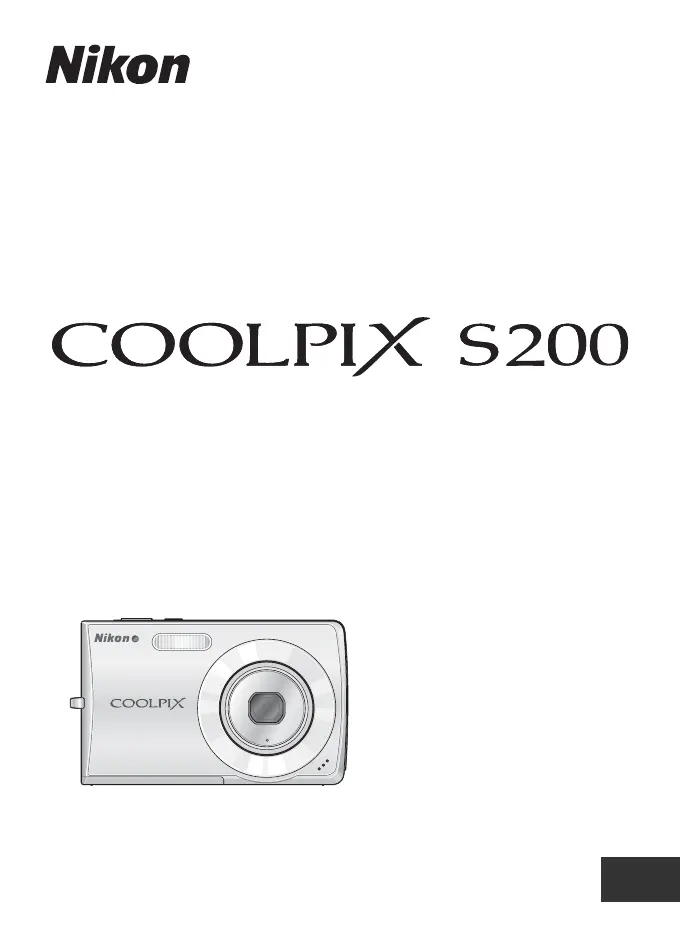
Nikon Coolpix S200 - User Manual

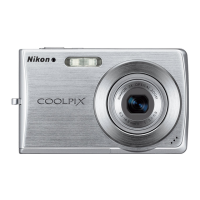
Nikon Coolpix S200
152 pages
Print Icon
To Next Page IconTo Next Page
Loading...
User's Manual
DIGITAL CAMERA
En

Table of Contents

Questions and Answers

  • A
    Angel AdamsSep 23, 2025
    Why can't I select the paper size on my Nikon Coolpix S200 Digital Camera?
    • S
      scott34Sep 23, 2025
      To select the paper size for printing from your Nikon Digital Camera, use the printer to select the page size. Paper size cannot be selected from the camera if the printer does not support the page sizes used by the camera or the printer automatically selects the page size.
  • D
    Deborah ChurchAug 23, 2025
    Why did my Nikon Coolpix S200 settings reset?
    • R
      rodgersrobinAug 23, 2025
      If your Nikon Digital Camera settings have been reset, replace the backup battery, as it is likely exhausted.
  • E
    epierceAug 25, 2025
    Why is the monitor blank on my Nikon Coolpix S200 Digital Camera?
    • A
      Angela WilliamsAug 26, 2025
      If the monitor of your Nikon Digital Camera is blank, there might be several reasons: * The camera is off: Turn the camera on. * The battery is exhausted: Replace or recharge the battery. * The camera is in standby mode: Press the shutter-release button halfway. * The flash is charging: Wait until the flash has charged. * The camera is connected to a TV via A/V cable: Check the A/V cable connection. * Time lapse or interval timer photography is in progress: Wait until it is complete.
  • K
    Kaitlyn SilvaAug 26, 2025
    Why doesn't the flash fire on my Nikon Coolpix S200?
    • M
      michaelheathAug 27, 2025
      If the flash on your Nikon Digital Camera isn't firing, it could be due to the following: * The flash is off: Turn on the flash. * A scene mode that disables the flash is selected: Select a scene mode that allows flash. * Anti-shake mode is enabled: Disable anti-shake mode.
  • B
    Brian WoodAug 27, 2025
    How to correct the date and time on my Nikon Coolpix S200?
    • R
      Rebecca GomezAug 27, 2025
      If the date and time are incorrect on your Nikon Digital Camera recordings: * If pictures were recorded before the clock was set, they will have a timestamp of “00/00/0000 00:00”; movies and voice recordings will be dated “01/01/2007 00:00.” Set the camera clock correctly. * Check the camera clock regularly and reset as needed.
  • M
    Meghan ValenzuelaSep 15, 2025
    How to display indicators on my Nikon Digital Camera monitor?
    • P
      Patricia RossSep 15, 2025
      To display indicators on the monitor of your Nikon Digital Camera, select [Show info].
  • R
    Ruth RosalesSep 12, 2025
    Why are the colors unnatural in my Nikon Digital Camera photos?
    • T
      Tyler MckinneySep 12, 2025
      If the colors in your Nikon Digital Camera photos appear unnatural, adjust the white balance settings, as the white balance may not match the light source.
  • A
    anthony45Sep 14, 2025
    What to do if I get unexpected results with red-eye reduction on my Nikon Digital Camera?
    • V
      Vanessa EricksonSep 14, 2025
      If you're getting unexpected results when the flash is set to auto with red-eye reduction on your Nikon Digital Camera, set the flash to auto or fill-flash and try again. In-Camera Red-Eye Fix may, in very rare cases, be applied to areas not affected by red-eye.
  • T
    Tommy DuranSep 5, 2025
    Why is there no shutter sound on my Nikon Coolpix S200 Digital Camera?
    • G
      Gerald MooreSep 5, 2025
      If there's no sound when the shutter is released on your Nikon Digital Camera, check the following: * Ensure that [Off] is not selected for [Sound settings] > [Shutter sound] in the setup menu; change the shutter sound setting to on. * If [Continuous] or [Multi-shot 16] is selected for [Continuous], or [On] is selected for [BSS] in the shooting menu, change the shooting mode settings.
  • K
    Kevin ParksSep 2, 2025
    How to reduce noise in Nikon Coolpix S200 images?
    • B
      Brandi FreemanSep 2, 2025
      If you notice randomly spaced bright pixels (noise) in images from your Nikon Digital Camera: * Increase the shutter speed if it is too slow. * Reduce noise by using the flash, specifying a lower ISO sensitivity setting, or choosing a scene mode with noise reduction.

Summary

Introduction

For Your Safety

Provides essential safety precautions for using the camera and its accessories to prevent injury.

WARNINGS

Highlights critical warnings regarding potential hazards and safety measures to prevent injury or damage.

Parts of the Camera

The Monitor

Basic Operations

First Steps

Charging the Battery

Provides instructions on how to charge the camera's rechargeable Li-ion battery before first use.

Inserting the Battery

Removing the Battery

Setting Display Language, Date, and Time

Inserting Memory Cards

Removing Memory Cards

Basic Photography and Playback: Auto Mode

Step 3 Focus and Shoot

Step 4 Viewing and Deleting Pictures

Using the Flash

Exposure Compensation

High-sensitivity Shooting Mode

Scene Mode

Anti-shake Mode

One-Touch Portrait Mode

Editing Pictures

Connecting to Televisions, Computers, and Printers

Connecting to a Computer

Details how to connect the camera to a computer for transferring images and files.

Connecting to a Printer

Shooting, Playback, and Setup Menus

Shooting Options: The Shooting Menu

Details the various settings available within the camera's shooting menu.

Basic Camera Setup: The Setup Menu

Outlines the options available for configuring camera settings and preferences.

Caring for the Camera

Error Messages

Troubleshooting

Specifications

Nikon Coolpix S200 Specifications

General IconGeneral
Megapixel7.1 MP
Sensor typeCCD
Image sensor size1/2.5 \
Still image resolution(s)2048 x 1536, 2592 x 1944, 3072 x 2304
Digital zoom4 x
Optical zoom3 x
Focal length range6.3 - 18.9 mm
InterfaceUSB
Digital SLRNo
Built-in flashYes
Effective sensor resolution7410000 pixels
Focal length (35mm film equivalent)38 - 114 mm
Normal focusing range0.6 - ∞ m
Macro focusing range (tele)0.1- ∞ m
ISO sensitivity50, 100, 200, 400, 800, 1000, Auto
Flash range (tele)0.3 - 2.5 m
Flash range (wide)0.3 - 4.6 m
Internal memory20 MB
Compatible memory cardssd
Motion JPEG frame rate30 fps
Display diagonal2.5 \
Display resolution (numeric)153000 pixels
Product colorBlack
Battery typeEN-EL10
Weight and Dimensions IconWeight and Dimensions
Depth18.5 mm
Width91.5 mm
Height56.5 mm
Weight125 g

Related product manuals