EasyManua.ls Logo

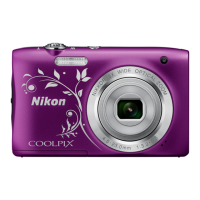
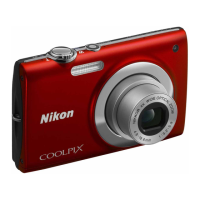
Nikon COOLPIX S203 - User Manual

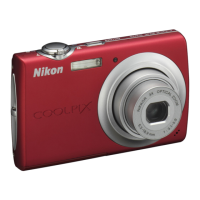
Nikon COOLPIX S203
164 pages
Print Icon
To Next Page IconTo Next Page
Loading...
No reproduction in any form of this manual, in whole or in part
(except for brief quotation in critical articles or reviews), may be
made without written authorization from NIKON CORPORATION.
YP9F01(11)
6MM73611-01
DIGITAL CAMERA
Users Manual
En
En

Table of Contents

Questions and Answers

  • Y
    ywestSep 23, 2025
    Why aren't my Nikon COOLPIX S203 Digital Camera pictures showing on my TV?
    • C
      Christian JimenezSep 23, 2025
      If pictures are not displayed on the television from your Nikon Digital Camera, set the correct Video mode. Check the memory card. Replace the memory card. Remove the memory card to play back pictures from the internal memory.
  • R
    Robert GutierrezAug 23, 2025
    Why is the monitor blank on my Nikon COOLPIX S203?
    • K
      kimberlyjohnsonAug 23, 2025
      If the monitor on your Nikon Digital Camera is blank, there could be several reasons. First, ensure that the camera is powered on. Second, the battery might be exhausted, so charge or replace it. Third, the camera may be in standby mode to save power; press the power switch, the shutter-release button, the A button, or the c button. Also, if the flash lamp is blinking red, wait until it has charged. If the camera is connected to a computer via USB cable or to a TV via AV cable, disconnect the cables. Finally, if interval timer photography is in progress, wait until it is complete.
  • R
    Ryan DavisAug 25, 2025
    How to fix dark pictures on my Nikon COOLPIX S203?
    • D
      David WilliamsAug 25, 2025
      If your pictures are too dark when using your Nikon Digital Camera, ensure that the flash is turned on and not blocked. If the subject is too far from the flash, move closer. Adjust exposure compensation. Try selecting High ISO sensitivity auto for ISO sensitivity in the shooting menu, or raise the ISO sensitivity. If the subject is backlit, use fill flash.
  • E
    evanmartinezAug 27, 2025
    Why does my Nikon Digital Camera keep turning off?
    • C
      chendricksAug 27, 2025
      If your Nikon Digital Camera turns off unexpectedly, it could be due to a low battery, so charge or replace it. The camera might also be turning off automatically to save power; power it on again. If the battery is cold, allow it to warm up.
  • D
    David ButlerAug 27, 2025
    How to fix blurry pictures on Nikon Digital Camera?
    • M
      Matthew HernandezAug 27, 2025
      If the pictures from your Nikon Digital Camera are blurred, try using the flash. You can also select High ISO sensitivity auto in the shooting menu for ISO sensitivity. Consider using electronic vibration reduction or motion detection. Using BSS may also help. For sharper images, use a tripod and the self-timer.
  • C
    Charles Patton MDSep 16, 2025
    Why is red-eye reduction not working properly on my Nikon Digital Camera?
    • H
      heather16Sep 16, 2025
      If taking pictures with V (auto with red-eye reduction) or fill flash with slow sync and red-eye reduction when scene mode is set to Night portrait, In-Camera Red Eye Fix may be applied to areas not affected by red-eye on your Nikon Digital Camera. Use any scene mode other than Night portrait and change the flash settings.
  • G
    Gregory SantiagoSep 13, 2025
    Why isn't the date showing on my Nikon COOLPIX S203 Digital Camera pictures?
    • D
      Destiny PierceSep 13, 2025
      The date will not appear on movies or on pictures taken using d (Sports scene mode), l (Museum scene mode), p (Panorama assist scene mode), when Blink proof is set to On in smile mode, when the Continuous setting is set to Continuous or BSS, or when Electronic VR is set to Auto on your Nikon Digital Camera. Verify the shooting settings.
  • T
    Tristan WilliamsSep 15, 2025
    What does it mean when the monitor turns off and the lamps blink on my Nikon COOLPIX S203?
    • S
      Sharon GraySep 15, 2025
      If the monitor turns off, and the power-on lamp and flash lamp blink rapidly on your Nikon Digital Camera, the battery temperature is high. Turn off the camera and allow the battery to cool down before resuming use.
  • S
    Shirley CastroSep 5, 2025
    Why can't I use optical zoom while recording movies on my Nikon COOLPIX S203 Digital Camera?
    • J
      Jamie DixonSep 5, 2025
      Optical zoom cannot be used while recording movies with your Nikon Digital Camera. Stop recording movies to use optical zoom.
  • C
    Curtis WagnerSep 3, 2025
    What to do if Nikon Transfer doesn't start when I connect my Nikon COOLPIX S203?
    • K
      Karen BradySep 3, 2025
      If Nikon Transfer isn't starting when you connect your Nikon Digital Camera, ensure the camera is turned on and that the battery isn't exhausted—charge or replace it if necessary. Also, make sure the USB cable is correctly connected. The camera might not be recognized by the computer, so check computer settings. Ensure the computer is set to start Nikon Transfer automatically. Check the compatible operating systems.

Summary

Basic Operations

First Steps

Charging the Battery

Step-by-step guide on how to connect the charger and charge the camera battery.

Inserting the Battery

Instructions on how to correctly insert the rechargeable Li-ion battery into the camera.

Removing the Battery

Procedure for safely removing the battery from the camera.

Setting Display Language, Date and Time

Guide to setting the camera's language, date, time, and time zone preferences.

Inserting Memory Cards

Instructions for inserting Secure Digital (SD) memory cards into the camera.

Basic Photography and Playback: Auto Mode

Turn the Camera On and Select A (Auto) Mode

Steps to turn on the camera and select the automatic shooting mode.

Focus and Shoot

Details on how to achieve focus and take a picture using the shutter-release button.

Playing Back and Deleting Pictures

How to view stored pictures and delete unwanted ones from the camera.

Using the Flash

Explanation of available flash modes and how to set them.

Exposure Compensation

How to adjust exposure compensation to make pictures brighter or darker.

Shooting Suited for the Scene

Automatic Shooting of a Smiling Face

Shooting in Smile Mode

Explains how the camera automatically shoots when a smiling face is detected.

Movies

Recording Movies

Instructions on how to record movies with sound using the camera's built-in microphone.

Movie Playback

How to play back recorded movies and control playback functions.

Voice Recordings

Making Voice Recordings

Guide to recording voice memos using the built-in microphone.

Connecting to Televisions, Computers and Printers

Connecting to a Computer

Steps for connecting the camera to a computer for transferring pictures.

Transferring Pictures from a Camera to a Computer

Detailed procedure for transferring images using Nikon Transfer software.

Connecting to a Printer

Instructions for connecting the camera directly to a PictBridge-compatible printer.

Shooting, Playback and Setup Menus

Shooting Options: The Shooting Menu

Details on the various shooting settings available in the camera's shooting menu.

Image Mode

Explanation of image size and quality settings for optimizing pictures.

White Balance

Guide to adjusting white balance to match different light sources for natural colors.

AF Area Mode

How to select focus areas for the camera, including face priority and manual options.

Playback Options: The Playback Menu

Overview of features available in the playback menu for managing pictures.

Delete

Instructions on how to delete selected or all pictures from the camera.

Basic Camera Setup: The Setup Menu

Guide to the camera's setup menu for customizing various settings.

Date

Instructions for setting the camera clock and managing time zones.

Format Memory;Format Card

Instructions for formatting the internal memory or memory card.

Technical Notes

Error Messages

Lists common error messages, their problems, and solutions.

Troubleshooting

Provides solutions for common problems encountered with the camera's operation.

Specifications

Detailed technical specifications for the Nikon COOLPIX S203 digital camera.

Nikon COOLPIX S203 Specifications

General IconGeneral
Camera TypeCompact digital camera
Digital Zoom4x
InterfaceUSB
Image Sensor1/2.3 in. CCD
LensNIKKOR lens
Focus Range30 cm - ∞ (Wide), 50 cm - ∞ (Telephoto)
Storage MediaSD/SDHC memory cards
ISO Sensitivity80, 100, 200, 400, 800, 1600
Power SourcesRechargeable Li-ion Battery
Video Resolution640 x 480 (30 fps)
Monitor2.5-in., approx. 230k-dot, TFT LCD monitor
WeightApprox. 115 g (4.1 oz) with battery and SD/SDHC memory card

Related product manuals