7
First Steps
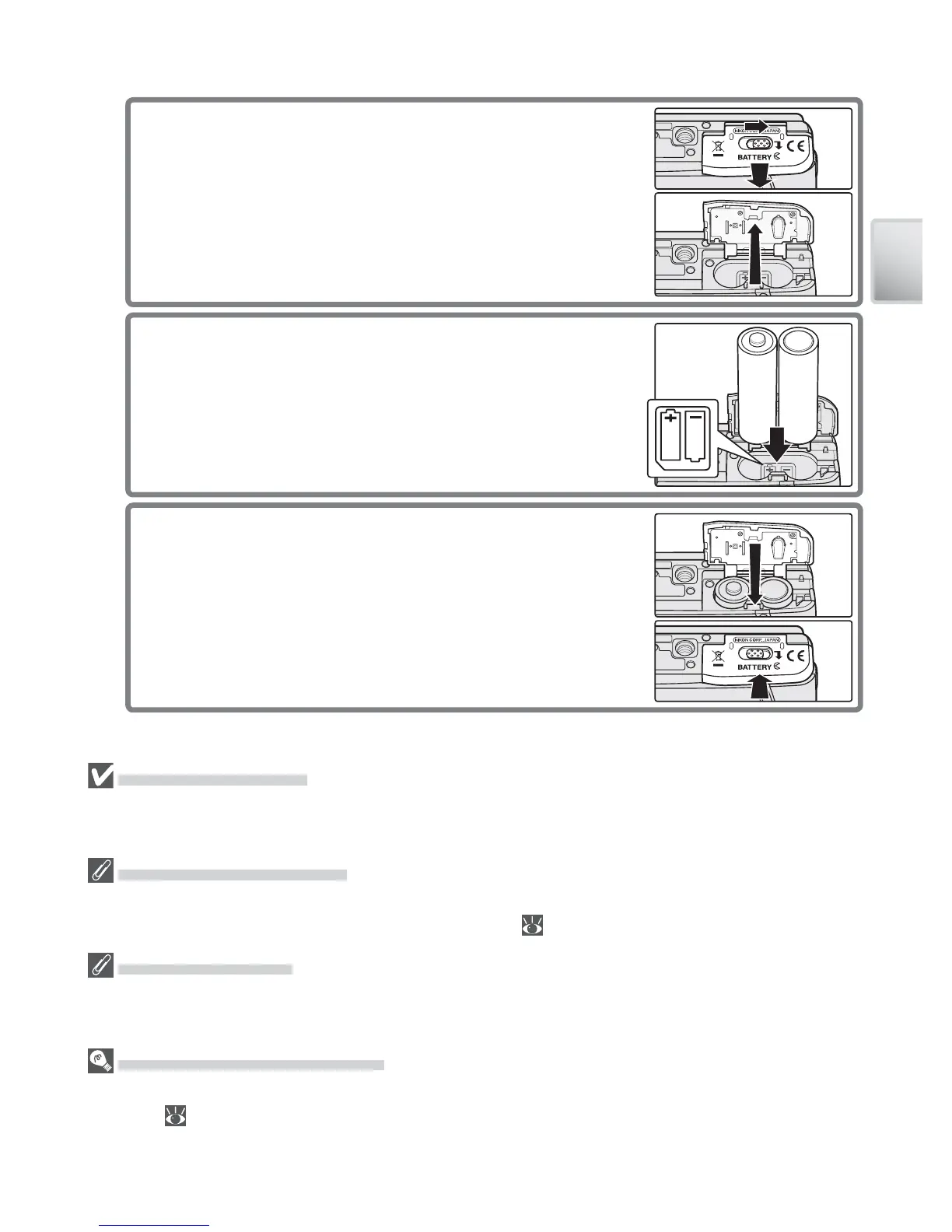
2.3 Close the battery-chamber cover
Close the cover (햲) and slide it in the direction
shown until it latches (햳).
Replacing Batteries
Turn the camera off and make sure the power-on lamp has gone out before opening
the battery chamber cover. Batteries can not be replaced with the camera on a tripod.
The Battery Type Menu
After replacing the batteries, check that the option selected for Battery Type in the
setup menu matches the type of batteries used ( 80).
Alkaline Batteries
The performance of alkaline batteries can vary widely. Choose batteries from a repu-
table manufacturer.
The EH-62B AC Adapter Kit
The optional EH-62B AC adapter kit can be used to power the camera for extended
periods ( 81). Do not, under any circumstances, use another make or model of
AC adapter. Failure to observe this precaution could result in overheating or in dam-
age to the camera.
2
Insert the batteries
2.1 Open the battery-chamber cover
Press the battery-chamber latch and slide the
cover in the direction shown (햲) until it opens
(햳).



 To Next Page
 Loading...












