61
Voice Memos: Recording and Playback
More on Playback
Playing Voice Memos
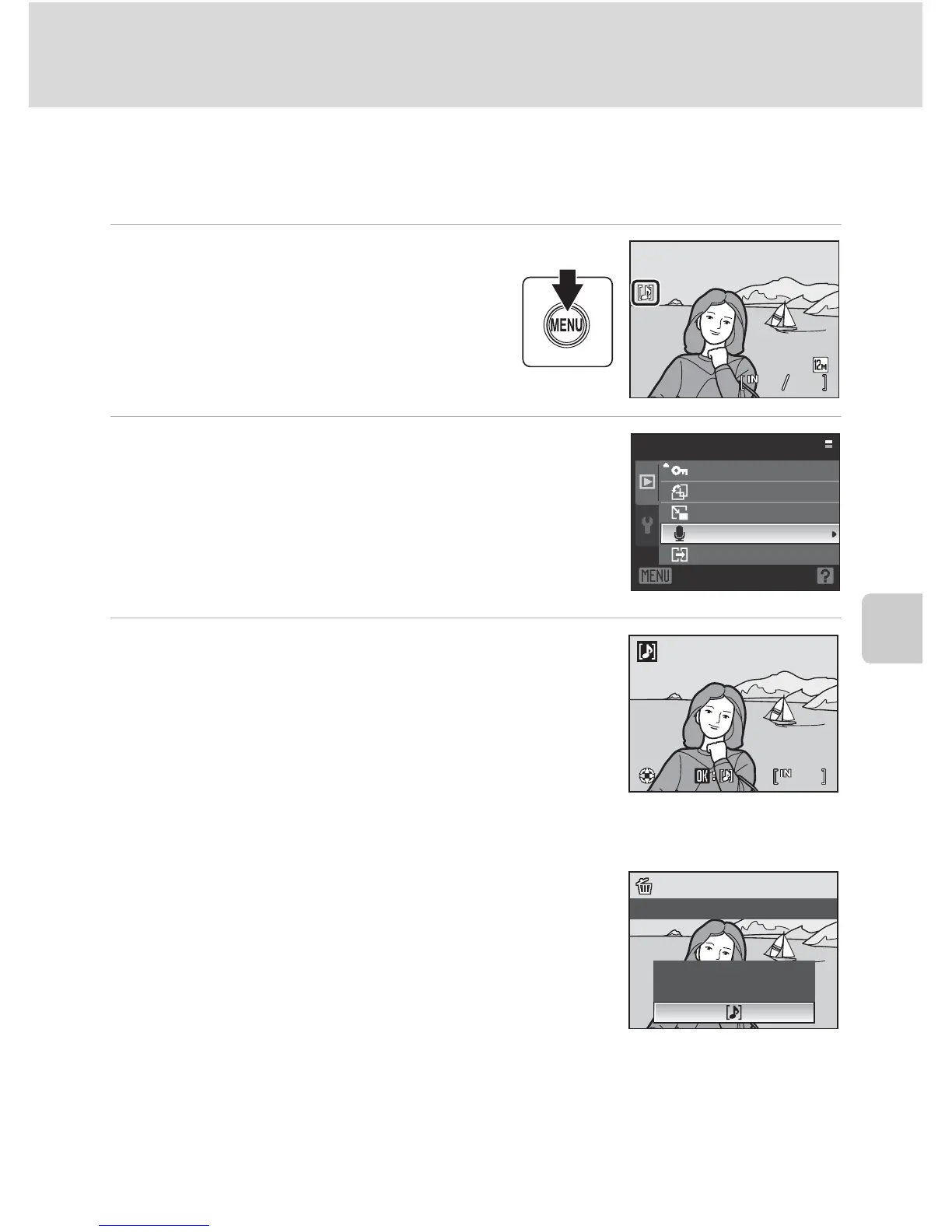
Pictures for which voice memos have been recorded are indicated with p in
full-frame playback mode.
1
Choose the desired picture from
full-frame (A28) and press the
d button.
• The playback menu is displayed.
2
Use the rotary multi selector to choose
E Voice memo and press the k button.
• The screen for playing a voice memo will be displayed.
3
Press the k button to play voice memo.
• Playback ends when the voice memo ends or the k
button is pressed again.
• Rotate the zoom control g or f during playback to
adjust the volume.
• Press the d button before or after playing a voice
memo to return to full-frame playback.
Deleting Voice Memos
Choose a picture with a voice memo and press the l
button. Use the rotary multi selector to choose w and
press the k button. Only the voice memo will be
deleted.
B Notes on Voice Memos
• When a picture with a voice memo attached is deleted, both the picture and its voice memo are
deleted.
• Voice memos cannot be recorded for a picture that already has a voice memo attached on it. The
current voice memo must be deleted before a new voice memo can be recorded.
• Voice memos cannot be attached to images shot using other cameras.








 To Next Page