VAA46003-R.3659.A
- A16 ・ E7900 -
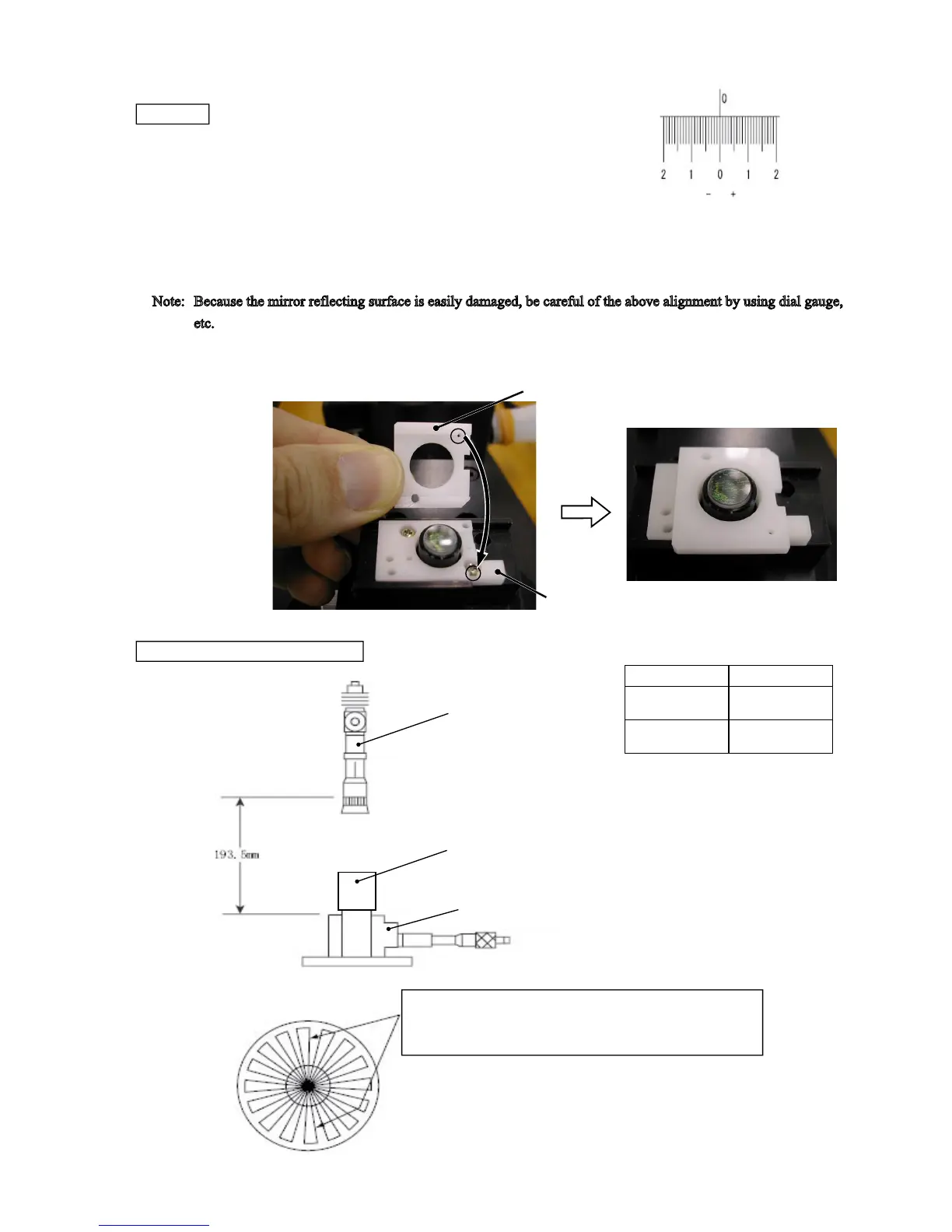
Lens (-barrel) unit
Collimator
Adjusting focus stand for APS (J15327)
Zoom
position FFD
standard
Wide
-
side
+0.044
mm
-0.183
mm
Tele
-
side
+0.044
mm
-0.183
mm
Adapter (J15327B)
White acrylic plate (
J15327A)
FFD Inspection and adjustment
(*FFD:Flange Focal Distance)
・ Turn the objective glass of the collimator (J19019), and set degree
to "0" (0 mm).
Preparation
・ Set the 0-position of the “adjusting focus stand for APS (J15327)” as follows:
Note: Replace the white acrylic plate of the above stand (J15327) with the new one (J15327A).
1. Put the adapter (J15327B) on the white acrylic plate (J15327A) of the stand (J15327). Align the upper surface of the
white acrylic plate of the adjusting focus stand (J15327) with the mirror reflecting surface. Press the reset button of the
Adjusting focus stand, and set the 0-position.
Note:
Because the mirror reflecting surface is easily damaged, be careful of the above alignment by using dial gauge,
etc.
2. Based on the above 0-position, turn the knob of the adjusting focus stand further to set the -2.357-mm position.
3. Press the reset button of the adjusting focus stand again, and set the 0-position.
FFD inspection and adjustment
At the position where the color of vertical lines shifts from
blue to red, read the measurement value of the Adjusting
focus stand.



 To Next Page