VAA46003-R.3659.A
- A36 ・ E7900 -
4. Initial image data writing and Firmware upgrading
Device
・ AC adapter (EH-62B)
・ Upgrading SD card X 1
[How to create an upgrading SD card]
1) Format SD card on PC.
2) Create a folder named "rmware" in the root directory of the SD card.
3) Copy "rmware.bin" into the created folder.
4) Copy "nanddat.bin" into the root directory of the same SD card.
Note) When only rmware upgrading is performed without replacing CP-1 PCB, copying "nanddat.bin" into the SD card is
NOT necessary.
Procedure
・ Turn the camera OFF and connect the AC adapter.
・ Insert the upgrading SD card into camera.
・ Set the mode dial to "SETUP" and turn power ON.
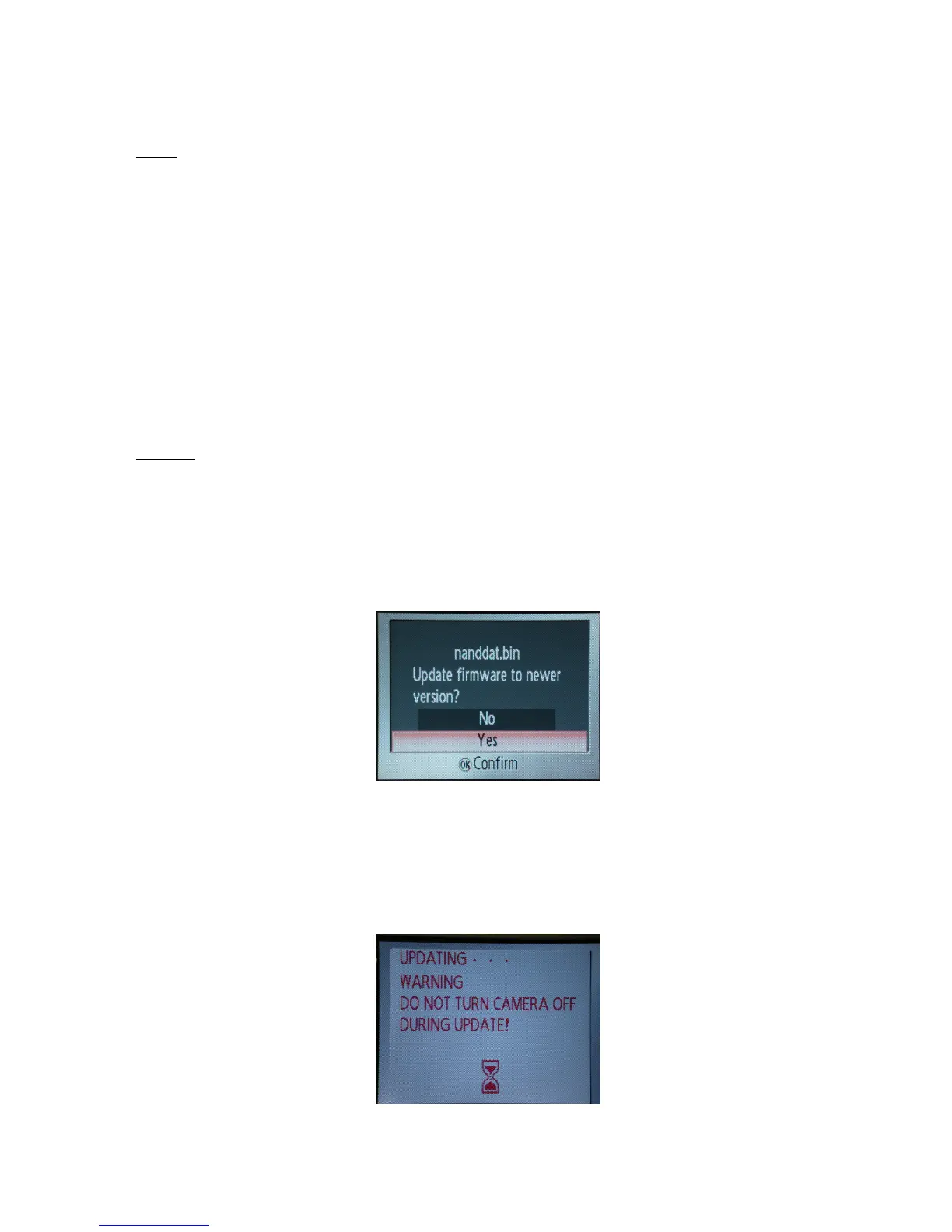
・ Highlight and select "Firmware version" to display the menu for data-writing of initial images. (Fig.1)
Write the data of initial images, and go on to upgrade the rmware.
・ Select "Yes", and press the decision button to carry out data-writing of initial images. (Fig.2)
Note: Do NOT turn power OFF during upgrading.
(Fig.1)
(Fig.2)



 To Next Page