VAA46003-R.3659.A
- A43 ・ E7900 -
12. AWB adjustment
[Preparations]
• Pattern Box(Color temperature: 3100 ± 20K, Luminance: 900 ± 20cd/m
2
)
[Conditions]
• Set the pattern box and camera (lens front) at "0cm" distance between them.
Note) Do not allow outside light to enter in.
[How to]
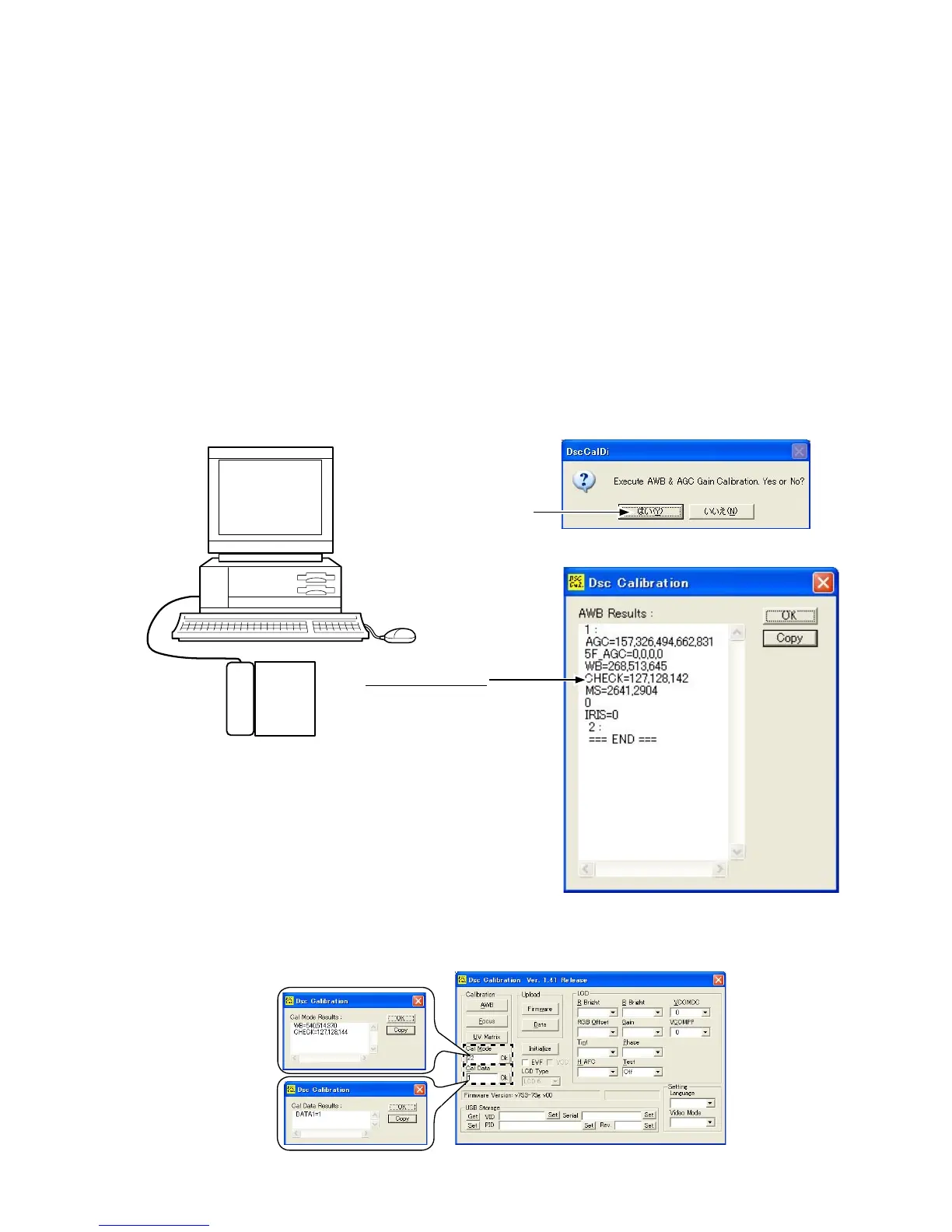
• Double-click on "DscCa1Di.exe".
• Click "AWB", then "Yes".
• AWB adjustment values will appear on the screen.
Judgment standard: CHECK=128 ± 2, 128 ± 2, 130 ± 40
• Click "OK".
"Yes"
Result of adjustment
Camera
Pattern Box
・ Input “1” into “Cal_Data” and click “OK”.
・ Input “22” into “Cal_Mode” in the adjustment conditions status and click “OK”.



 To Next Page