233
I
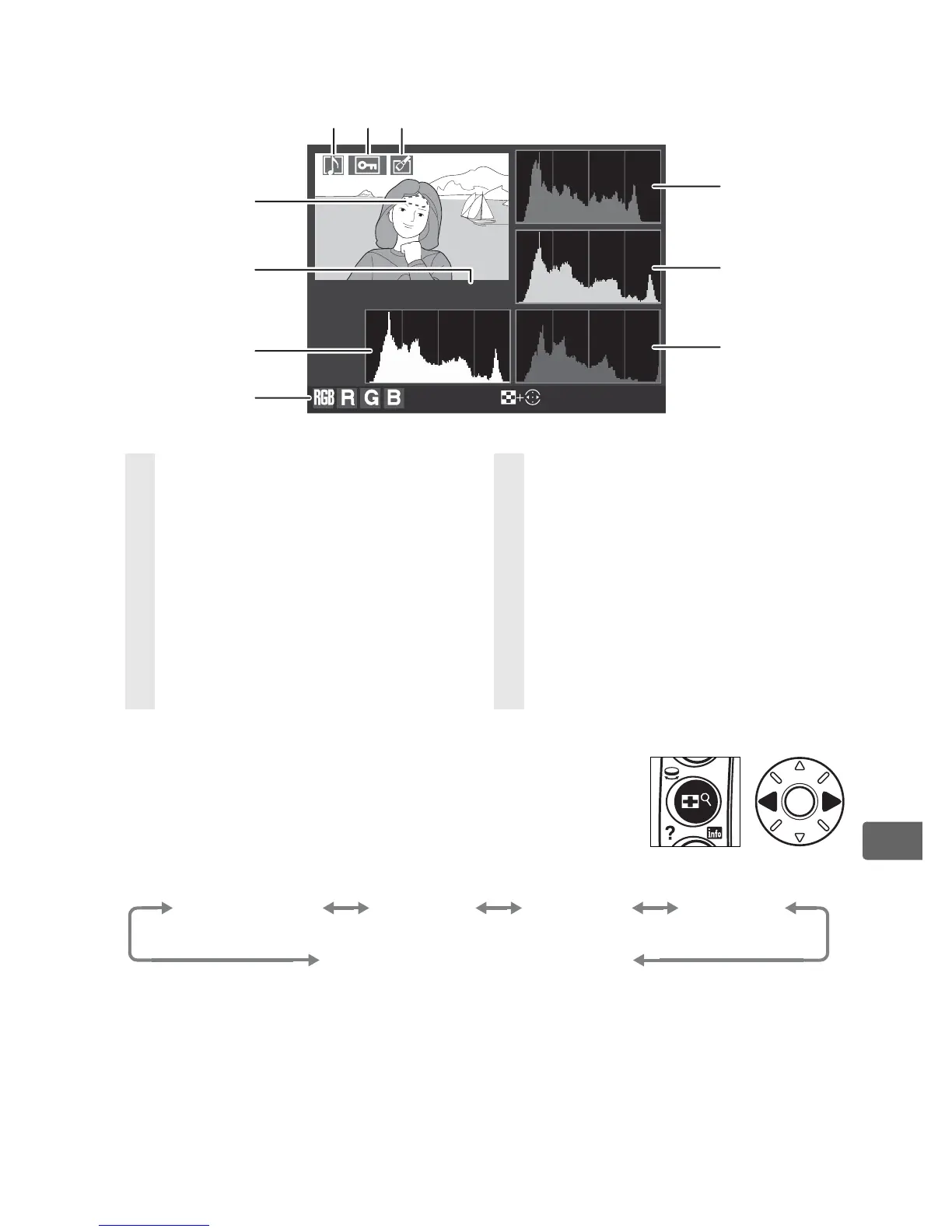
❚❚ RGB Histogram
1
1 Displayed only if [RGB histogram] is selected for [Display mode] (pg. 282).
2 Highlights can be displayed separately for each
color channel. Press 4 or 2 while pressing N
button to cycle through channels as follows:
3 Displayed in yellow with image area icon if [DX format (24 × 16)] (a) or
[5 : 4 (30 × 24)] (b ) was selected for the [Image area] option (pg. 60) in the
shooting menu.
100
-
1
Highlights
Select R, G, B
6
4
5
7
8
9
10
123
1 Voice memo icon ...................... 248
2 Protect status ............................. 244
3 Retouch indicator ..................... 360
4 Image highlights (areas of image
that may be overexposed) are
marked by a flashing border.
2
5 Folder number–frame
number
3
...................................... 293
6 Histogram (RGB channel)
4
. In all
histograms, horizontal axis gives
pixel brightness, vertical axis
number of pixels.
7 Current channel
2
8 Histogram (red channel)
4
9 Histogram (green channel)
4
10 Histogram (blue channel)
4
RGB
(all channels)
R
(red)
G
(green)
B
(blue)
Highlight display off



 To Next Page