235
I
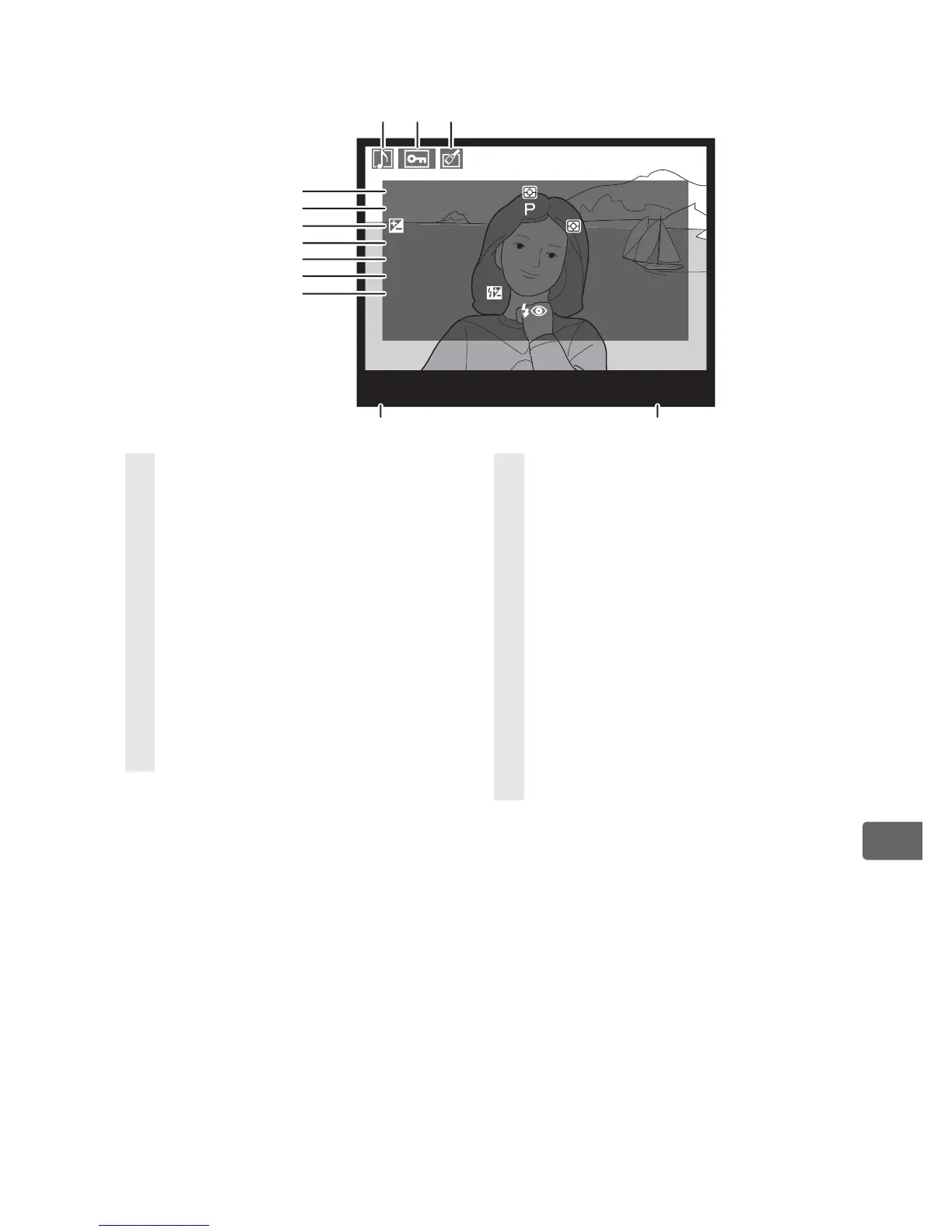
❚❚ Shooting Data Page 1
1
1 Displayed only if [Data] is selected for [Display mode] (pg. 282).
2 Displayed in red if photo was taken with ISO sensitivity auto control on.
3 Displayed if Custom Setting b6 ([Fine tune optimal Exposure]) has been set
to a value other than zero for any metering method.
4 Displayed only if VR lens is attached.
5 Displayed only if optional flash unit SB-800, SB-600, or SB-R200 is used.
6 Displayed in yellow with image area icon if [DX format (24 × 16)] (a) or
[5 : 4 (30 × 24)] (b) was selected for the [Image area] option (pg. 60) in the
shooting menu.
100
-
1
N
I
KO
N
D
3
M
TR
,
SP
D
,
AP
.
E
XP.
M
O
D
E
, I S
O
, EXP. T
U
N
I
N
G
F
OCAL
LE
N
G
T
H
LE
N
S
A
F
/
V
R
FL
A
S
H
M
O
D
E,
:
,
1
/
8000
,
F2
.
8
:
,
HI
-
0
.
3
:
+
1
.
3,
+
5
/
6
:
85
mm
:
85
/
1. 4
:
C
:
Optional
,
TTL
,
+
1
.
3
SL
O
W
4
5
6
7
8
9
10
11 12
12
3
1 Voice memo icon ..................... 248
2 Protect status ............................ 244
3 Retouch indicator .................... 360
4 Metering method .................... 114
Shutter speed...................120, 124
Aperture.............................122, 124
5 Exposure mode ........................ 116
ISO sensitivity
2
......................... 108
6 Exposure compensation ....... 132
Optimal exposure tuning
3
... 315
7 Focal length................................382
8 Lens data .....................................220
9 Focus mode.................................. 74
Lens VR
(vibration reduction)
4
...........378
10 Flash mode .................................197
Flash compensation
Commander mode
5
11 Camera name
12 Folder number–frame
number
6
......................................293



 To Next Page