237
I
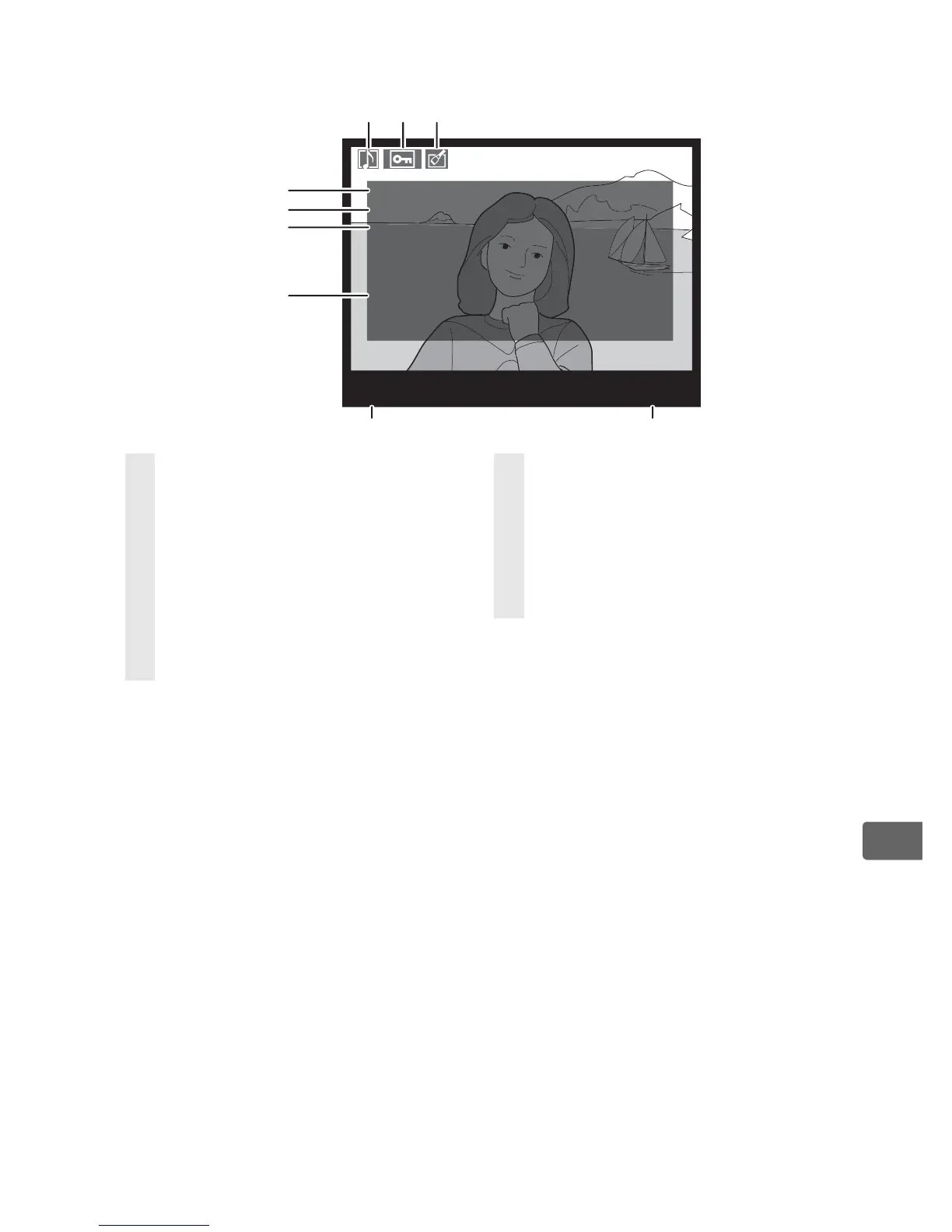
❚❚ Shooting Data Page 3
1
1 Displayed only if [Data] is selected for [Display mode] (pg. 282).
2 Displayed in yellow with image area icon if [DX format (24 × 16)] (a) or
[5 : 4 (30 × 24)] (b ) was selected for the [Image area] option (pg. 60) in the
shooting menu.
N
O
I SE RE
D
U
C
.
AC
T
.
D
–
LI
GH
T
.
RET
O
U
C
H
CO
MM
E
N
T
:
H
I IS
O
/LONG EXP.
:
N
O
R
M
A
L
:
D
–
LI
G
H
TI
N
G
W
A
R
M
T
O
N
E
C
Y
A
N
O
TYPE
TRI
M
:
SPRI
N
G
H
A
S
CO
M
E
.
SP
RI
N
G
H
A
S
CO
M
E
.
3636
100
-
1
N
I
KO
N
D
3
4
5
6
7
8 9
1 2 3
1 Voice memo icon ..................... 248
2 Protect status ............................ 244
3 Retouch indicator .................... 360
4 High ISO noise reduction...... 299
Long exposure noise
reduction .................................... 299
5 Active D-Lighting..................... 185
6 Retouch history.........................360
7 Image comment .......................348
8 Camera name
9 Folder number–frame
number
2
......................................293



 To Next Page