264
Q
❚❚ Connecting the Printer
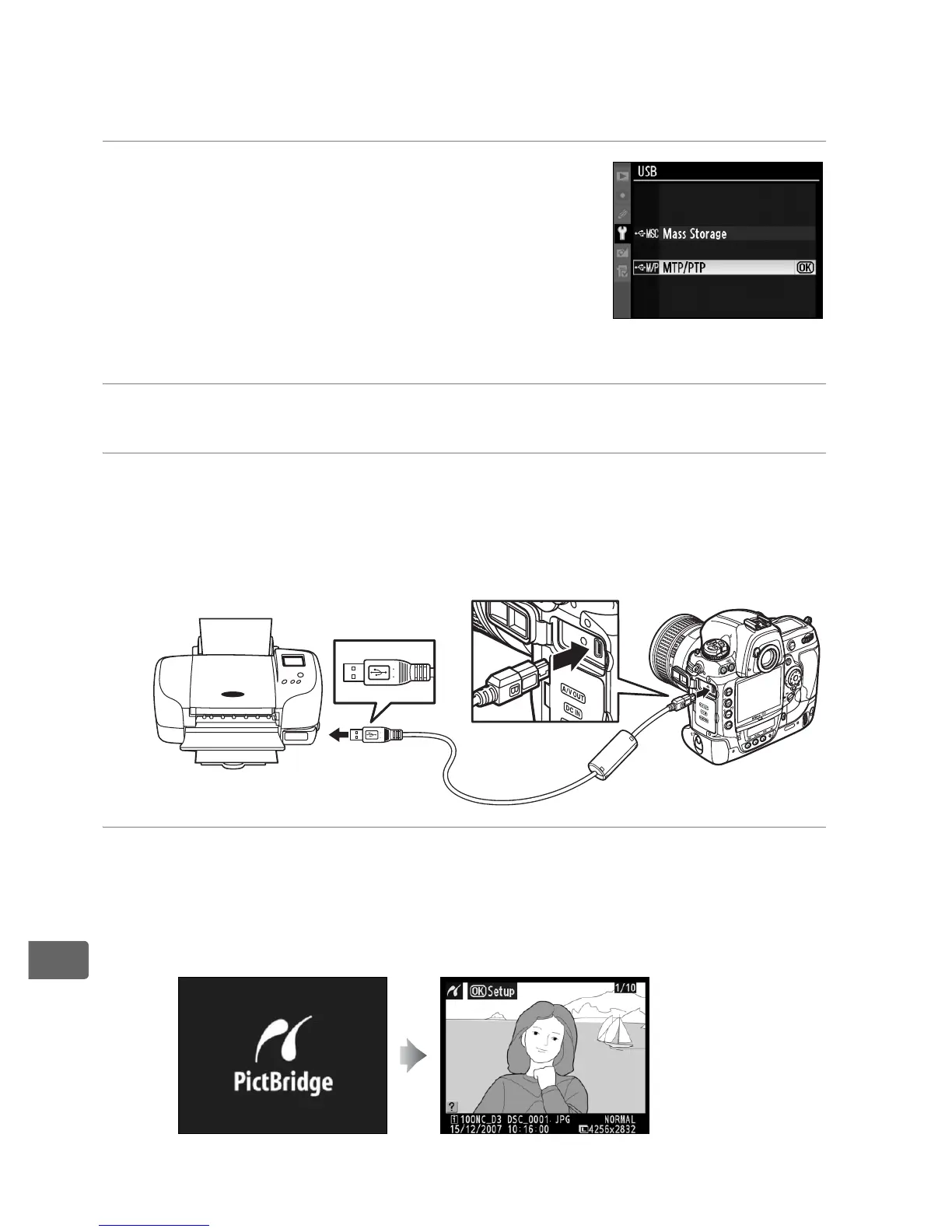
Connect the camera using the supplied UC-E4 USB cable.
1 Select [MTP/PTP].
If the [USB] option in the camera setup
menu has been changed from the
default setting of [MTP/PTP], display the
[USB] menu and select [MTP/PTP] (pg.
257).
2 Turn the camera off.
3 Connect the USB cable.
Turn the printer on and connect the USB cable as shown.
Do
not use force or attempt to insert the connectors at an angle.
4 Turn the camera on.
A welcome screen will be displayed in the monitor, followed
by a PictBridge playback display.
q



 To Next Page