285
U
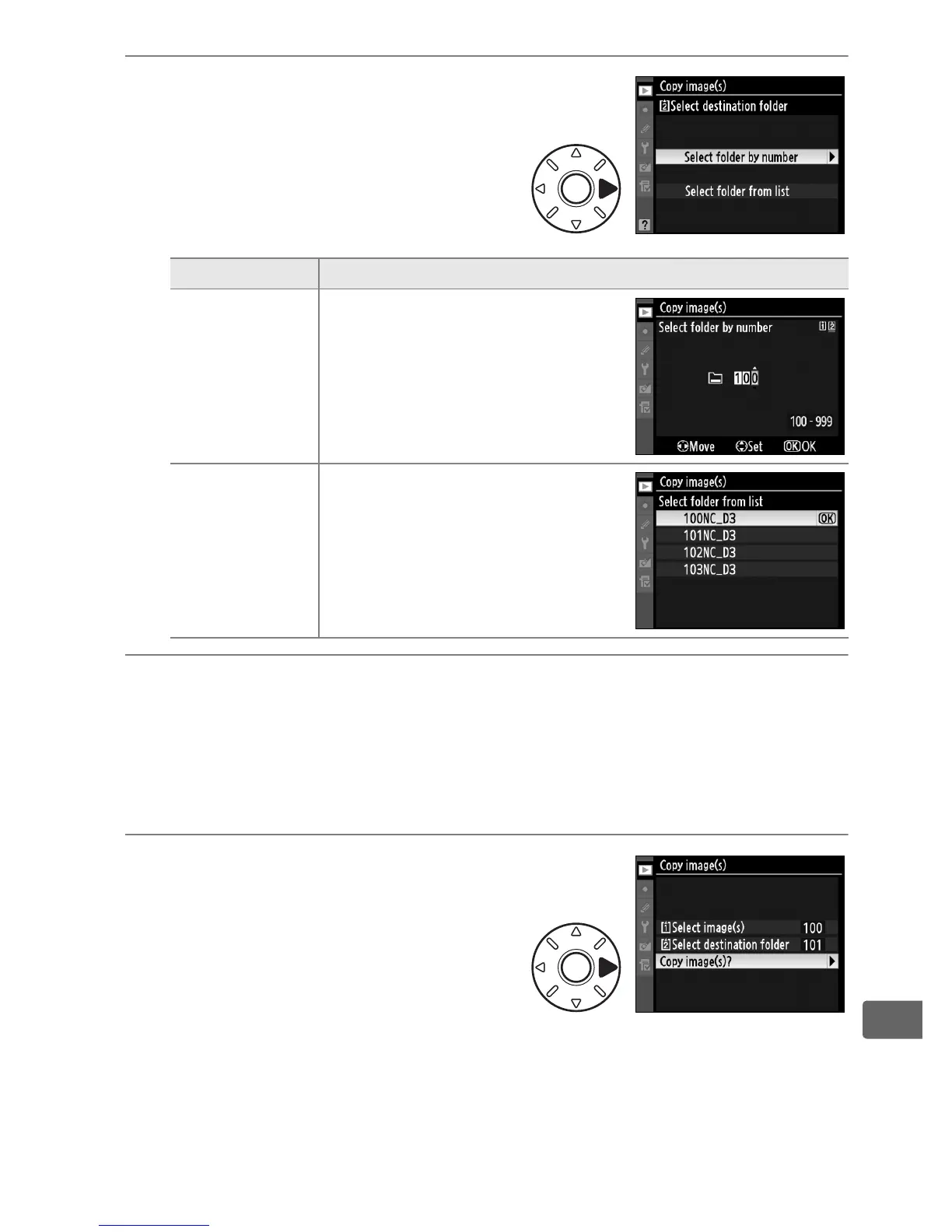
6 Choose a selection
method.
Highlight one of the following
options and press 2.
7 Select a destination folder.
Enter the desired folder number or highlight the destination
folder and press J to select the folder and return to the [Copy
image(s)] menu.
8 Select [Copy image(s)?].
Highlight [Copy image(s)?] and
press 2.
Option Description
Select folder
by number
Enter number of destination
folder.
Select folder
from list
Select destination folder from
list.



 To Next Page