338
U
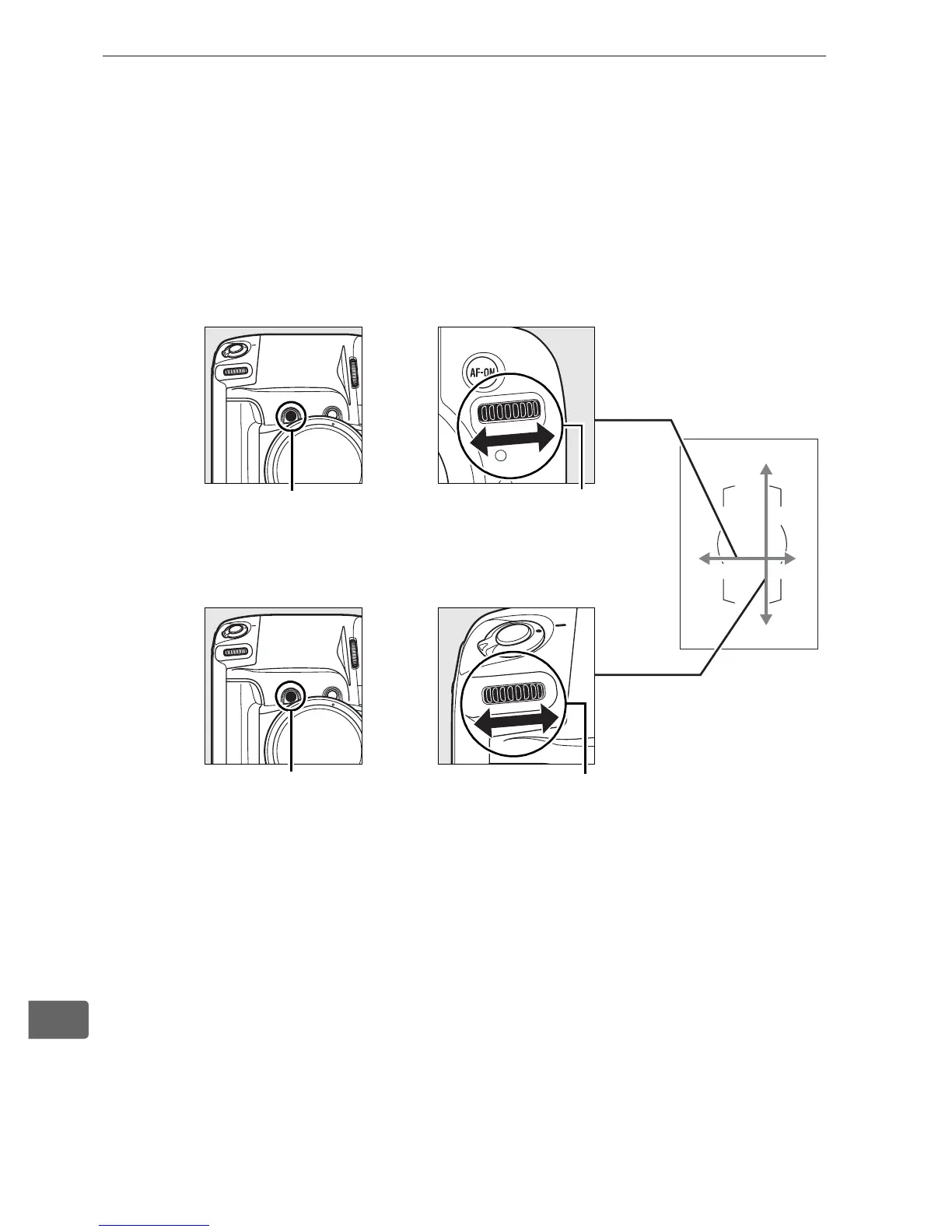
3 Select the focus point.
With the camera in portrait (“tall”) orientation, select a focus
point by pressing the Fn button and rotating the command
dials for vertical shooting. Use the main command dial to
move the focus area selection left or right, the sub-command
dial to move it up or down.
Main command dial for vertical shooting
Sub-command dial for vertical shooting
+
+
Fn button Main command dial
for vertical shooting
Fn button Sub-command dial
for vertical shooting



 To Next Page