10
First Steps
Inserting Memory Cards
Pictures can be stored in the camera's internal memory (about 14 MB) or on Se-
cure Digital (SD) memory card. If no memory card has been inserted in the cam-
era, pictures will be stored in the memory, and if the camera contains a memory
card, then pictures will automatically be stored on the card.
To store pictures in the internal memory, remove the memory card.
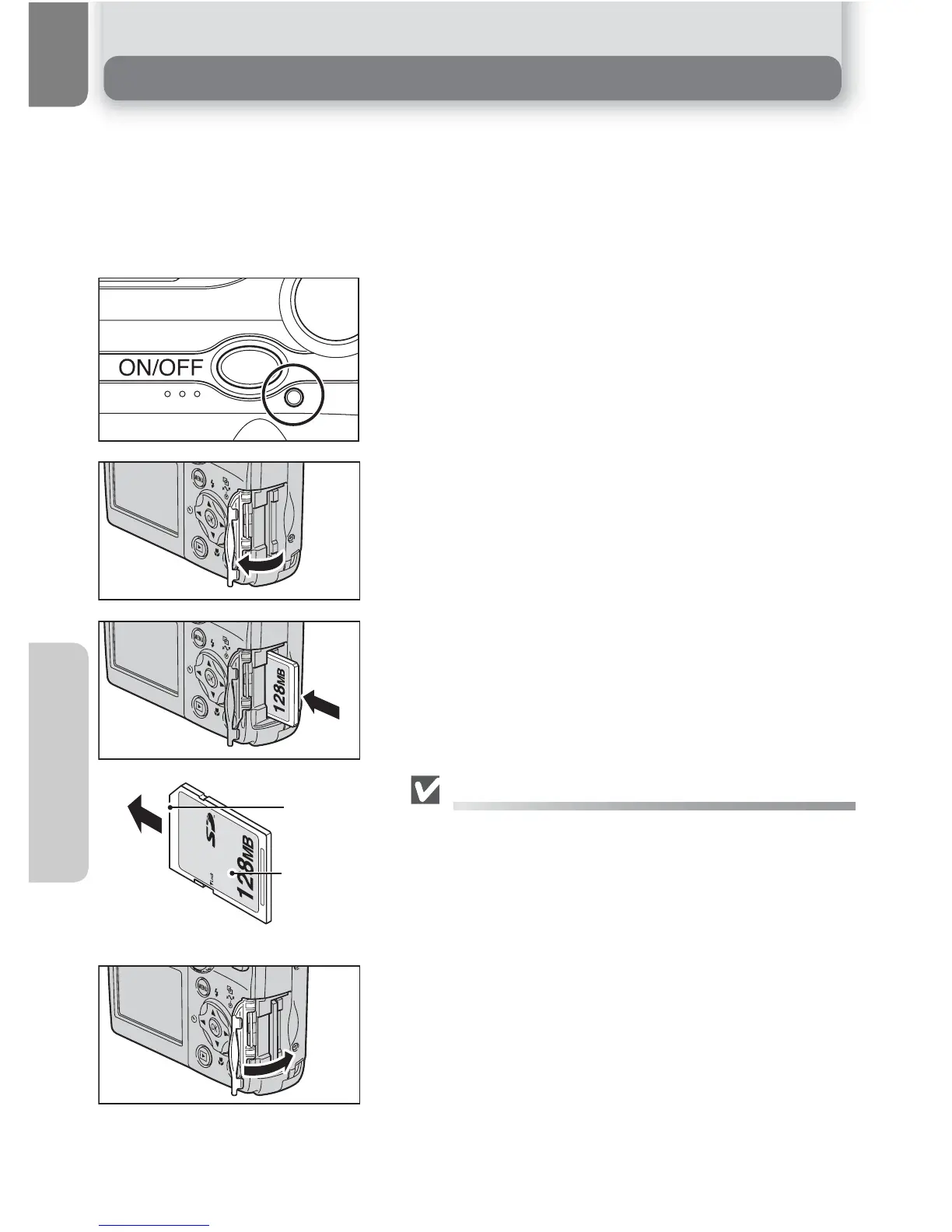
Confirm that the camera is off
• The power-on lamp should be off.
Open the memory card slot cover
Insert the memory card
• Insert the memory card in the direction of the
arrow as shown. Insert straight without bend-
ing.
Inserting Memory Cards
Insert the memory card terminals first.
Inserting the card upside down or backwards could
damage the camera or the card. Check to be sure the
card is in the correct orientation.
Close the memory card slot cover
1
2
Front
Direction
of insertion
Terminals
3















 To Next Page