EasyManua.ls Logo

Nikon E5600 - Page 63

Nikon E5600
128 pages
Print Icon
To Next Page IconTo Next Page
To Previous Page IconTo Previous Page
Loading...
53
Printing Pictures
More on Playback
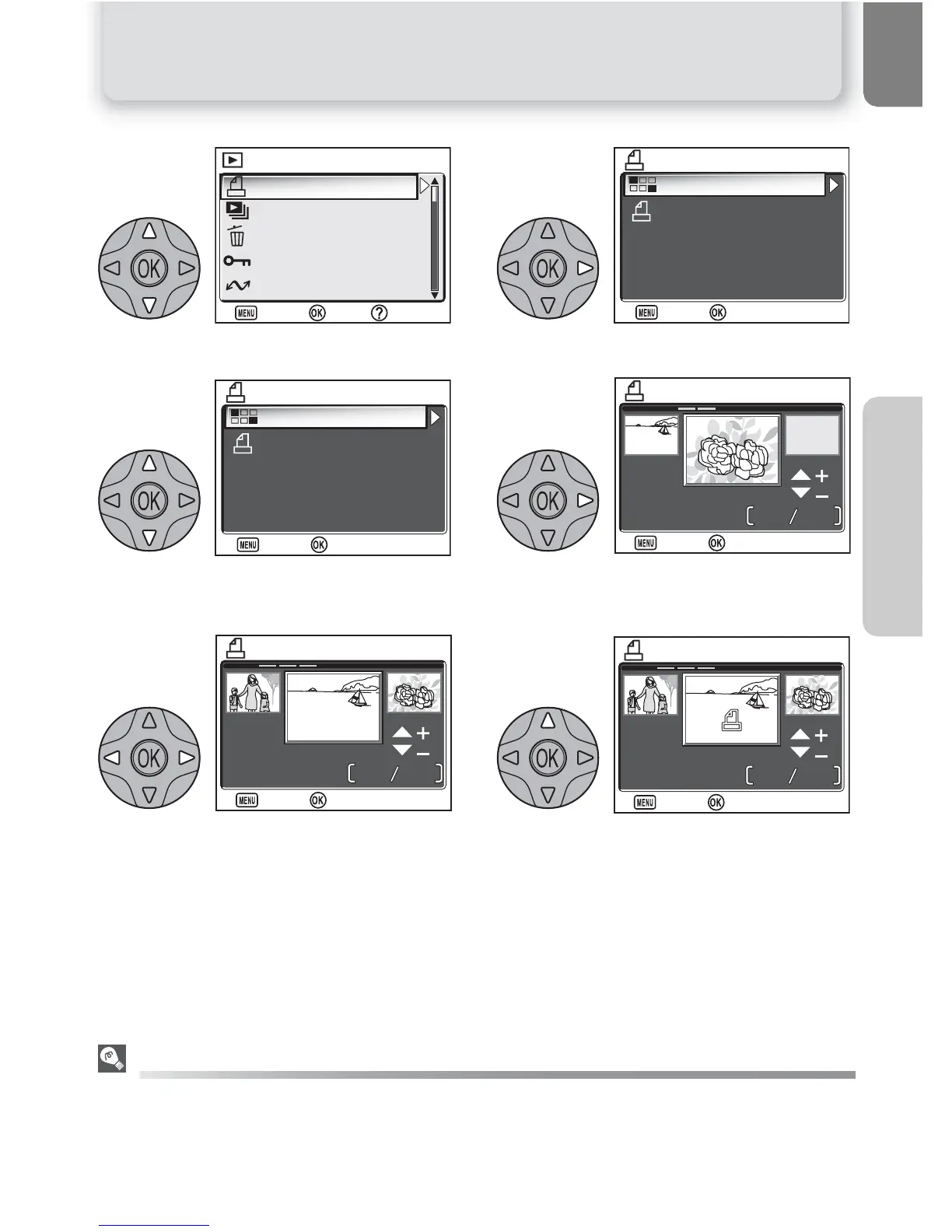
Highlight Print set. Display PRINT SET menu.
Highlight Print selected. Pictures on memory card displayed as
thumbnail images.
Highlight picture. Select highlighted picture. Selected pic-
tures marked by d icon.
"Delete print set"
To cancel the current print order, highlight Delete print set in the PRINT SET menu and press the
multi selector to the right. Print marking will be removed from all pictures in the current print order;
the pictures themselves will not be deleted.
1
Print set
Slide show
Delete
Protect
Transfer marking

PLAYBACK MENU 1/2
PLAYBACK MENU 1/2
:
Help
:
Help
:
Set
:
Set
:
Exit
:
Exit
2
Print selected
Delete print set
PRINT SET
PRINT SET
:
Set
:
Set
:
Exit
:
Exit
3
Print selected
Delete print set
PRINT SET
PRINT SET
:
Set
:
Set
:
Exit
:
Exit
4
PRINT SELECTION
PRINT SELECTION
12
:
00
12
:
00
5
5
5
5
2005
.
05 .
01
2005
.
05 .
01
:
Set
:
Set
:
Back
:
Back
5
12
:
00
12
:
00
5
5
4
4
2005
.
05 .
01
2005
.
05 .
01
PRINT SELECTION
PRINT SELECTION
:
Set
:
Set
:
Back
:
Back
6
12
:
00
12
:
00
5
5
4
4
2005
.
05 .
01
2005
.
05 .
01
1
1
PRINT SELECTION
PRINT SELECTION
:
Set
:
Set
:
Back
:
Back

Table of Contents

Related product manuals