58
Printing Via Direct USB Connection
More on Playback
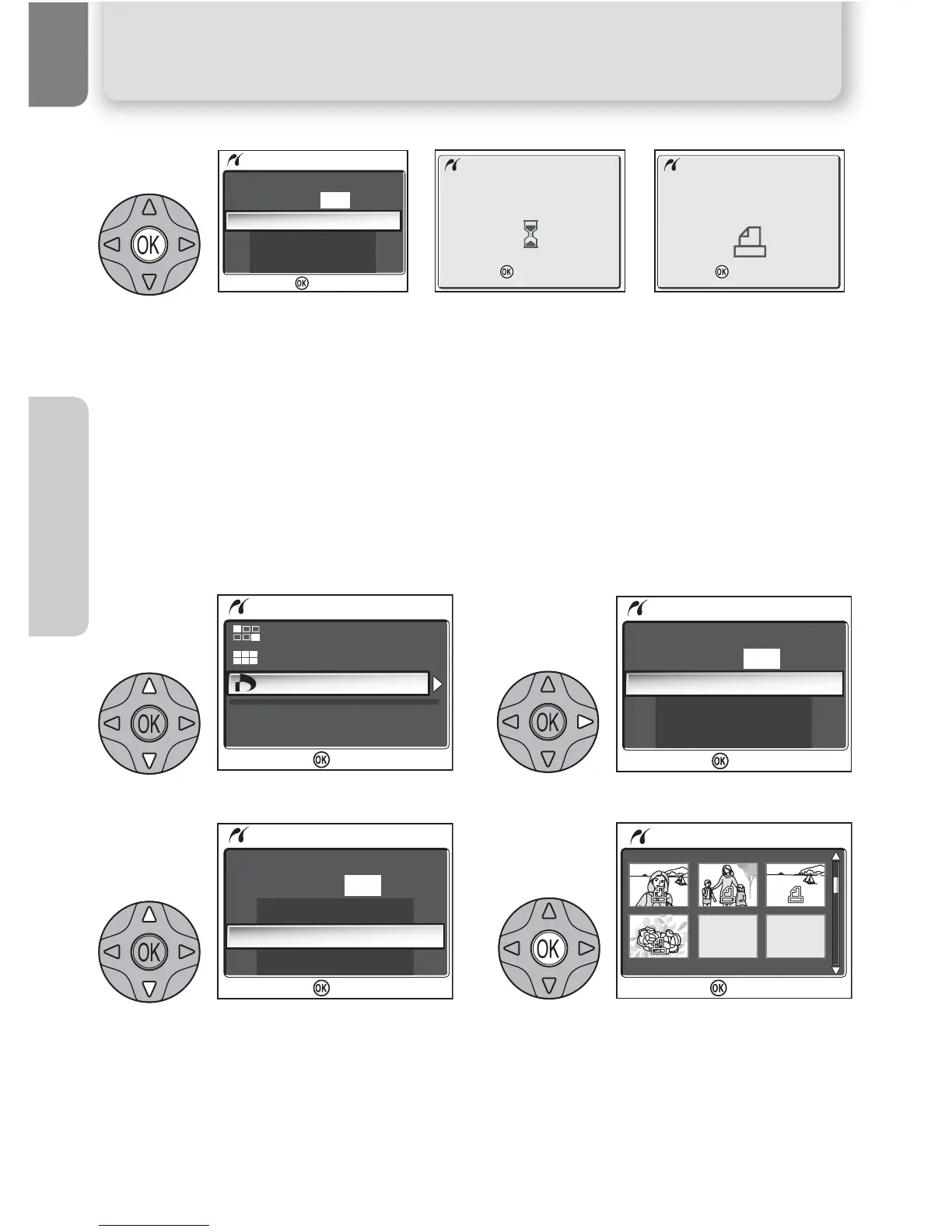
Display confirmation dialog. Press the multi selector up or down to highlight option,
and press I (the center of the multi selector) to select.
• Select Start print to start printing. To interrupt printing, press I, then turn
camera off and disconnect USB cable.
• Select Back to return to print selection dialog shown in Step 5.
• Select Cancel to exit without printing pictures.
• Select Resume to return to Step 3.
Message shown above at right is displayed when printing is complete. Turn cam-
era off and disconnect USB cable.
To print the current print order:
Highlight DPOF printing. Display options.
Highlight Confirm. To exit without
printing pictures, highlight Cancel and
press I.
Display print order. Press the multi selec-
tor up, right, left, or down to view pic-
tures not visible in display.
10















 To Next Page