MOUNTING
LENS
1
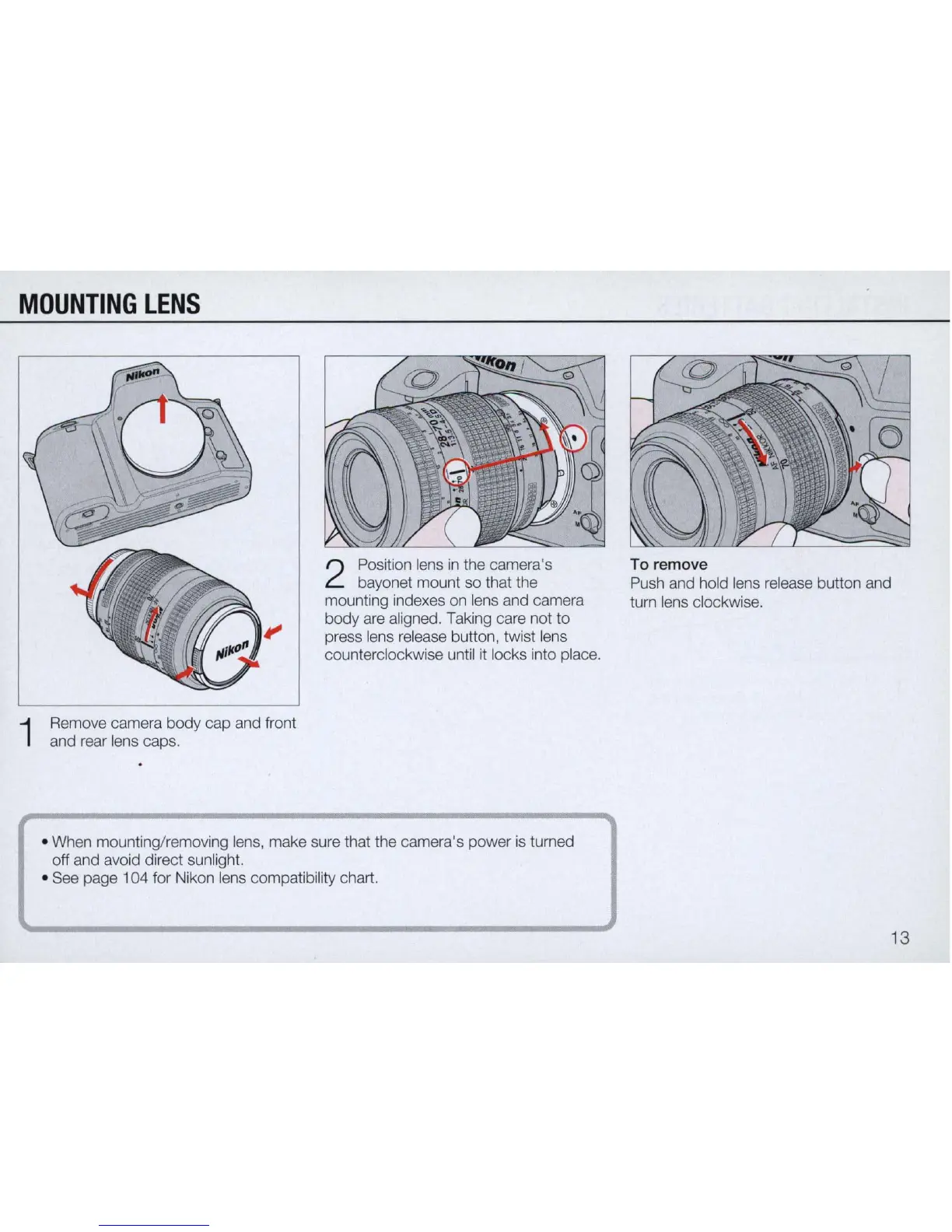
Remove camera body cap and front
and rear lens caps.
2
Position lens
in
the camera's
bayonet mount so that the
mounting indexes on lens and camera
body are aligned. Taking care not
to
press lens release button, twist lens
counterclockwise until it locks into place.
• When mounting/removing lens, make sure that the camera's power is tumed
off and avoid direct sunlight.
• See page 104 for Nikon lens compatibility chart.
To
remove
Push and hold lens release button and
tum lens clockwise.
13



 To Next Page