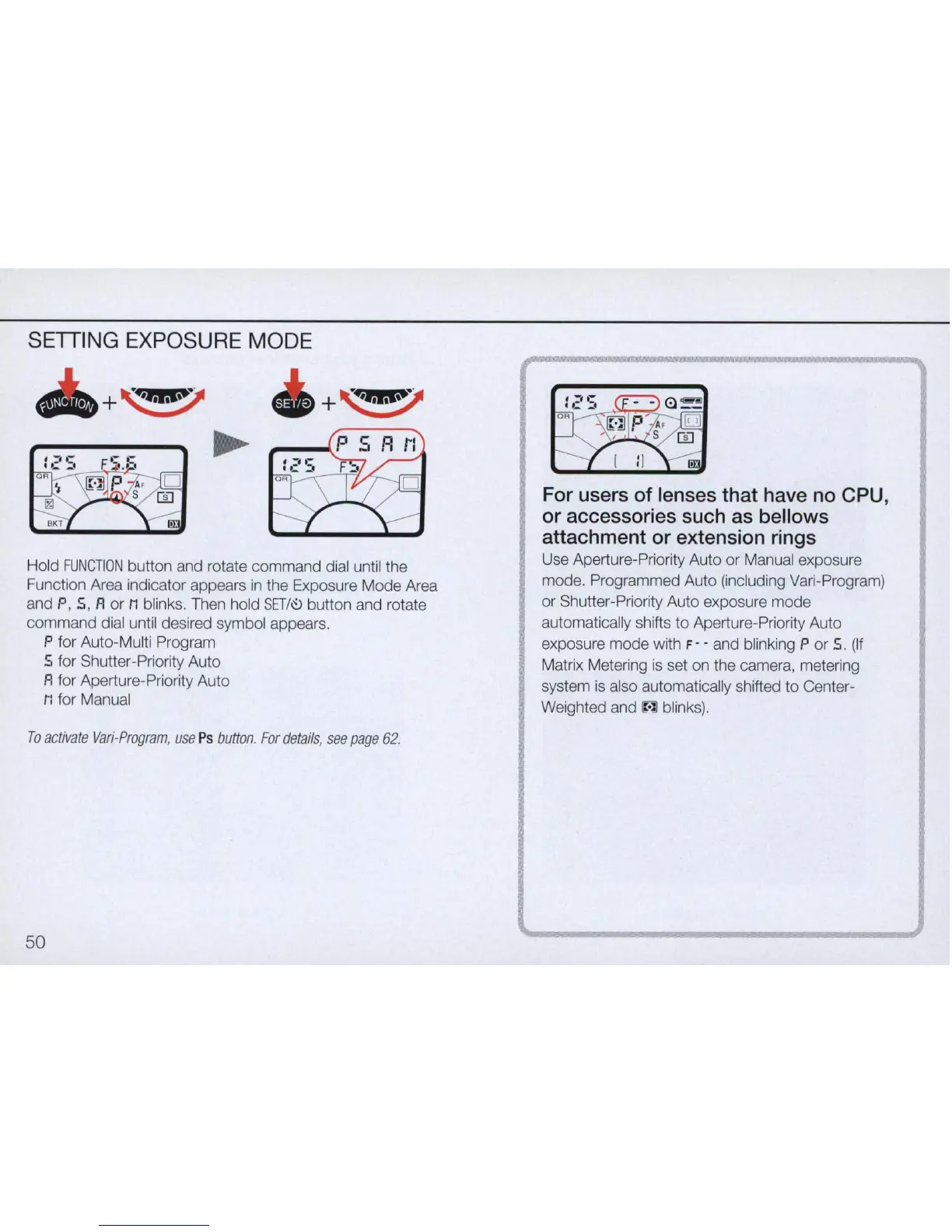
SETTING EXPOSURE MODE
+
~
+
~
Hold
FUNCTION
button and rotate command dial until the
Function Area indicator appears
in
the Exposure Mode Area
and P, 5, A or
M blinks. Then hold
SETI~
button and rotate
command dial until desired symbol appears.
P for Auto-Multi Program
5 for Shutter-Priority Auto
A for Aperture-Priority Auto
M for Manual
To
ac
tivate
Vari
-
Program
,
use
Ps
button
.
For
details
,
see
page
62.
50
For users of lenses that have no CPU,
or accessories such as bellows
attachment or extension rings
Use Aperture-Priority Auto or Manual exposure
mode. Programmed Auto (including Vari-Program)
or Shutter-Priority Auto exposure mode
automatically shifts
to
Aperture-Priority Auto
exposure mode with
F - - and blinking P or
S.
(If
Matrix Metering is set on the camera, metering
system
is
also automatically shifted
to
Center-
Weighted and
~
blinks).



 To Next Page