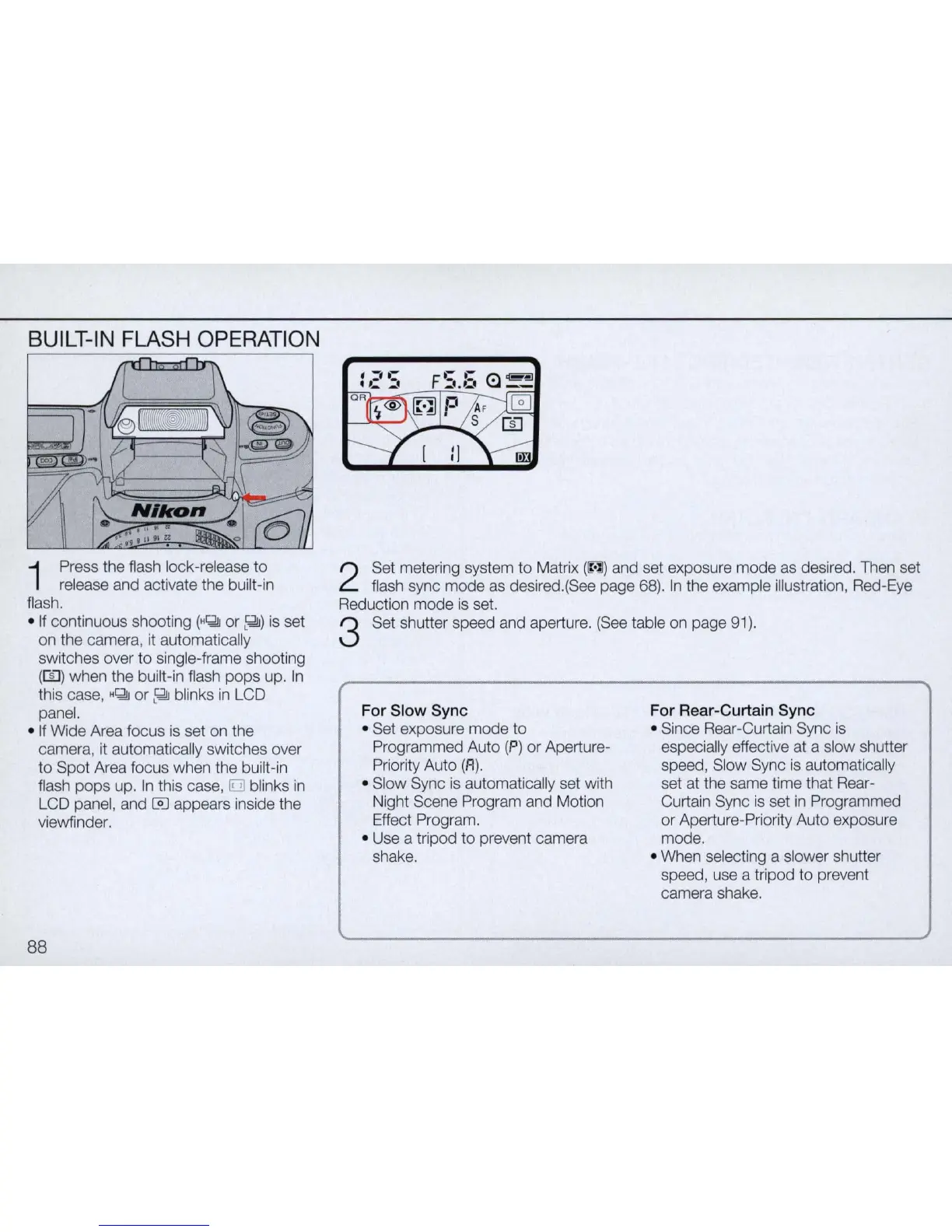
BUILT-IN FLASH OPERATION
1
Press the flash lock-release
to
release and activate the built-in
fiash.
•
If
continuous shooting
(H~
or
~)
is set
on the camera,
it
automatically
sw
itches over
to
single-frame shooting
(m)
when the built-in flash pops up. In
this case,
H~
or
~
blinks
in
LCD
panel.
•
If
Wide Area focus is set on the
camera, it automatically switches over
to
Spot Area focus when the built-in
flash
pops
up.
In
this case,
[iJJ
blinks
in
LCD panel, and @] appears inside the
viewfinder.
88
2
Set metering system
to
Matrix
(INJ)
and set exposure mode as desired. Then set
flash sync mode as desired.(See page
68).
In
the example illustration, Red-Eye
Reduction mode
is
set.
3 Set shutter speed and aperture. (See table on page 91).
For
Slow
Sync
• Set exposure mode
to
Programmed Auto (P) or Aperture-
Priority Auto (R
).
• Slow Sync is automatically set with
Night Scene Program and Motion
Effect Program.
• Use a tripod
to
prevent camera
shake.
For Rear-Curtain
Sync
• Since Rear-Curtain Sync is
especially effective at a slow shutter
speed, Slow Sync
is
automatically
set at the same time that Rear-
Curtain Sync
is
set
in
Programmed
or Aperture-Priority
Au
to exposure
mode.
• When selecting a slower shutter
speed, use a tripod
to
prevent
camera shake.



 To Next Page