FLASH OUTPUT LEVEL
COMPENSATION-
TO MAKE FLASH-ILLUMINATED SUBJECT
BRIGHTER OR DARKER
To manually adjust the flash light output level , use Flash Output
Level Compensation. You can adjust the light output level from
-3
EV
to
+ 1
EV
in
1
/3
steps .
• Flash Output Level Compensation can be set only when the
built-in flash is activated or when attached Nikon Speedlight is
turned on.
92
+
~
+
~
1
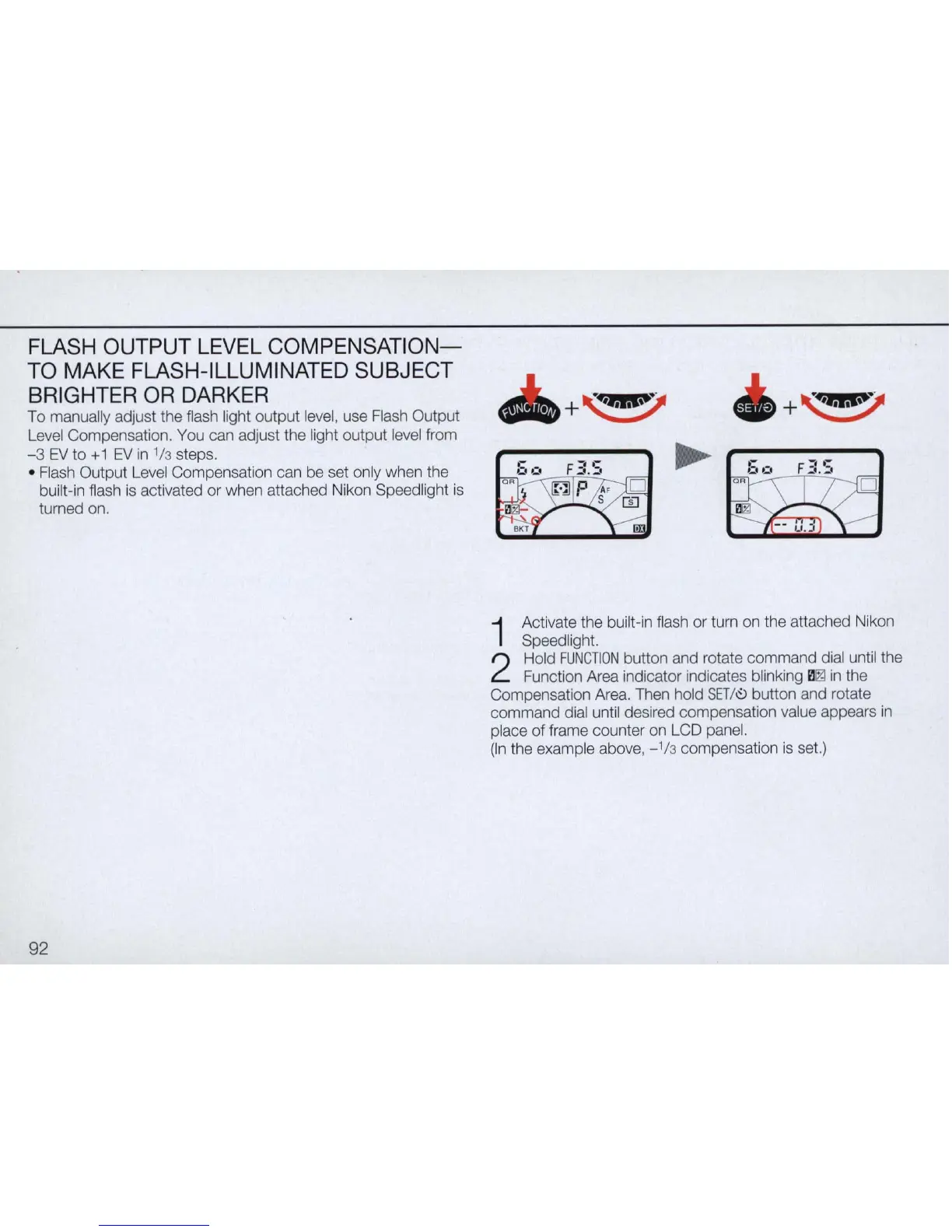
Activate the built-in flash or turn on the attached Nikon
Speedlight.
2
Hold
FUNCTION
button and rotate command dial until the
Function Area indicator indicates blinking
il
~
in
the
Compensation Area. Then hold
SET
/
\9
button and rotate
command dial until desired compensation value appears
in
place of frame counter on LCD panel.
(In the example above,
_1/
3 compensation
is
set.)



 To Next Page