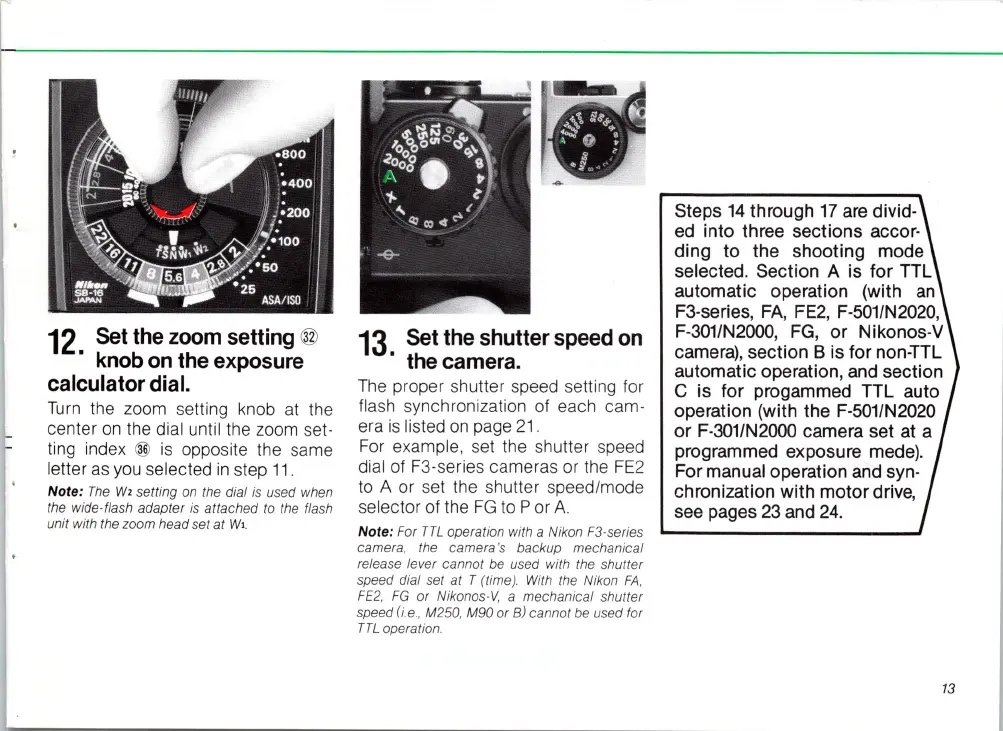
12.
Se
k
t b
the
zOh
om
setting
@
no
on
t e
exposure
calculator
dial.
Turn
the zoom setting knob
at
the
center
on
the dial until the zoom set-
ting index
@
is
opposite the
sa
me
letter
as
you selected
in
st
ep
11.
Note:
The
W,
setting
on
the dial
is
used when
the wide-flash adapter
is
attached to the flash
unit with the zoom head set
at
Wl
.
13.
Set
the
shutter
speed
on
the camera.
The
proper shutter speed setting for
flash
sy
nchronization of each cam-
era
is
listed
on
page
21
.
Fo
r example, set the shutter speed
dial of F3-series cameras or the
FE
2
to A or set the shutter speed/mode
se
lector of the FG to P or
A.
Note: For
TTL
operation with a Nikon
F3
-series
camera, the came
ra
's backup mechanical
release lever cannot
be
used with the shutter
speed dial set at T (time). With the Nikon
FA
,
FE2
,
FG
or Nikonos-V, a mechanical shutter
speed
(i.e.
, M250, M90 or B) cannot be used for
TTL
operation.
Steps
14
through
17
are divid·
ed into three sections
accor-
ding
to
the shooting mode
selected. Section A
is
for TTL
automatic operation (with
an
F3-series,
FA
, FE2, F-501/N2020,
F-301/N2000, FG, or Nikonos-V
camera), section B
is
for non-TTL
automatic operation, and section
C
is
for progammed TTL auto
operation (with the F-501/N2020
or F-301/N2000 camera set
at
a
programmed exposure
mede)_
For manual operation and syn-
chronization with motor drive,
see pages 23 and
24.
13














 To Next Page