5
En
Confi guration
At shipment, the case is con gured for use with the J4. Removable parts
allow the case to be con gured for use with the S2. Be careful not to drop
the parts during replacement.
Con guring the Case for the J4
Con guring the Case for the J4
The case is con gured for use with the J4 at shipment. Do not change the
con guration when using the case with the J4.
Con guring the Case for the S2
Con guring the Case for the S2
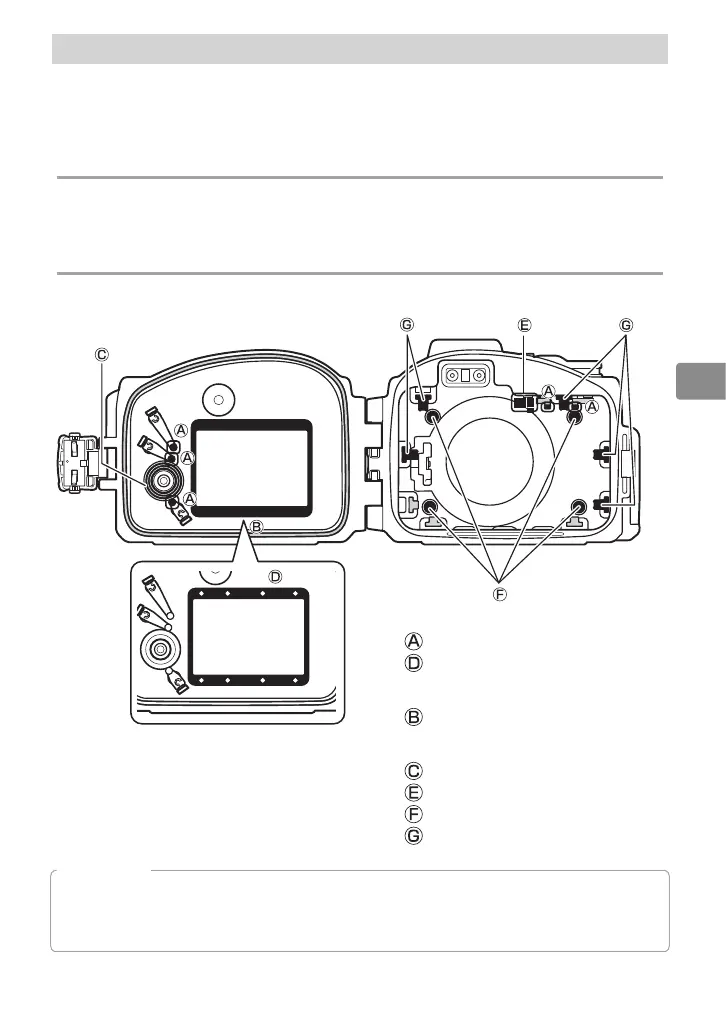
For use with the S2, con gure the case as shown below.
Remove:
Contact extender (×5)
Inner hood spacer (×1)
Remove and reinsert:
Inner hood (×1)
Remove, reverse, and reinsert:
Multi selector contact (×1)
Power switch contact (×1)
Front cushion (×4)
Side cushion (×5)
D
Important!
Be sure all parts are securely installed. Failure to fully insert removable parts may result in loss
or in leaks and damage to the camera. When replacing parts, choose a brightly-lit location and
be careful not to hurt your fi ngers or damage your fi ngernails.



 To Next Page