[Digitare qui]
LIBRARY
You can view what you recorded (photos, video, audio, etc.) on your EVO 4K30.
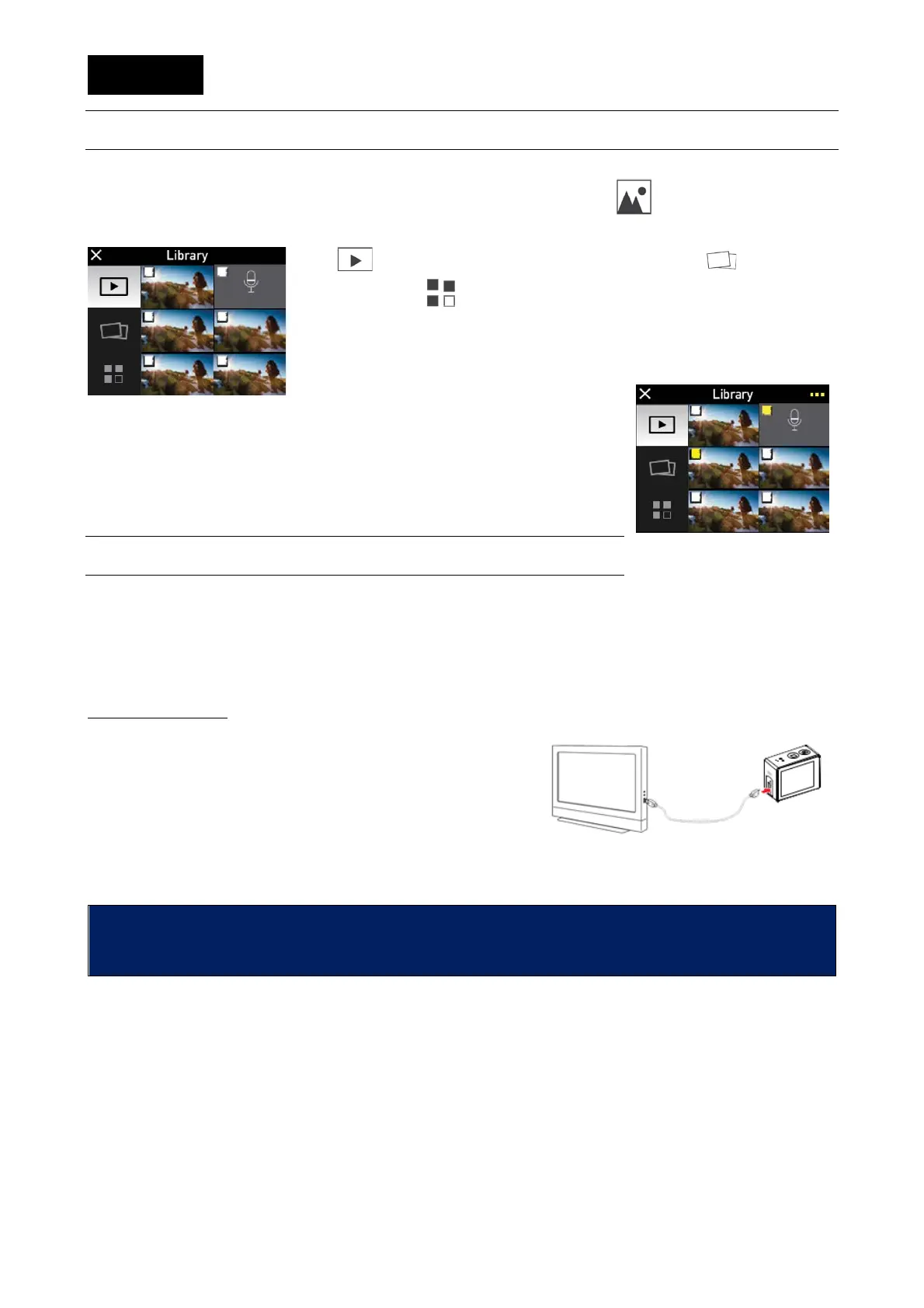
You can access the library or the main menu by clicking on the icon or, as an alternative, by
swiping your finger at the centre of the display, from left to right.
Icon leads to display the videos only, while icon only displays
photos and icon displays both.
Touch a photo or a video to visualise them.
If the user pushes on every image, in the upper left, it will be highlighted
by a yellow check mark.
Highlighted images and videos can be
deleted or protected from accidental cancellation.
OUTPUT INTERFACES
EVO 4K30 photo camera has 1 audio video output interface:
• Hdmi
and one data files output:
• Usb
HDMI VIDEO OUT
You can connect the photo camera to a video input,
through the Hdmi output, by using a specific cable (not
supplied).
In the meanwhile the video camera can work normally.
The display or the TV, connected to the video camera,
works exactly like the TFT display of the video camera.
In this way you can see photos or videos in playback mode, or adjust the setting parameters.
Incorrect HDMI cable removal could cause EVO 4K30 video camera
malfunctions. After rebooting, the EVO 4K30 video camera returns to normal
conditions. This function is not available when the Wi-Fi device is on.


 To Next Page