[Digitare qui]
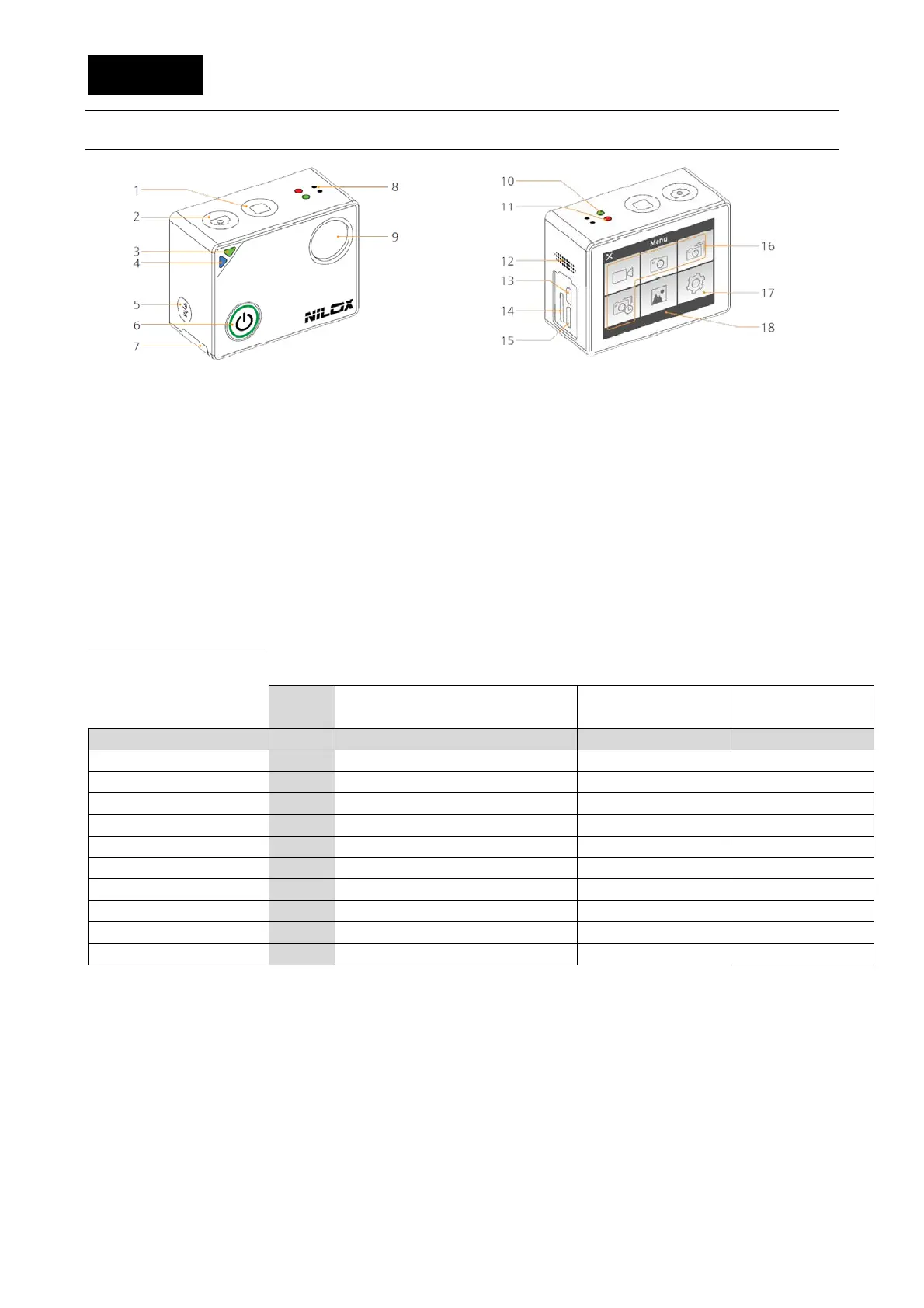
STRUCTURE
2)Shoot photo key
3)L1 status indicator green led (it flickers during
video recording)
4)Status indicator blue led Wi-Fi L2
5)Wi-Fi key
6)On and record key
7)Access to the battery
8)Microphone
9)Wide-angle lens unit
10)L1 status indicator led (it flickers during video
recording)
11)L3 status indicator red led
12) Speaker
13)Micro HDMI port
14)MicroSD slot
15)One-way Micro USB port
16)Video, photo, continuous shooting and time-lapse
modes
17)Settings menu
18)Photo and video view menu
STATUS LED MEANING
LEDs
On
On
On


 To Next Page