[Digitare qui]
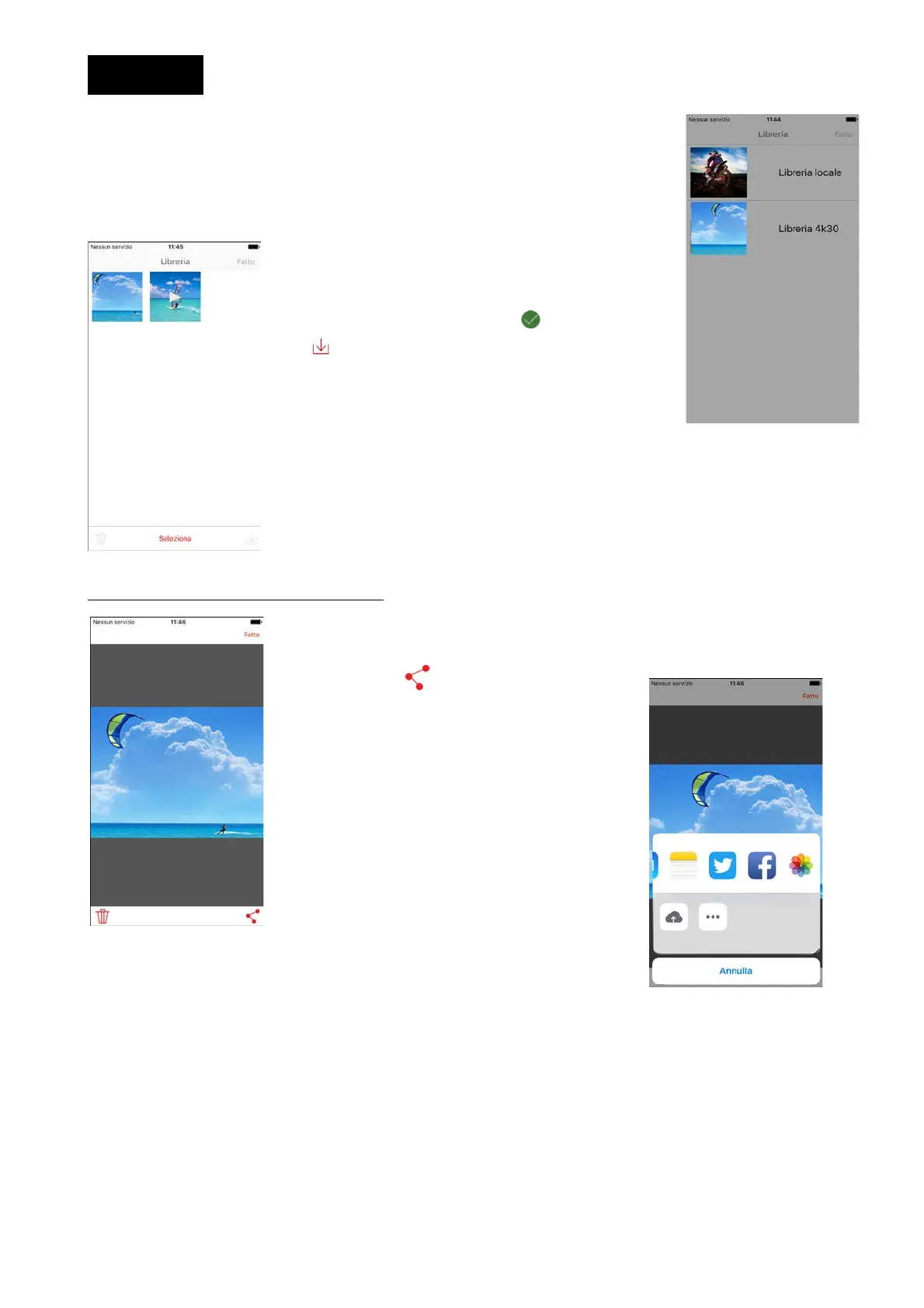
By turning the library on, you will have the possibility to visualise all photos
and videos on the cam, as well as those already present on your smart phone
or tablet.
We recommend you to download photos and videos from the cam on your
smart phone.
Turn your 4K30 library on and select the files to
download.
First of all, select the photos and videos that will be
highlighted by the check mark , then select the
icon that will appear in the lower left.
VISUALISATION AND SOCIAL SHARING
It will be possible to visualise photos and videos, once they have been
downloaded from the cam on the smart phone.
By pushing icon it will be possible to send
or share on your favourite social networks.


 To Next Page