[Digitare qui]
• Removal.
1 Turn off the video camera.
2 Press the centre of the back of the card and release it; then remove it.
TOUCH DISPLAY
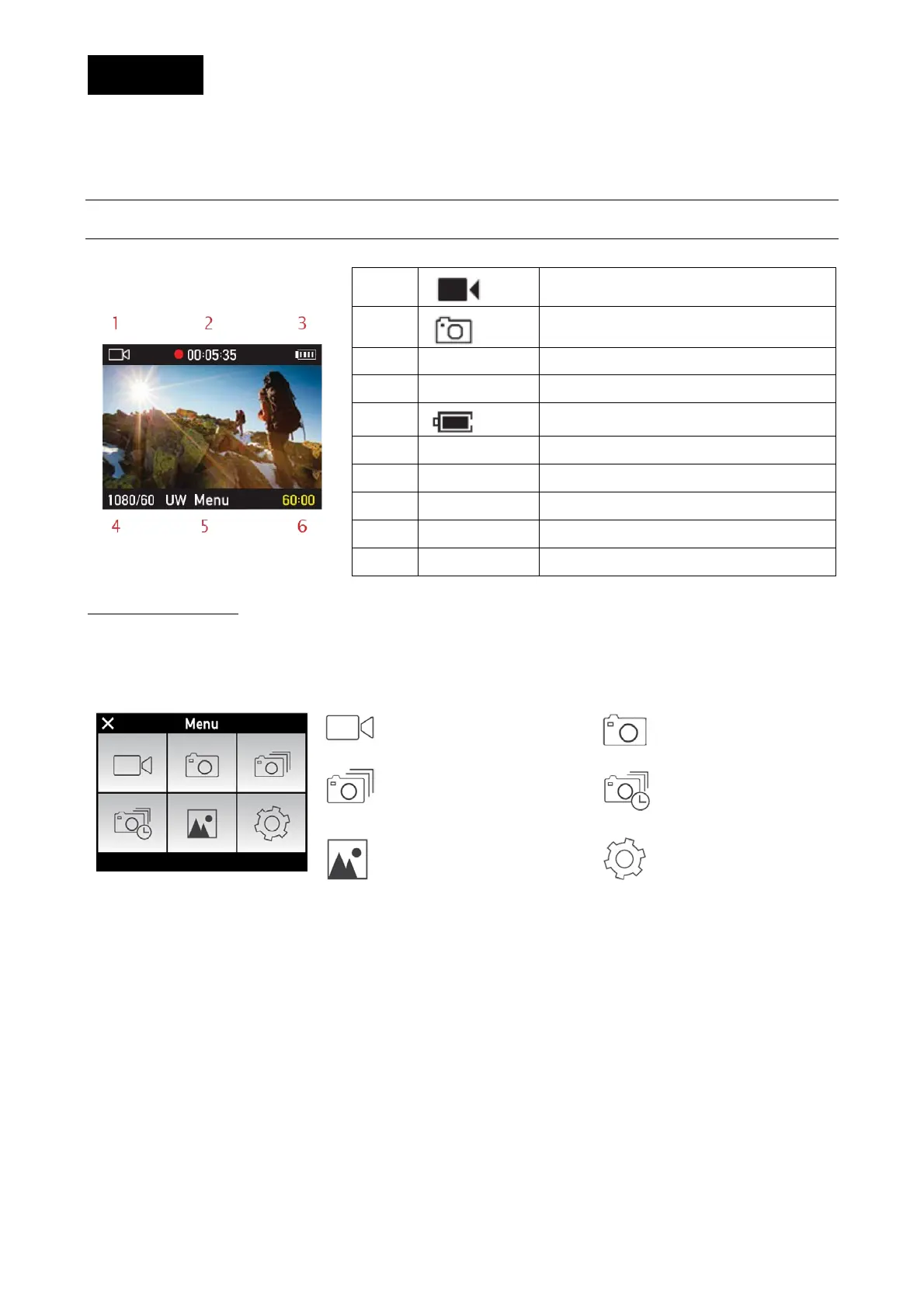
The symbol that appears on the LCD Touch display is very intuitive.
1
Video recording mode
1
Photo shooting mode
Number of recorded shutter clicks
3
Battery level
Video resolution and view angle
Photo resolution and view angle
Main menu, touch to enter.
ACCESS TO MENUS
Press on the MENU key in the centre lower part of the display to access the various menus.
As an alternative, in case there is no MENU key, swipe your finger from right to left, in the centre
of the display.
Video recording
Single shot photos
Multiple shot photos (burst
mode)
Time-Lapse
Photo and video library
Settings
Swipe an icon to access its menu.


 To Next Page